New: Nano Banana 2 & GPT Image 2

Try it

Updated 2026-11-16

Photo to Painting: Oil and Watercolor with AI

Turn a photo to painting in a single step: choose rich oil brushwork with visible impasto, or a light watercolor wash with soft edges and paper grain. EditPic keeps your composition and subject, and changes only the medium and the mood.

Photo to painting examples in oil and watercolor

Oil and watercolor across eight subjects: a business portrait, a bouquet, cats and dogs, a coastal village, a starry night and a city skyline. Compare each original with its painted version, then run the same photo to painting prompt on an image of your own.

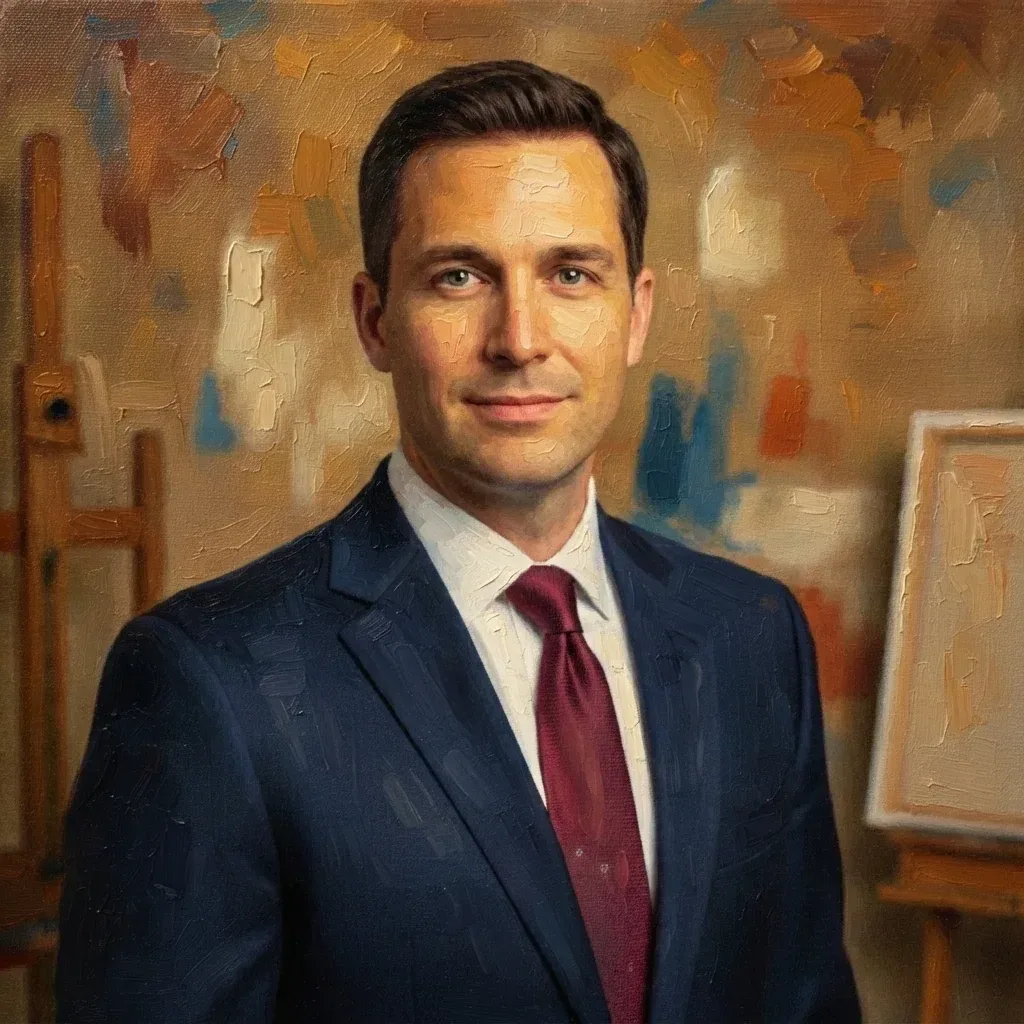
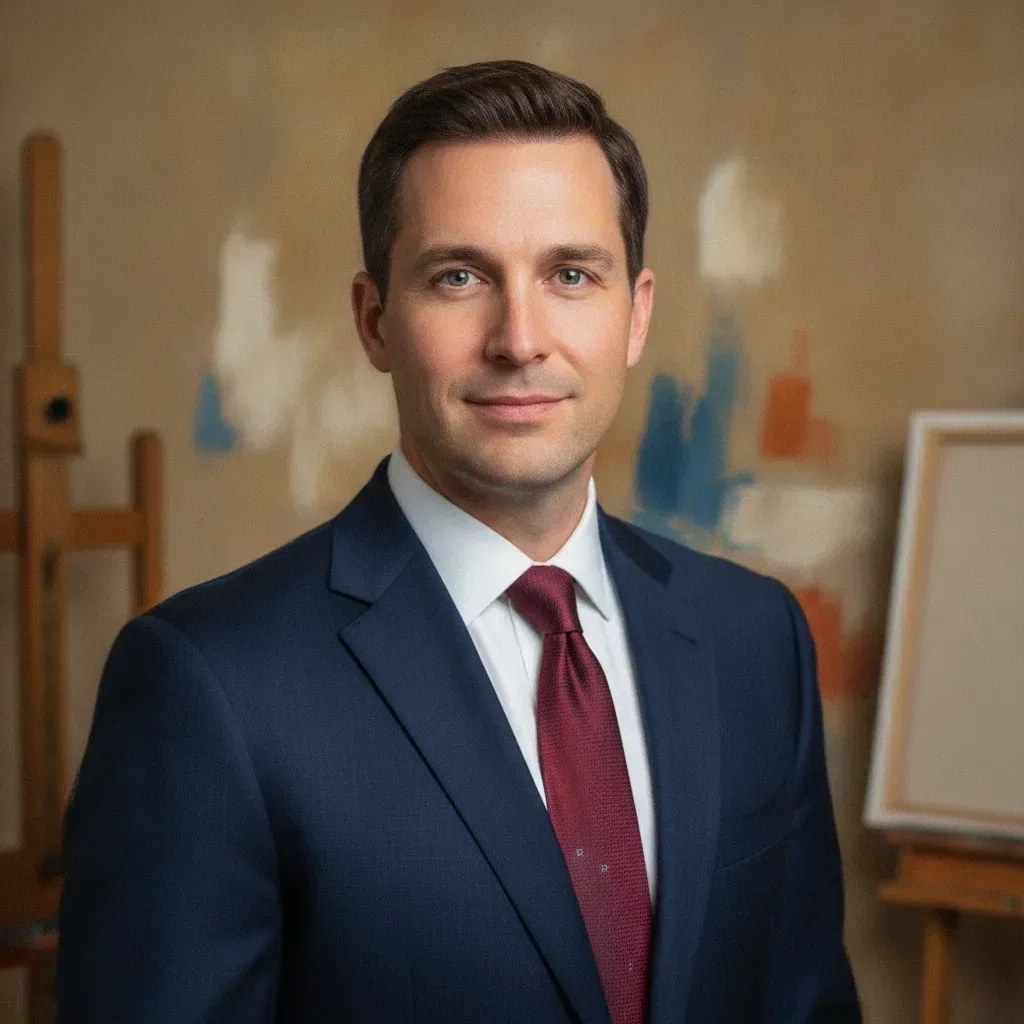
  • Man in a navy suit and red tie, photo to painting in thick impasto oil — AfterMan in a navy suit and red tie, photo to painting in thick impasto oil — Before

    Business portrait as an impasto oil painting

    “Turn this headshot into an oil portrait with thick impasto strokes on the face and suit, warm ochre tones and an abstract painted backdrop. Keep his expression.”

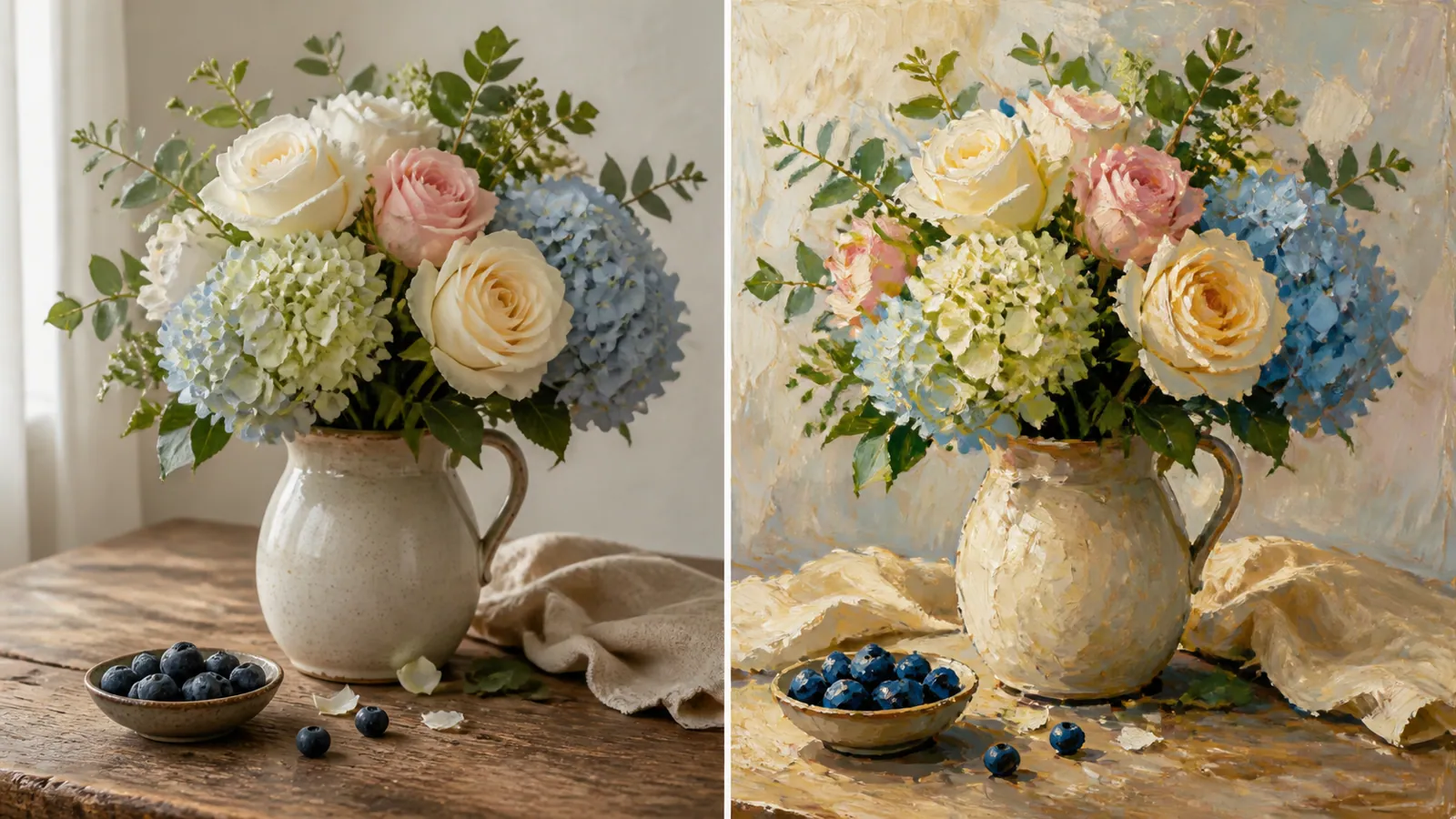
  • Bouquet of roses and hydrangeas in a jug turned into an oil still-life painting

    Flower bouquet as a classic oil still life

    “Repaint the hydrangeas and roses in the jug as a classic oil still life, with palette-knife texture on the wall and soft daylight from the window.”

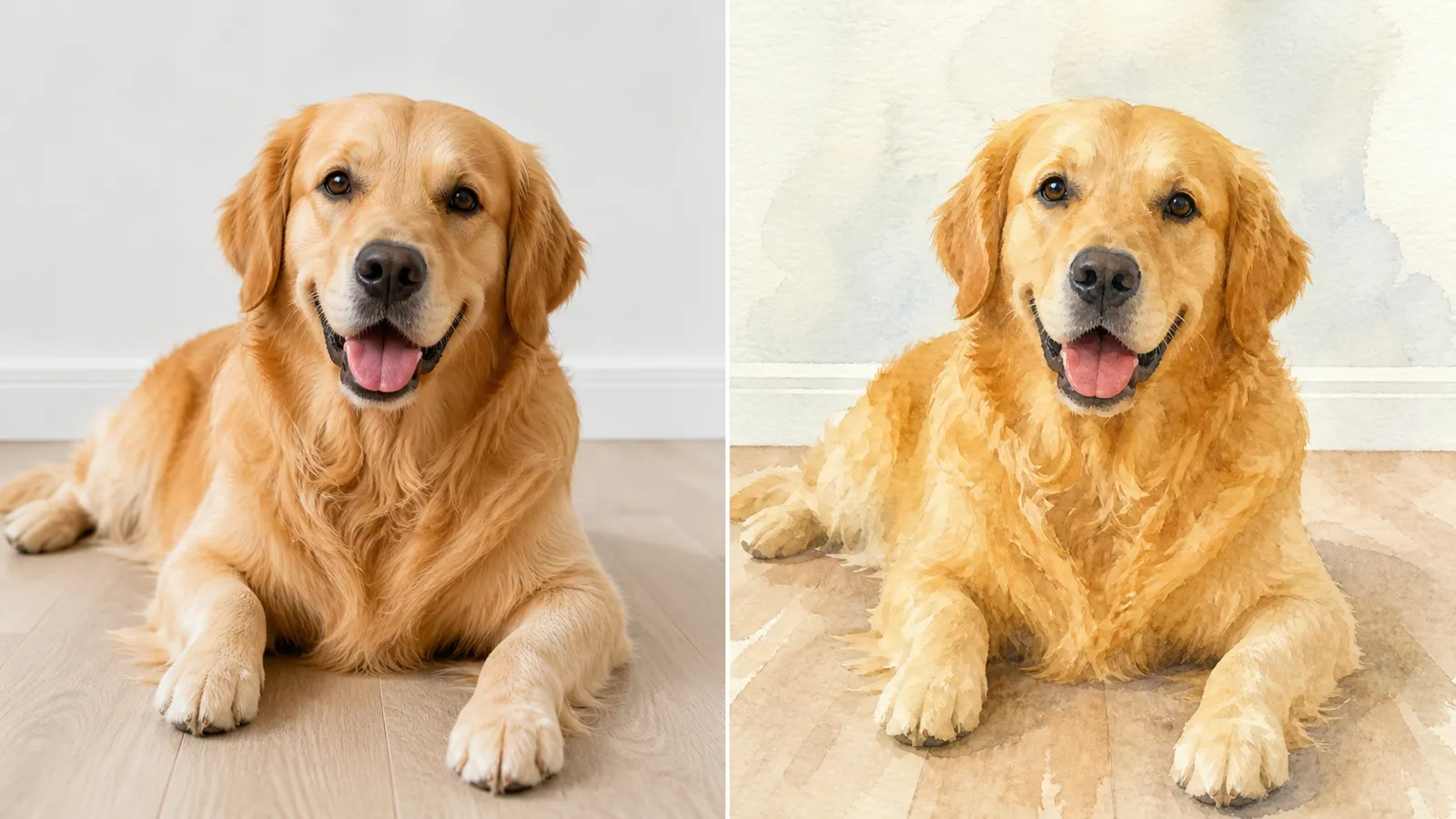
  • Golden retriever lying on the floor, photo beside a watercolor painting

    Golden retriever watercolor painting

    “Paint the golden retriever in watercolor with soft washes for the fur, gentle bleeds at the edges and a pale background that is mostly blank paper.”

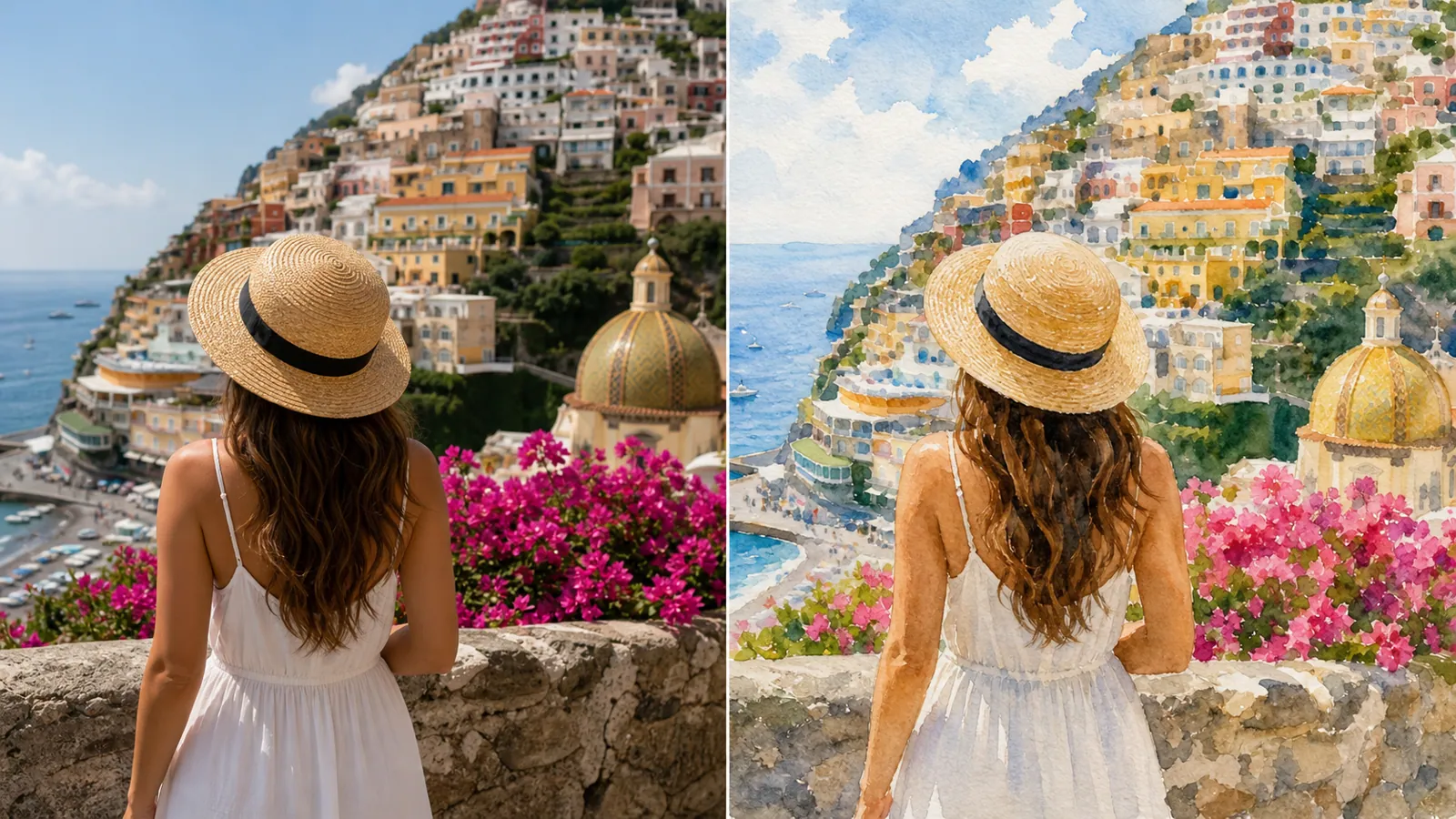
  • Woman in a straw hat overlooking a colorful coastal village, painted in watercolor

    Coastal village as a travel watercolor

    “Turn this view of the hillside village into a bright travel watercolor with loose washes for the houses, a light blue sky and the woman's straw hat kept in focus.”

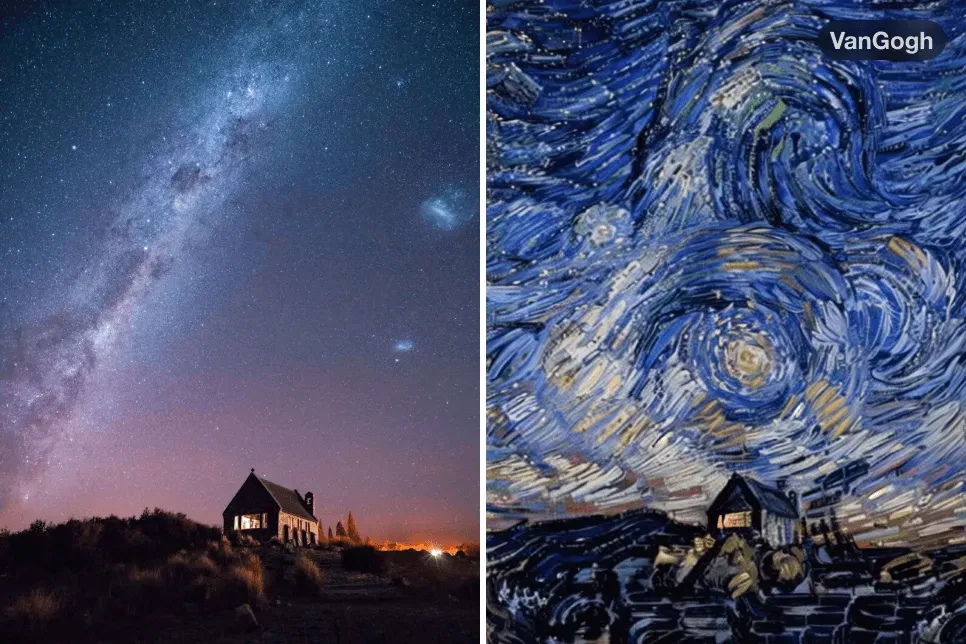
  • Starry sky over a lone house, photo and oil painting with swirling brushstrokes

    Starry night with Van Gogh–inspired swirls

    “Repaint this Milky Way photo as an oil painting with swirling, Van Gogh–inspired brushwork: thick curling strokes in deep blues, glowing yellow stars and the small house kept dark against the hill.”

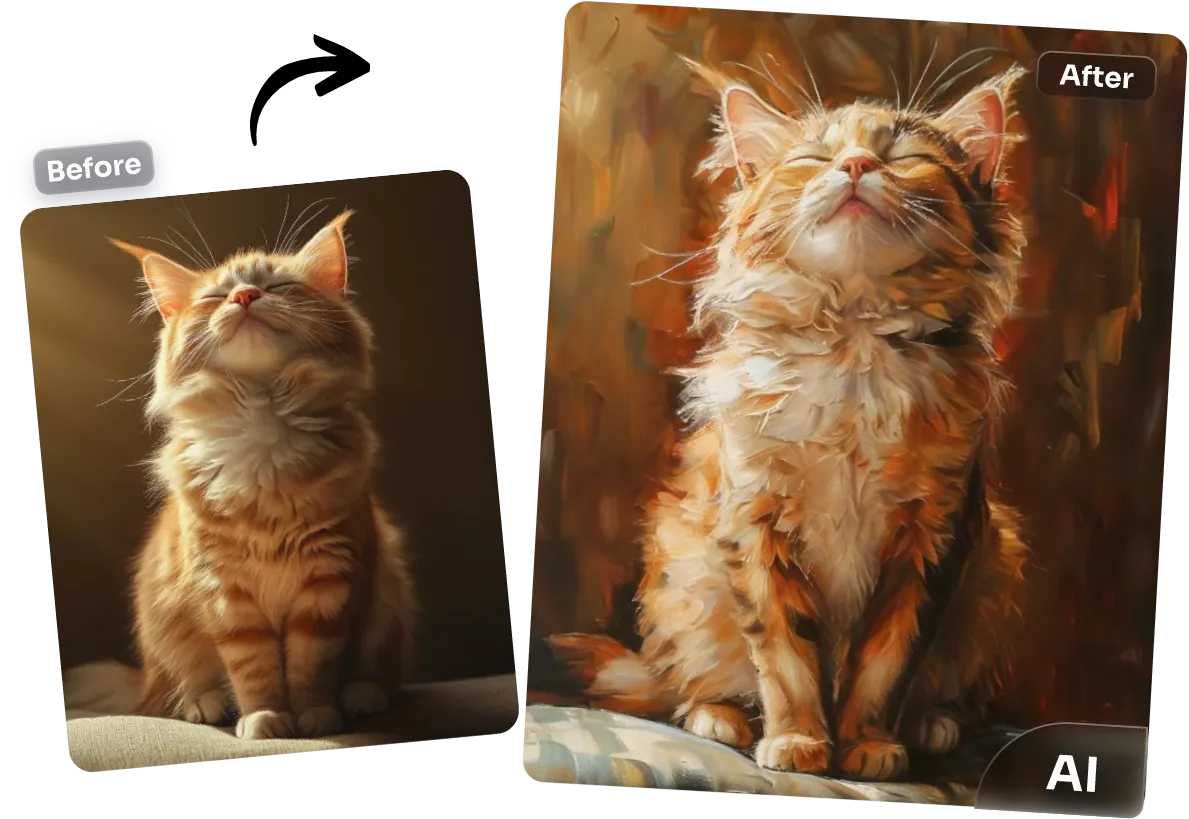
  • Ginger kitten with its eyes closed and chin raised, photo and oil painting

    Ginger kitten in rich oil

    “Paint the ginger kitten in oil with loose, warm strokes for the fur, a dark umber background and soft light on its raised chin and closed eyes.”

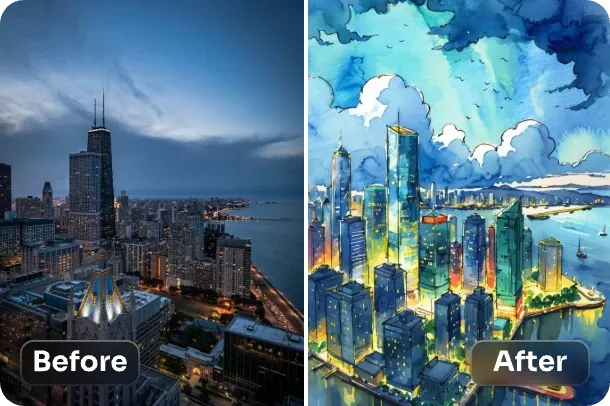
  • High-rise skyline by a lake at night, photo next to a bright watercolor

    City skyline at night, painted in watercolor

    “Turn this night skyline into a vivid watercolor with blue and teal washes for the sky and lake, yellow dots of light in the windows and loose, wet edges around the towers.”

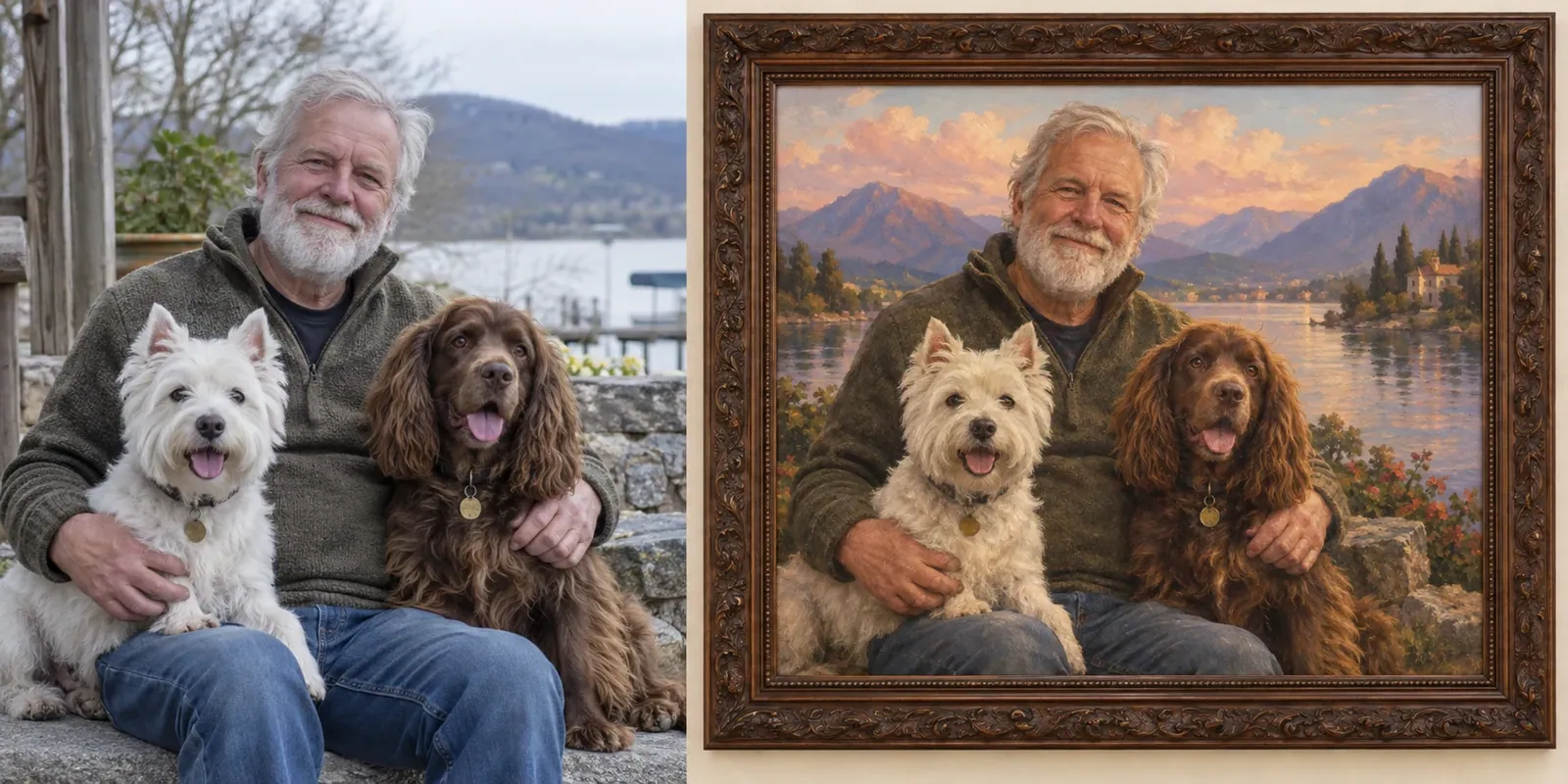
  • Older man with a white terrier and a brown spaniel, photo beside a framed vintage oil painting

    Owner and two dogs as a framed vintage oil

    “Turn this lakeside photo of a man with his two dogs into a vintage oil portrait in an ornate dark frame, with a sunset sky, misty hills and soft, classical brushwork.”

Example images are for illustration only. Each prompt is a starting point for a similar edit on your own photo.

How to convert photos to paintings

  1. Step 1

    Start with a shot you'd frame

    Choose the photo you would happily hang on a wall: a family portrait, your dog, a favorite view. Drop it into the photo to painting editor (JPG, PNG and WebP, 20 MB maximum).

  2. Step 2

    Choose oil or watercolor

    The photo to painting prompt starts with an oil look. For watercolor, swap in words like “soft washes, paper texture, white edges”. You can also name a palette, such as warm autumn tones.

  3. Step 3

    Paint it and download

    Press Edit Image and let the photo to painting conversion run. Compare the painted canvas with the original, then download it or ask for thicker strokes, softer color or a plainer background.

Photo to painting prompts in oil, watercolor and more

Ten photo to painting prompts for portraits, places and keepsakes in different paint media. Each runs as written; change the palette words to suit your own photo.

  1. 01

    Impressionist garden after Monet

    Repaint this garden photo as an impressionist oil painting inspired by Monet: short broken dabs of color, shimmering light on the water and flowers, soft lilac shadows and no hard outlines anywhere.

  2. 02

    Wedding portrait in classical oil

    Turn this wedding portrait into a classical oil painting with smoothly glazed skin, rich folds in the dress fabric, a dark warm background and soft window light from one side, like an old master portrait.

  3. 03

    Loose watercolor cat portrait

    Paint this cat as a loose watercolor portrait with wet-on-wet blooms in the fur, crisp detail only around the eyes and whiskers, and the wash fading into white paper toward the edges.

  4. 04

    Gouache travel poster

    Turn this mountain lake photo into a gouache painting with flat, matte shapes of color, a simplified sky gradient and crisp edges on the peaks, in the spirit of a vintage travel poster without any text.

  5. 05

    Bold acrylic portrait

    Repaint this portrait in bold acrylic with thick, flat blocks of saturated color, visible brush edges and a bright solid background in a contrasting color. Keep the face recognizable.

  6. 06

    Soft pastel beach scene

    Turn this photo of a child at the beach into a soft pastel painting on textured paper, with chalky blended skies, gentle peach and blue tones and the paper grain showing through.

  7. 07

    Rainy street at dusk in oil

    Repaint this rainy street at dusk as an oil painting with glowing reflections on the wet cobbles, warm lamplight, cool blue shadows and quick, confident brushstrokes.

  8. 08

    Watercolor house portrait

    Turn this photo of a house into a watercolor house portrait: clean shapes for the walls and windows, loose washes for the garden and sky, gentle shadows, and no house number or street sign.

  9. 09

    Seascape in the manner of Turner

    Repaint this seascape in a romantic style inspired by J. M. W. Turner: hazy golden light dissolving the horizon, stormy swirling clouds, and any boats reduced to a few dark strokes.

  10. 10

    Dutch Golden Age still life

    Repaint this kitchen table photo as a Dutch Golden Age still life in oil: a near-black background, glossy fruit and glassware catching a single window light, and deep, rich shadows.

Ways to use a photo to painting result

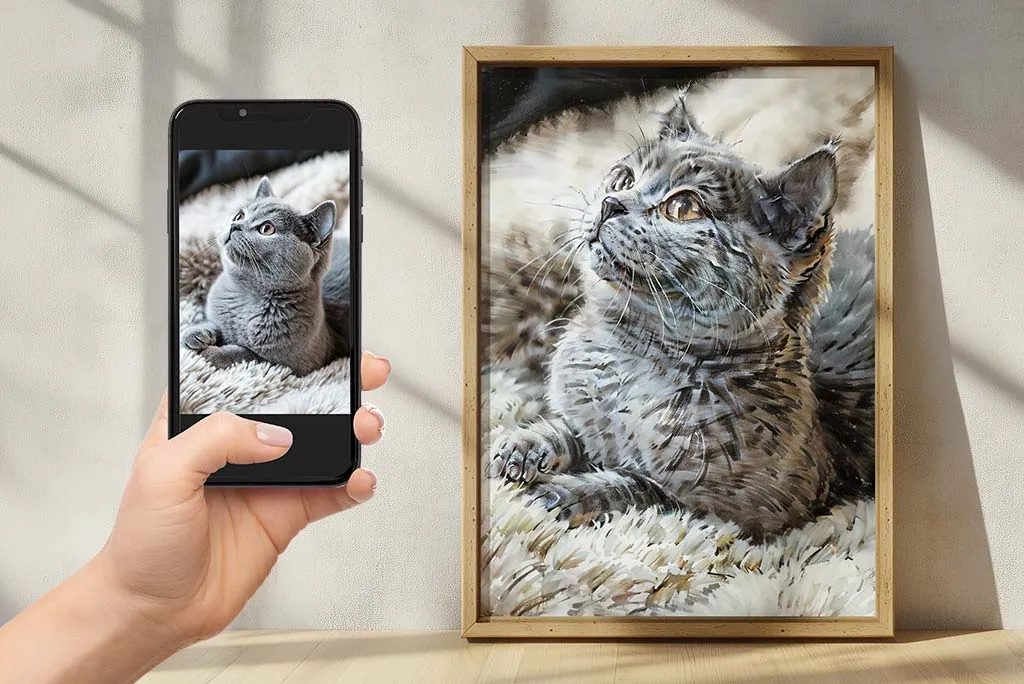
  • Cat photo on a phone next to the same cat as a framed painting

    Wall art for your home

    A wedding, a family trip, your cat or a quiet landscape becomes a painting you can print on canvas or art paper and hang in the living room.

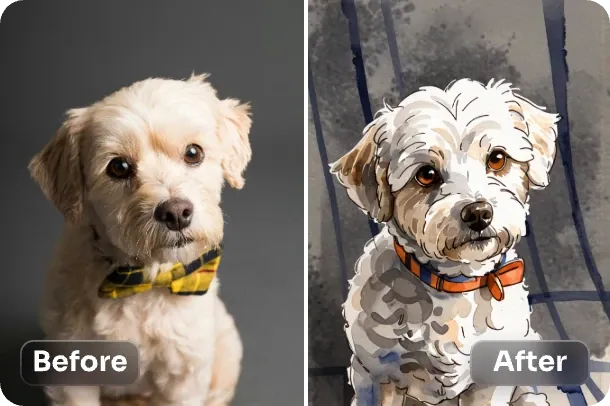
  • Small white dog with a plaid bow tie, photo and watercolor portrait

    Pet keepsakes

    A photo to watercolor painting of a dog or cat makes a gentle gift for a pet owner, or a lasting way to remember an old friend.

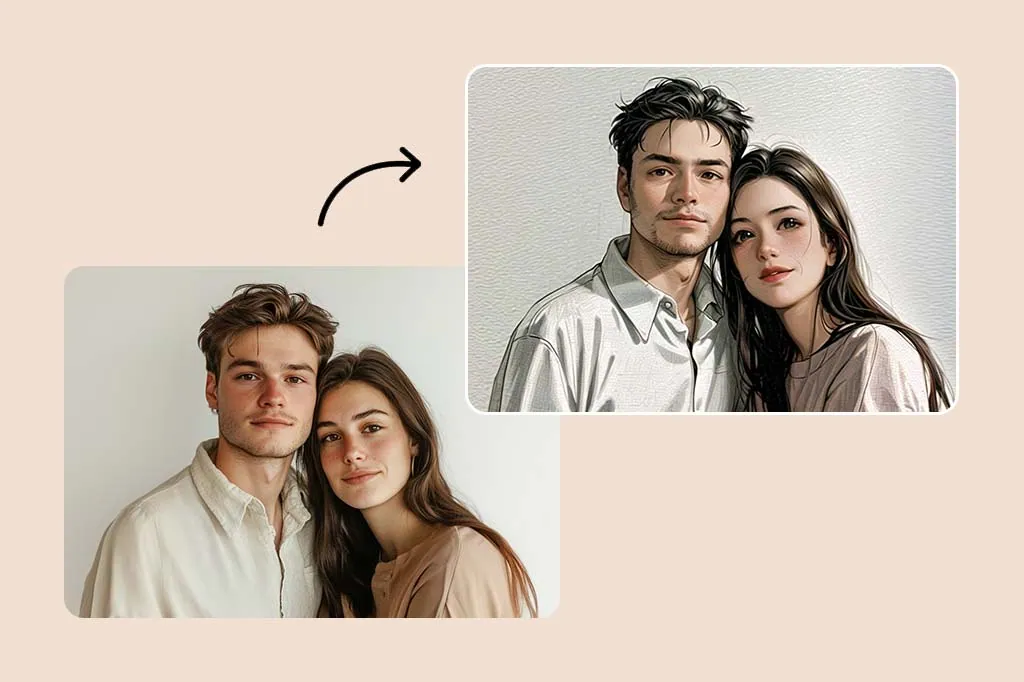
  • Young couple portrait next to its painted version with textured strokes

    Painted portrait previews

    See how a painted portrait of yourself, your partner or a relative would look before ordering a canvas painting print or briefing a human painter.

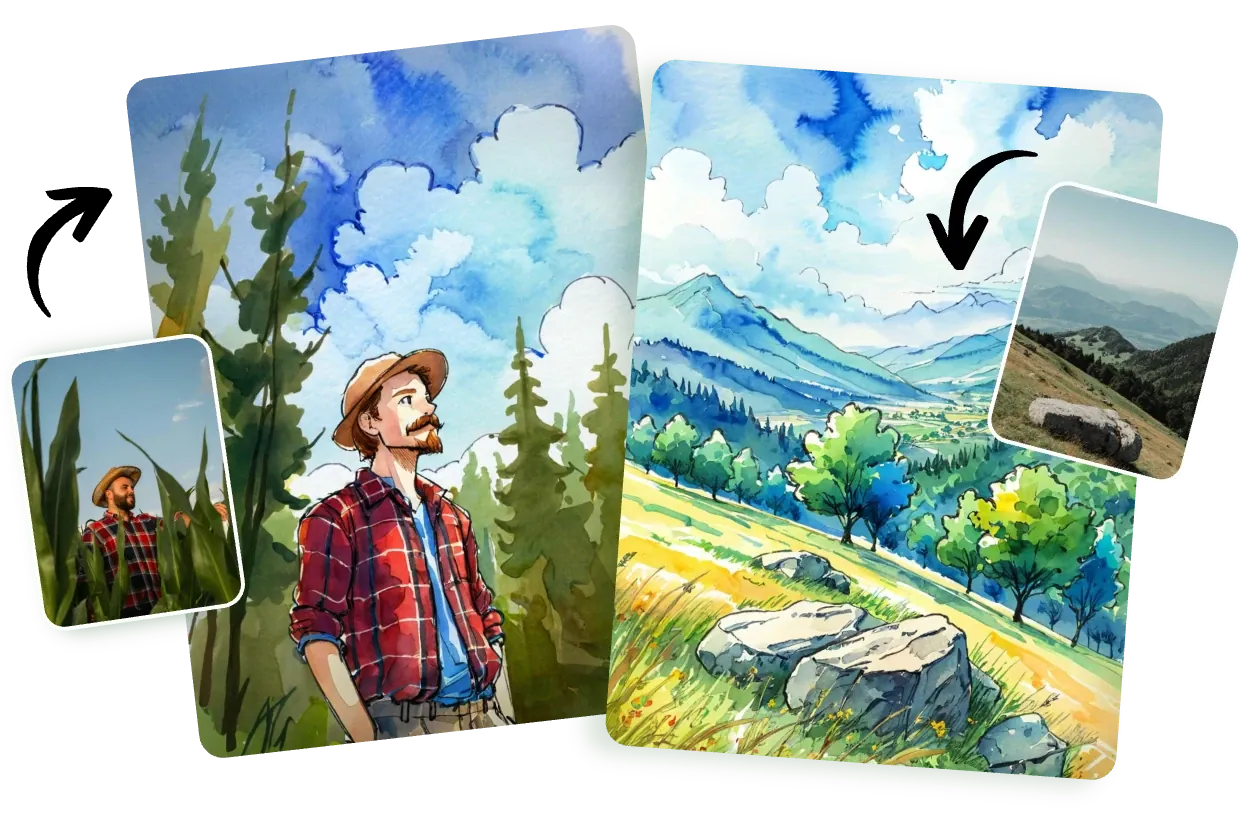
  • Hiker in a plaid shirt and a hillside view turned into bright watercolor scenes

    Cards, invitations and covers

    Painted scenes give wedding invitations, holiday cards, book covers and blog headers a handmade feel instead of a stock-photo look.

Photo to painting tips for a painterly finish

  • Oil painting suits portraits, still lifes and evening light; watercolor suits bright landscapes, flowers and pets on simple backgrounds.
  • Describe the brushwork: “thick impasto”, “palette knife”, “loose wet-on-wet washes” and “fine glazing” each change the texture.
  • Give the painting a color mood, such as warm ochres, cool blues or muted pastels, to keep it coherent.
  • Every painting style softens edges, so start from a sharp source photo; a blurry original loses even more detail in paint.
  • Planning a print? Choose 2K output and a sharp original for the photo to painting edit; Nano Banana Pro renders the finest brush texture.
  • For portraits of other people, use photos you have the right to edit.

Which model to use for photo to painting

Draft first, then finish carefully: that order works for most photo to painting jobs.

  • Seedream

    ByteDance

    Start here to explore. Use it to try an oil painting against a watercolor, or three palettes for the same photo, before you settle on the final look.

    About Seedream
  • Nano Banana Pro

    Google

    Use it for the painting you print or frame. It renders fine texture such as impasto ridges, canvas weave and watercolor granulation, and treats light on faces carefully. EditPic outputs 1K or 2K, so pick 2K for prints.

    About Nano Banana Pro
  • Flux

    Black Forest Labs

    Pick it for a matching series, like a painting of every room in a holiday home or a set of invitations. Flux keeps a steady style across images and changes only what you describe in follow-ups.

    About Flux

How to get a convincing photo to painting result

What survives the repaint, which words control the paint, and how to stop a result from looking like a filter.

What the AI repaints and what the painting keeps

Turning a photo to painting keeps the bones of the picture: the composition, where the subject sits, the direction of the light and the main colors. What changes is the surface. Pores, leaves and bricks give way to strokes, small details merge into larger shapes, and edges alternate between sharp and lost, the way a painter decides where to focus attention.

You control how far it goes. Words like “faithful”, “fine brushwork” and “keep the details” stay close to the photo. “Loose”, “expressive” and “bold strokes” let the model reinterpret more freely, which often looks more like real paint but less like the original scene. Choose based on whether likeness or atmosphere matters more to you.
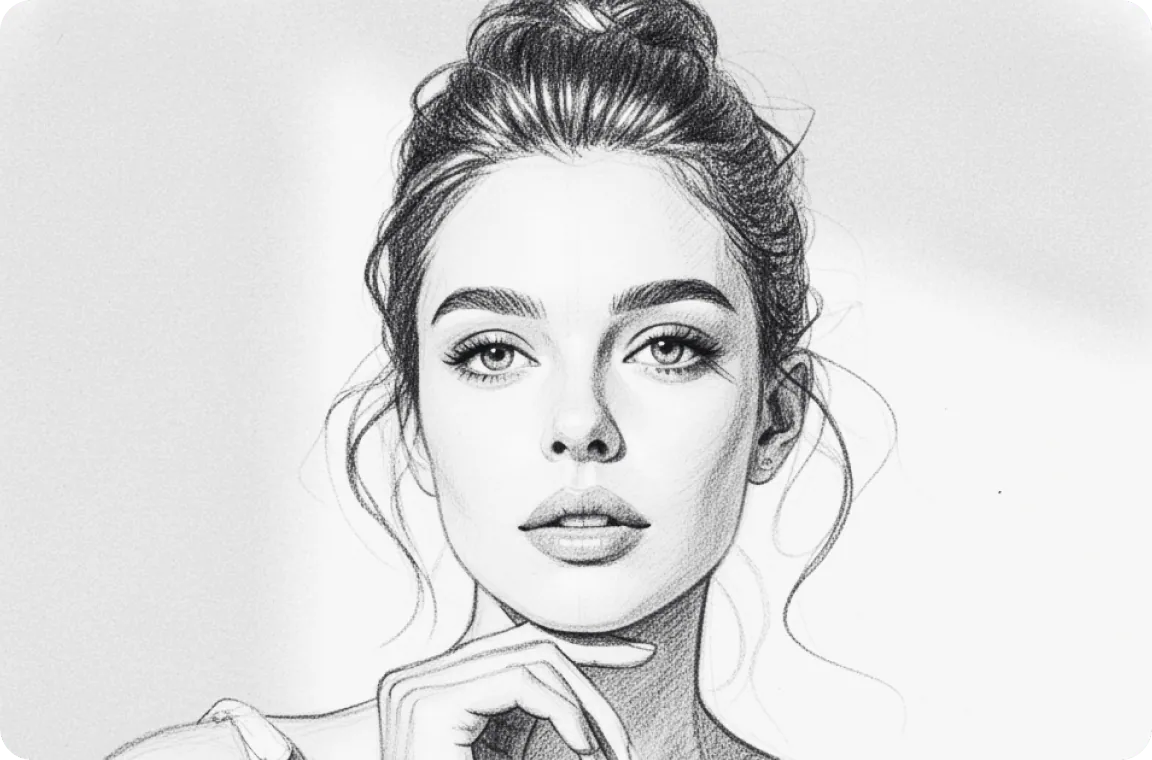
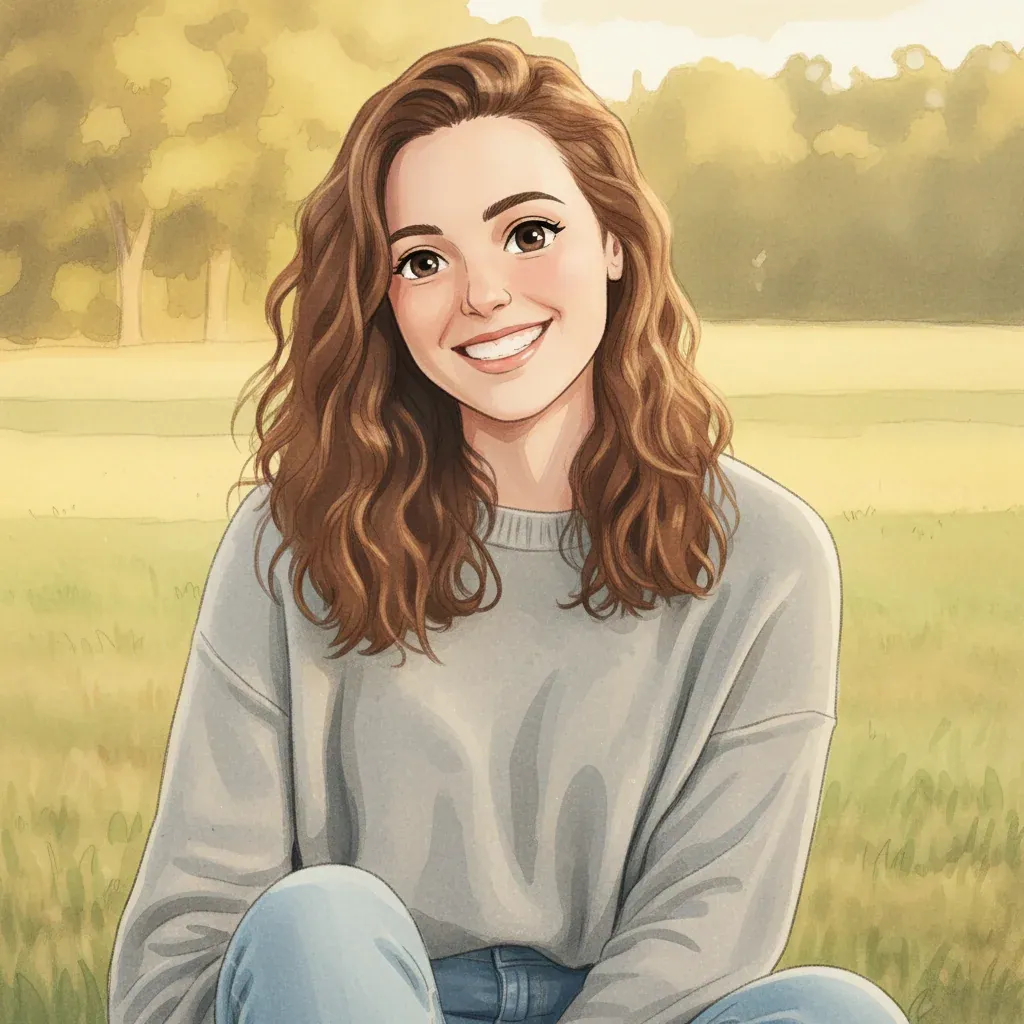
Naming the paint medium, the palette and the surface

A photo to painting prompt works best with three parts: the medium, the way the paint is handled and the surface underneath. For oil, try “scumbled background”, “broken color” or “alla prima”; for watercolor, “dry-brush texture”, “granulating pigment” or “cold-press paper”; for gouache, “flat matte shapes”.

Then fix the palette. A limited set such as “yellow ochre, cadmium red, ivory black and white” makes a portrait look painted rather than filtered, while “soft greens and grays” calms a busy landscape. Finally name the support: linen canvas, rough watercolor paper or a wooden panel each add their own texture, and that texture is often what makes the result read as paint.

When a photo to painting result still looks like a filter

The most common photo to painting complaint is a result that looks like a photo with texture laid on top. That happens when strokes are the same size everywhere. Ask for “larger, looser strokes in the background, smaller ones on the face” and for details to be “simplified into brush shapes”.

Plastic-looking skin needs “visible brushstrokes and warm and cool color variation in the skin”. Watercolors that turn muddy improve with “transparent layers, white paper showing, no black paint”. If a loose style distorts a face, keep the looseness for everything else: “expressive background, careful brushwork on the facial features”. One targeted correction per round makes it easy to see which instruction fixed what.

From screen to wall: framing, printing and other tools

Plan the print before the photo to painting step. Pick the output ratio closest to your frame, such as 3:4 or 4:3 for ordinary rectangular frames and 1:1 for a square canvas, so the print shop does not crop away an edge, and choose 2K output. Canvas and matte art paper suit painted images better than glossy photo paper.

Other EditPic tools help at both ends. An old black and white photo can go through Restore Old Photos and Colorize Photo before it becomes an oil portrait. Object Remover clears a stray tourist or a parked car from a holiday view first, so it never turns into a painted smudge in the middle of your canvas.

Planning a painted pet portrait as a gift, step by step

Say you want a watercolor of a friend's dog for a birthday. Choose the photo first: eyes in focus, light from a window, and no leash or hand in the frame. Crop to 3:4 so it fits a standard frame. Keep the first photo to painting prompt simple, for example “watercolor portrait of this dog, soft washes, eyes crisp, background fading to white paper”.

Then check three things: whether the markings match, whether the eyes still look alive and whether the background is quiet enough. Fix one per run, such as “keep the white patch on the chest”. When you are happy, make the final version at 2K, print it on matte art paper and write the card yourself; the painting will do the rest.

Photo to painting with AI, a filter app or a commissioned painter

Painting filters work like a stencil: they smear the photo into strokes of one size and direction, so every subject ends up with the same texture. An AI repaint decides where broad strokes belong and where detail should stay, follows the light in the original and can switch medium on request, from palette-knife oil to a pale watercolor wash.

A portrait commissioned from a human painter is something else again: an original object with real pigment and the artist's judgement in every stroke. Many people run a photo to painting preview before commissioning one, to agree on the medium, crop and palette. For cards, invitations and quick gifts the AI painting is often all you need; for an heirloom it works best as the brief.

Photo to painting FAQ

  1. Is the photo to painting tool free?

    You can try it free once after creating an account. Each painting after that uses credits; how many depends on the model you pick, and the number appears in the editor before you press Edit Image. Paid plans suit people who paint many photos.

  2. Photo to oil painting or photo to watercolor painting: which should I pick?

    Oil gives heavy, opaque strokes, deep shadows and a canvas texture. Watercolor is transparent and airy, with soft color blooms and white paper showing through. Pick an oil painting for drama and a watercolor for a light, fresh feel.

  3. Can I convert photos to paintings in a particular art style?

    Yes. Describe the technique or era, such as impressionist dabs, classical portrait lighting or quick plein-air brushwork. Describing the style itself tends to give steadier results than naming a specific artist.

  4. Will a photo to painting portrait still look like the person?

    The face, pose and clothing stay close to the photo while skin and fabric gain brush texture. If the likeness slips, follow up with “keep the facial features unchanged, lighter brushwork on the face”.

  5. Can I print a photo to painting result on canvas?

    Yes. You download a regular image file that any print shop can work with. EditPic outputs 1K or 2K, so for a canvas choose 2K, begin with a sharp photo and consider Nano Banana Pro for the finest brush texture.

  6. Can I convert photos to paintings in acrylic, gouache or pastel?

    Yes. Name the medium plus one trait of it: “acrylic with flat, bold color blocks”, “matte gouache shapes like a poster” or “soft pastel on textured paper”. The model handles each one differently, so it is worth trying two on the same photo.

  7. How do I make a photo to watercolor painting look less digital?

    Ask for what a real watercolor has: uneven edges, pigment pooling where washes dried, granulation in the sky, a few hard edges among soft ones and plenty of untouched paper. A lighter palette and fewer details help too; crisp detail everywhere is what gives the digital look away.

  8. Can I see the painting in a frame on a wall before printing?

    Yes. Once the painting is done, run a follow-up such as “place this painting in a simple oak frame on a light living-room wall”. Treat that as a preview of the mood only; for the actual print, download the unframed version.

  9. What is the best photo to painting style for a portrait?

    It depends on the mood you want. Classical oil with glazed skin and a dark background suits formal portraits and older relatives; loose watercolor suits children and pets; bold acrylic or gouache gives a modern, graphic look. Run two styles from the same photo and keep the painting that feels most like the person.

  10. Does photo to painting work on family and group photos?

    Yes, as long as every face is reasonably large and sharp. Five or six people usually paint well; in bigger groups the faces shrink into small daubs of color. Ask for “careful brushwork on every face, looser strokes on clothes and background” so the painting keeps each person recognizable.

  11. Why do some photos turn into weaker paintings?

    Very dark night shots, heavily filtered selfies and pictures where the subject is tiny are the hardest. Paint simplifies detail, so a small face or a busy crowd becomes a vague shape. Crop closer, brighten the photo with Photo Enhancer first, or pick a different shot before you start the photo to painting edit.

Turn your photo to painting now

Upload a photo, choose oil or watercolor, and download your painting when it is ready.