New: Nano Banana 2 & GPT Image 2

Try it

Updated 2026-11-16

Model by Google

Nano Banana 2: Fast, Consistent AI Photo Editing

Nano Banana 2 is Google's Gemini 3.1 Flash Image model, which Google describes as Pro-level image quality at Flash speed. Nano Banana 2 is at its best when the same person, pet or product has to stay recognizable across a set of edits. It is also the default model in the EditPic editor, so you can upload a photo and try Nano Banana 2 straight away.

Nano Banana 2 at a glance

DeveloperGoogle (Google DeepMind)
Model familyGemini 3.1 Flash Image, announced by Google on 26 February 2026
Best atQuick everyday edits and keeping one subject consistent across a series of images
Reference images (model)Up to 14 per request: up to 10 object images and 4 character images, per Google
Resolutions (model)512px, 1K, 2K and 4K
Aspect ratios (model)14 ratios, from 1:1 and 16:9 to extra-tall 1:8 and extra-wide 8:1
Input in EditPicOne JPG, PNG or WebP photo up to 20 MB, plus a written prompt
Output in EditPic1K or 2K, in 1:1, 3:4, 4:3, 9:16 or 16:9
CreditsDepends on the model; a Nano Banana 2 edit shows its cost before you run it

Rows marked “model” describe what Nano Banana 2 itself supports, according to Google and the API documentation we checked in November 2026. EditPic uses a subset of what Nano Banana 2 offers: one photo per edit, 1K or 2K output and five aspect ratios. Nano Banana 2 is a trademark of Google; EditPic is not affiliated with Google.

Nano Banana 2 examples: series, scenes and quick fixes

Eight example results in the areas where Nano Banana 2 does well: one subject repeated across scenes, a restyled room, a colored-in drawing and a translated label. Click a card to load its prompt into the editor, then swap in your own photo and run it with Nano Banana 2.

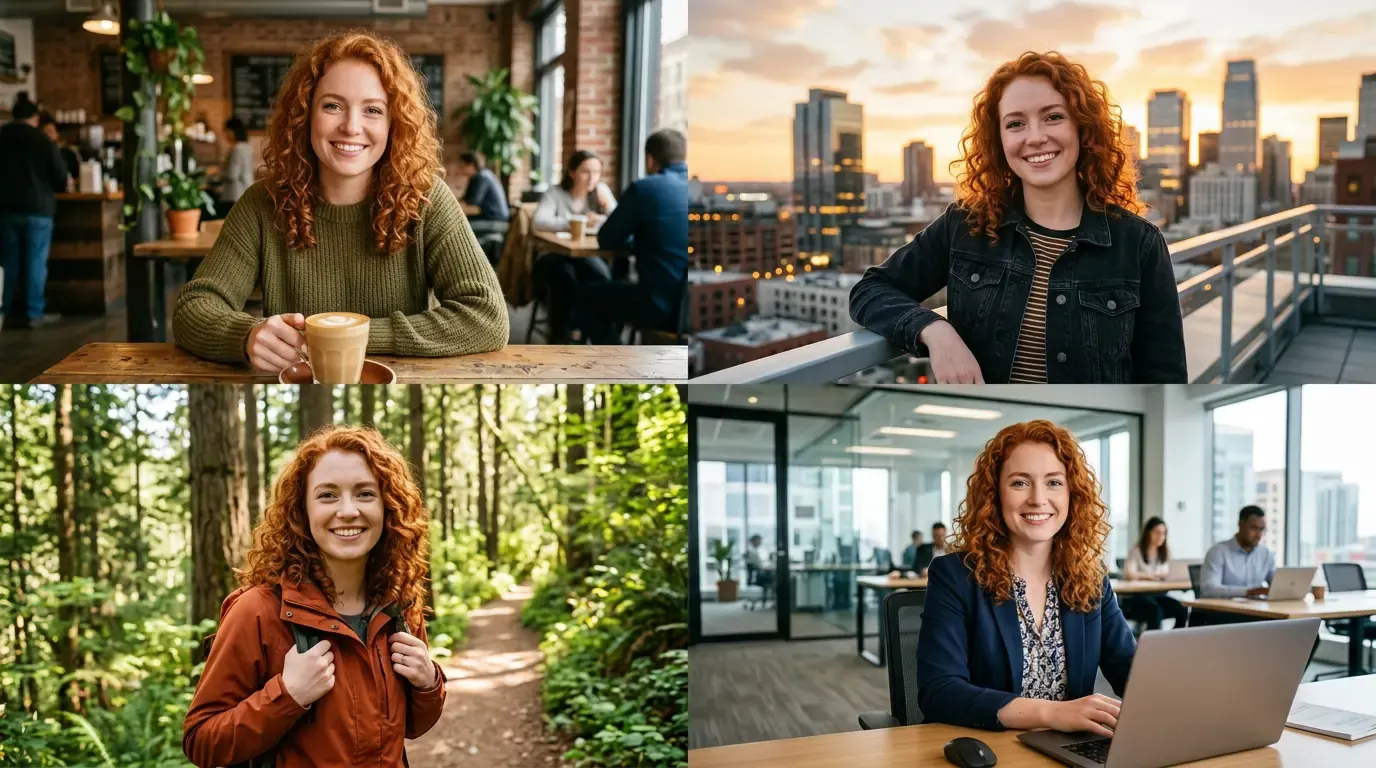
  • Nano Banana 2 consistency example: the same red-haired woman in a café, on a rooftop, on a forest trail and at a desk

    One face, four everyday scenes

    “Keep her curly red hair, freckles and smile exactly the same, and show her in four settings: a café with a latte, a rooftop at sunset, a forest trail in a rust jacket, and an open-plan office at a laptop.”

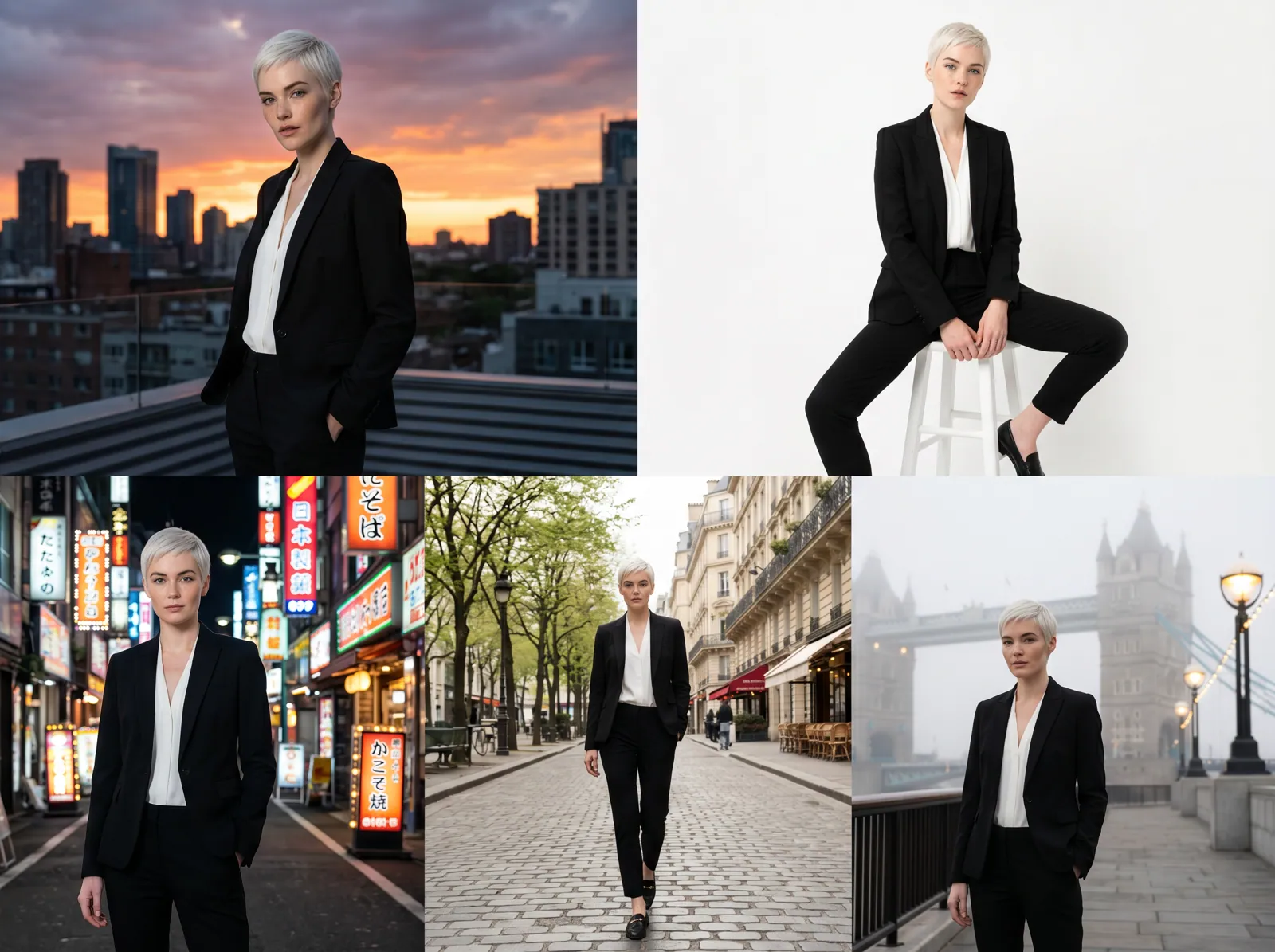
  • Woman with short platinum hair in a black suit posed in five city and studio locations

    Lookbook series across five locations

    “Keep this model's short platinum hair, black suit and white blouse identical, and photograph her on a city rooftop at dusk, in a white studio, on a neon street at night, on a tree-lined avenue and on a misty riverside walkway.”

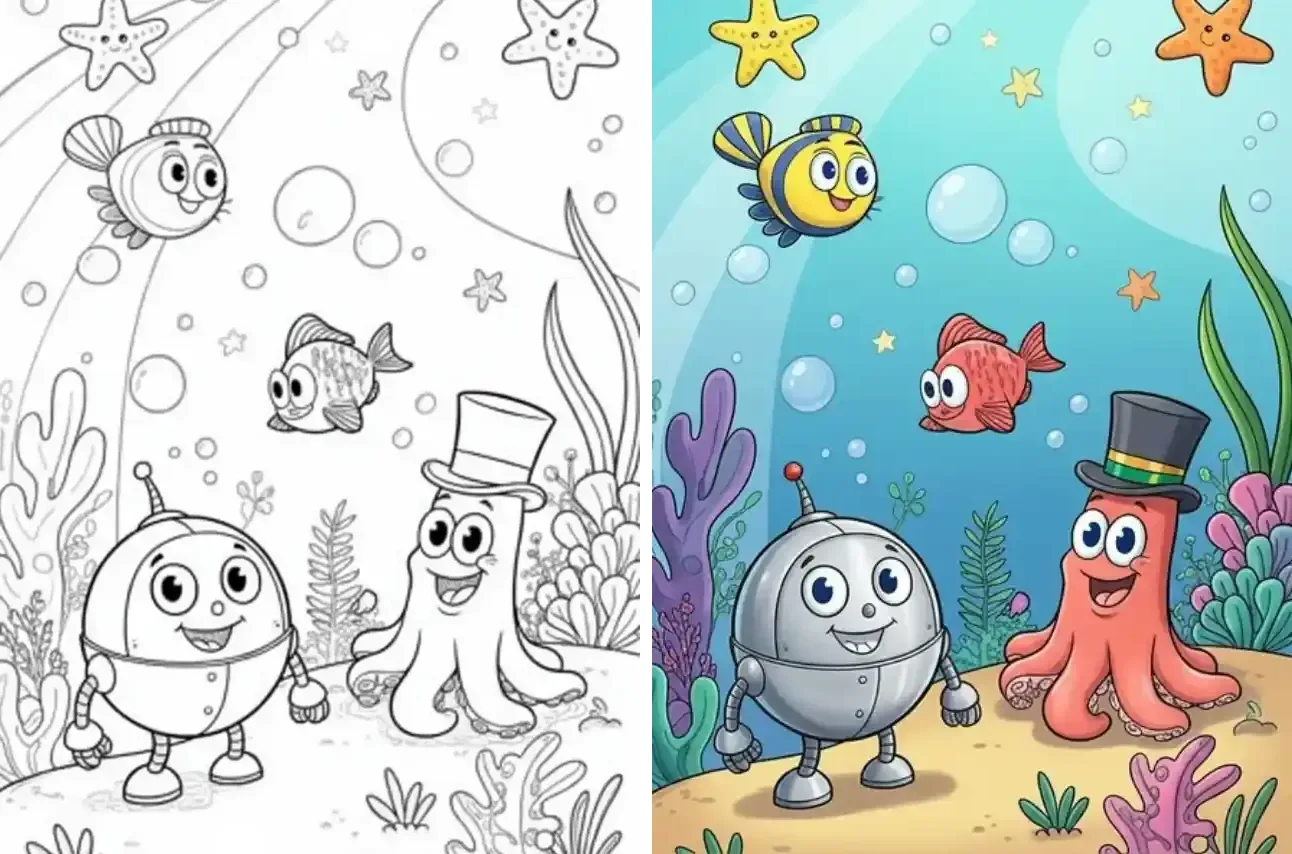
  • Nano Banana 2 coloring example: black-and-white underwater line art beside the same scene in bright cartoon colors

    Coloring page filled in

    “Color this line drawing in bright cartoon colors: a turquoise sea, a yellow-and-blue striped fish, a red fish, a silver robot and a coral-pink octopus in a black top hat. Keep every outline exactly where it is.”

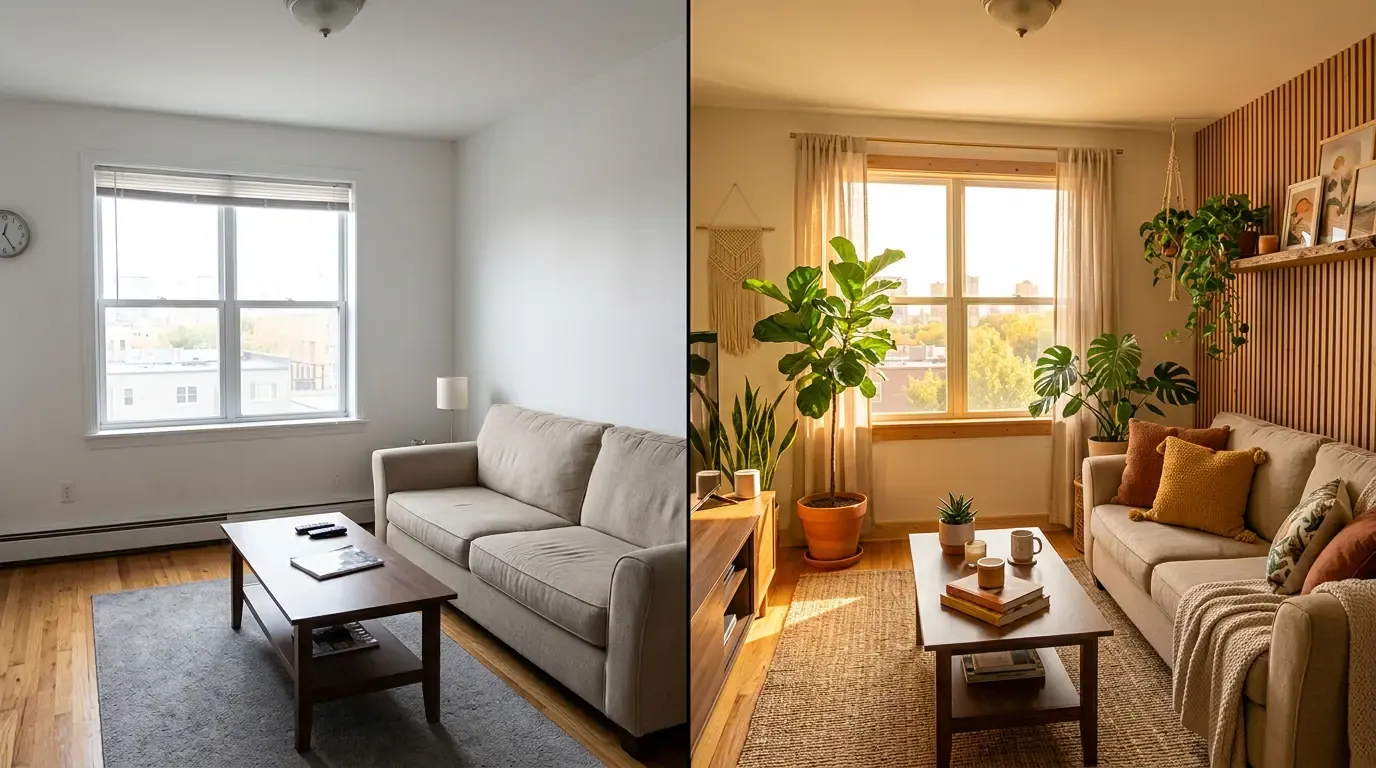
  • Bare beige living room next to the same room furnished with plants, wood slats and warm light

    Empty living room, styled and warm

    “Style this plain living room without moving the walls or the window: add a slatted wood accent wall, potted plants, sheer curtains, a jute rug and cushions on the sofa, lit by low golden sunlight.”

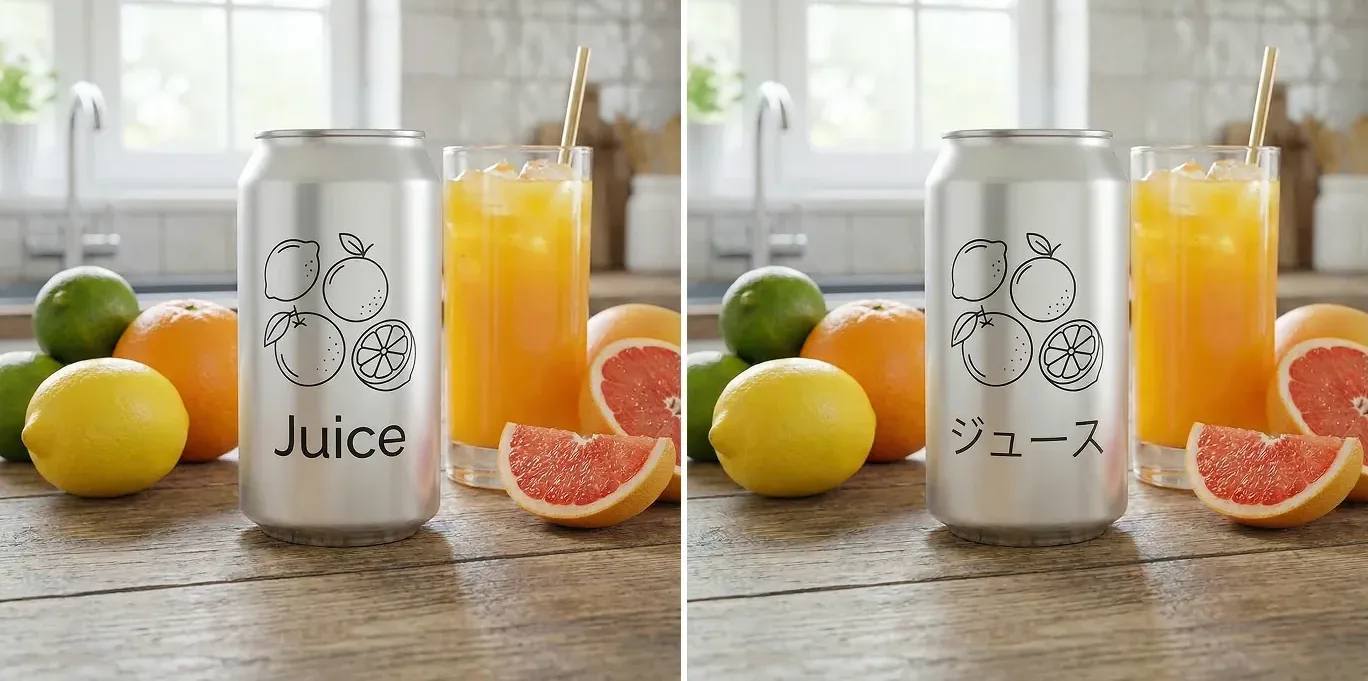
  • Nano Banana 2 translation example: silver can labeled Juice next to the same can labeled in Japanese katakana

    Can label translated into Japanese

    “Translate the word on the can from “Juice” into Japanese katakana, using the same thin font, size and position. Leave the fruit, the glass and the kitchen untouched.”

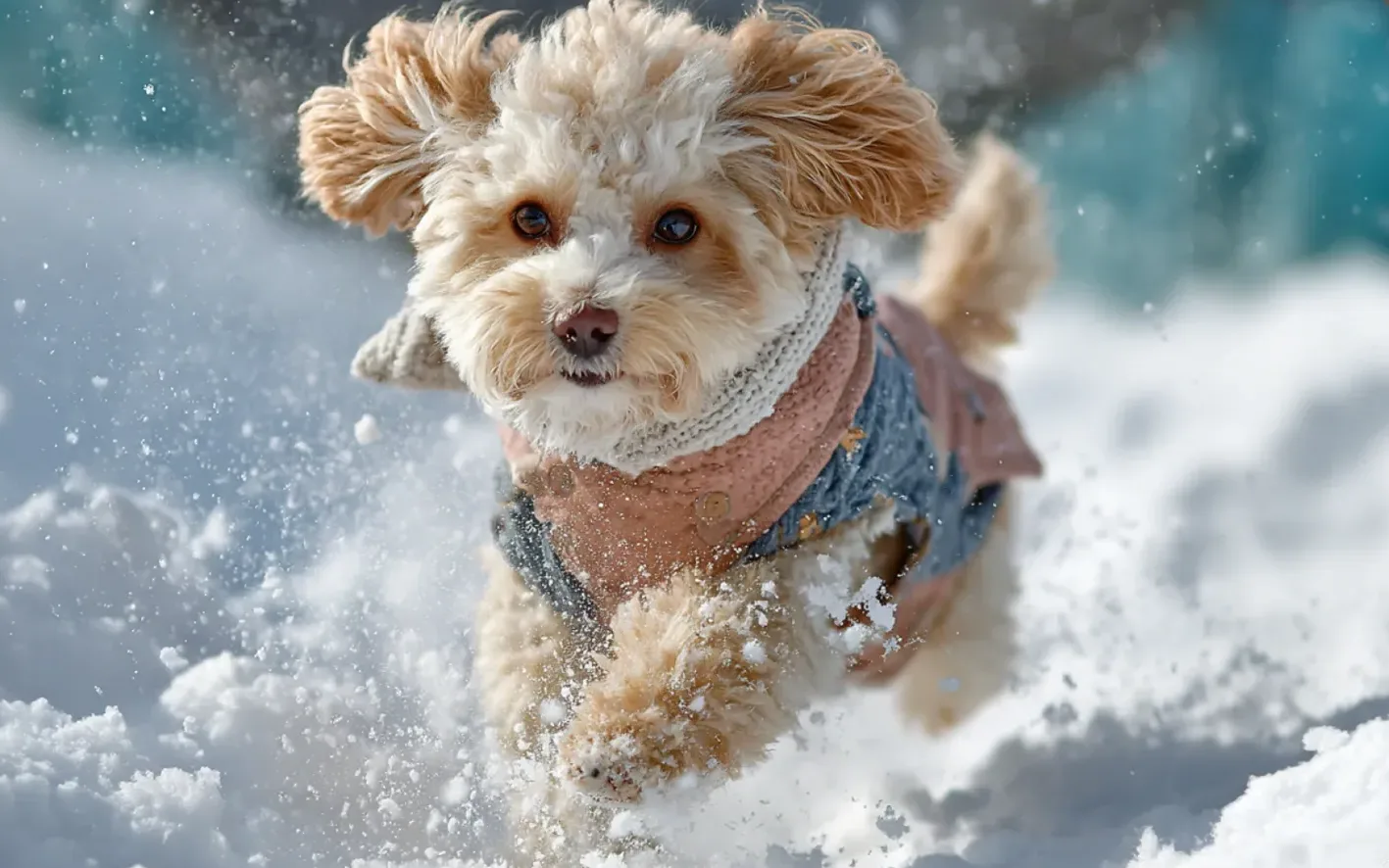
  • Curly-haired puppy in a scarf and coat running through deep snow

    Snow-day action shot of a puppy

    “Turn the scene into fresh deep snow: the curly puppy bounding toward the camera, powder flying from its paws, its knitted scarf and patchwork coat kept exactly as they are.”

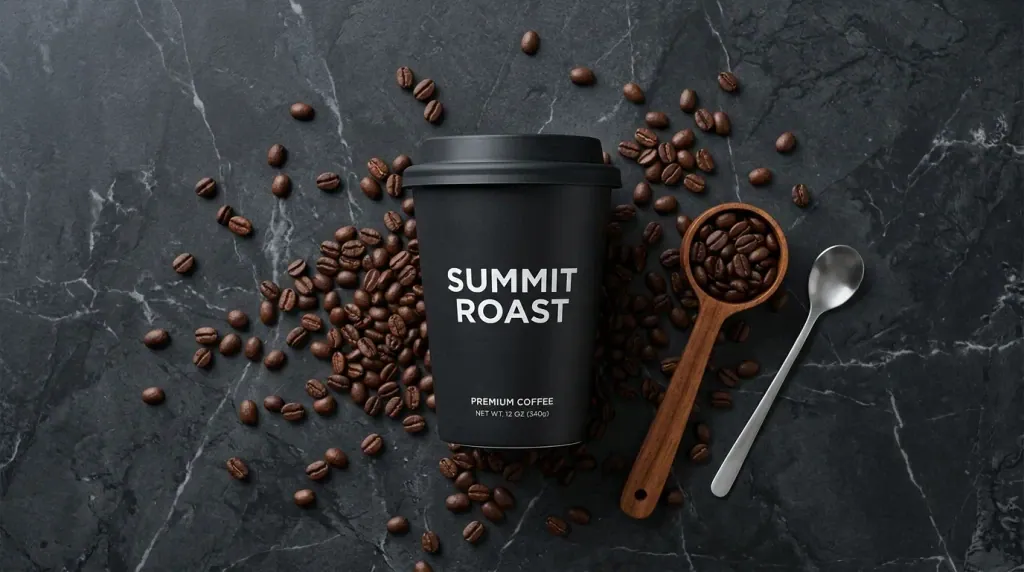
  • Black coffee cup on dark marble surrounded by coffee beans, a wooden scoop and a spoon

    Coffee cup flat lay on dark marble

    “Place the black takeaway cup on dark veined marble, scatter roasted coffee beans around it and add a wooden scoop and a silver spoon. Keep the cup's printed label sharp and straight.”

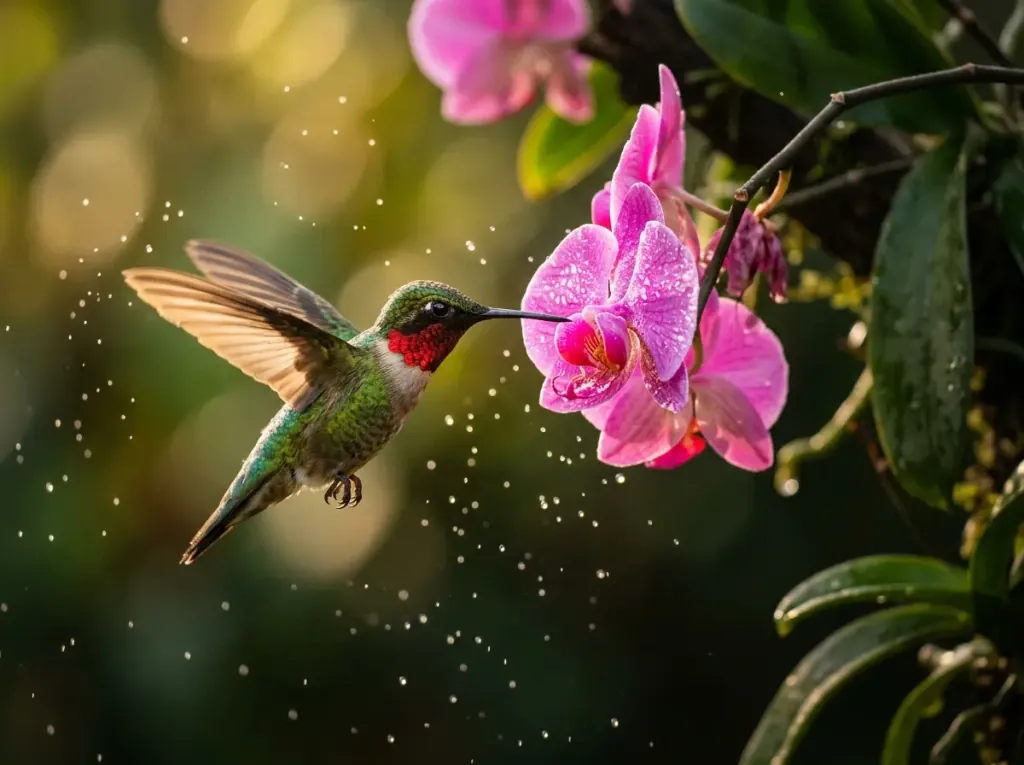
  • Hummingbird with a red throat hovering beside a pink orchid

    Hummingbird at a pink orchid

    “Make this a close-up nature shot: a ruby-throated hummingbird hovering at a pink orchid, wings slightly blurred, with water droplets sparkling against a dark green background.”

Example images are for illustration only. Each prompt is a starting point for a similar edit on your own photo.

What Nano Banana 2 does well

  • Quick turnaround

    Nano Banana 2 belongs to Google's Flash line, which is built for speed, so trying three or four versions of a prompt doesn't take long. That makes it a comfortable model for testing an idea before you commit to it, or before you rerun the winning prompt with Nano Banana Pro.

  • One subject, many images

    Google says Nano Banana 2 keeps up to five characters recognizable and up to 14 objects faithful within one workflow. That is what profile sets, catalogs and story series need.

  • Believable everyday edits

    New backgrounds, restyled rooms, seasonal scenes and tidier product shots get light and shadows that match, without long, technical prompts. A plain sentence is usually enough for Nano Banana 2 to work from.

  • Short text and translation

    Nano Banana 2 writes short, legible words and can translate text already in a picture, such as a label or a greeting, while keeping the lettering style.

  • Builds on its own results

    Run a second Nano Banana 2 edit on the result with a brief note such as “warmer light” or “drop the second chair”. You refine the picture instead of starting over.

Nano Banana 2 prompts to copy

Ready prompts for series work and quick fixes. Each one names what must stay the same first, the habit that gets the most out of Nano Banana 2.

  1. 01

    Matching team headshot

    Keep this person's face and hair unchanged. Dress them in a navy blazer over a white shirt and place them in front of a plain light-gray wall with soft front lighting, framed from the chest up.

  2. 02

    Pet in a new season

    Keep my dog's markings, collar and expression the same, and move them to an autumn park with orange leaves on the ground and late-afternoon sun.

  3. 03

    Product on a new backdrop

    Keep the bottle's shape, cap and label unchanged. Stand it on a pale stone pedestal against a sage-green wall with a soft shadow falling to the right.

  4. 04

    Holiday version of a family photo

    Keep everyone's faces and clothes the same and turn the room behind them into a cozy winter scene with string lights, a decorated tree and snow outside the window.

  5. 05

    Same character, new pose

    Keep this character's face, hair color and outfit identical, and show them sitting on a park bench reading a book, seen from the side.

  6. 06

    Street at blue hour

    Keep the street and buildings as they are and change the time to blue hour: lit windows, glowing street lamps and a deep blue sky.

  7. 07

    Tidy desk shot

    Remove the cables, sticky notes and coffee rings from the desk, keep the laptop and the plant where they are, and even out the light.

  8. 08

    Shop sign in Spanish

    Translate the text on the shop sign into Spanish with the same font, color and placement, and leave everything else unchanged.

  9. 09

    Sneakers in a new color

    Change the sneakers from white to forest green, keep the laces white and the sole unchanged, and leave the stitching visible.

What to use Nano Banana 2 for

  • Profile and creator sets

    Put the same face into several settings so a profile picture, a newsletter header and a speaker bio clearly belong together. Nano Banana 2 is built to hold the face steady from one run to the next.

    AI Headshot Generator
  • Outfit tries

    Swap a jacket, a dress or a color while the person, the pose and the background stay as they were, then compare a few Nano Banana 2 versions side by side.

    AI Clothes Changer
  • Product images for one listing

    Move the same product onto several backdrops with Nano Banana 2 so a shop listing gets a matching set of photos.

    Product Photo Background
  • Background and scene swaps

    Take a person or a pet out of a cluttered room and put them on a beach, in a snowy park or against a clean studio wall, and let Nano Banana 2 match the light to the new place.

    Background Changer
  • Coloring pages and drafts

    Turn a line drawing into a colored picture, or a rough sketch into a cleaner version, in a single Nano Banana 2 pass.

    Image to Image

When Nano Banana 2 is not the right fit

Nano Banana 2 is the everyday pick and the one the editor opens with. Switch to Nano Banana Pro, GPT Image 2, Seedream or Flux when your job leans one of these ways.

  • Nano Banana Pro

    Google

    Go for Nano Banana Pro when fine texture, tricky lighting or a crowded scene matters more than speed, for example a macro product shot or a change of focus in a portrait.

    About Nano Banana Pro
  • GPT Image 2

    OpenAI

    Go for GPT Image 2 for posters, signs and labels with several lines of text, or when one prompt bundles many precise layout changes.

    About GPT Image 2
  • Seedream

    ByteDance

    Go for Seedream when you want to run many rough drafts, one after another, and compare them before settling on one direction.

    About Seedream
  • Flux

    Black Forest Labs

    Go for Flux when only one described area may change and a whole set must share exactly the same visual style.

    About Flux

Compare all AI models

Tips for Nano Banana 2

  • Open every Nano Banana 2 prompt with what must not change (face, logo, outfit), then describe the edit. It makes the request easy to follow and easy to check.
  • For a series, write the “keep” sentence once and paste it word for word into every prompt; only the scene line changes.
  • Choose a sharp, well-lit photo where the face or product fills a good part of the frame. Small, blurry subjects drift more from one Nano Banana 2 edit to the next.
  • Set the aspect ratio before you run: 9:16 for stories, 4:3 or 1:1 for listings, 16:9 for banners.
  • Keep Nano Banana 2 text edits to a word or a short line. For a poster full of copy, switch to GPT Image 2.
  • When precision matters, give Nano Banana 2 one change per run and build on the result with the next prompt.
  • Use photos you have the right to edit, and ask before editing pictures of other people.

Getting consistent series out of Nano Banana 2

How Nano Banana 2 keeps a subject steady, and how to use that in an editor that takes one photo per edit.

Why consistency is the main job of Nano Banana 2

Most image models treat every request as a fresh start, so a face or a logo can shift slightly each time. Google built Nano Banana 2 to hold on to identity: its announcement says it keeps up to five characters recognizable and up to 14 objects faithful within one workflow. In practice that means the jawline, the hairline, the pattern on a scarf or the shape of a bottle survive a change of scene. That makes Nano Banana 2 the right model for anything sold or shared as a set, such as profile pictures, product listings, lookbooks and short visual stories.

Building a Nano Banana 2 series in EditPic

EditPic takes one photo per edit, so a Nano Banana 2 series is built one run at a time. Start every run from the same original photo rather than from the previous result, which keeps small errors from piling up. Write a fixed sentence that lists everything that must stay, for example “keep her curly red hair, freckles, green sweater and smile”, and reuse it unchanged. Change only the scene sentence between runs. If one result drifts, rerun that single image instead of correcting it with a follow-up edit.

Nano Banana 2 limits versus EditPic settings

Google's documentation lists more than EditPic exposes today. Through the API, Nano Banana 2 accepts up to 14 reference images, renders anywhere from 512px to 4K and offers 14 aspect ratios, including the extreme 1:8 and 8:1. In EditPic you upload one JPG, PNG or WebP photo up to 20 MB, choose 1K or 2K, and pick 1:1, 3:4, 4:3, 9:16 or 16:9. For screens, social posts and listings, 2K is plenty; if you need several references at once, combine them into one image before uploading.

A Nano Banana 2 walkthrough: one product, five listing photos

Picture a small shop with one ceramic mug and a listing that needs five photos. Shoot the mug once on a plain table in soft daylight, from the angle buyers expect. The editor opens on Nano Banana 2, so write a keep line such as 'keep the mug's shape, glaze, handle and logo exactly as they are' and add one scene per run: a breakfast table, a desk, a kitchen shelf, a gift box and a white background. Start each run from the original photo. Choose 1:1 or 4:3 for the marketplace, and 2K if buyers will zoom in. Lay the five Nano Banana 2 results side by side before you upload them, and rerun any image where the logo or the glaze has drifted.

Common Nano Banana 2 mistakes in a series

Three habits cause most drift. The first is chaining edits: running each new scene on the previous result instead of the original, so small changes to a face or a label add up. The second is rewording the keep line between runs; 'same jacket' in one prompt and 'leave the outfit alone' in the next gives Nano Banana 2 two different targets. The third is changing the ratio halfway, which forces a different crop of the subject. A smaller trap is asking for long text on a product: Nano Banana 2 handles a word or a short line, while a label full of copy is a job for GPT Image 2. Avoid these and a set of ten images stays far more uniform.

Nano Banana 2 compared with the original Nano Banana

Of the two Flash-line models in EditPic, Nano Banana 2 is the newer one. The original Nano Banana (Gemini 2.5 Flash Image) is now called the legacy model of the series in Google's developer docs, and in EditPic it outputs 1K only. Nano Banana 2 (Gemini 3.1 Flash Image) brings Google's stated limits of five consistent characters and 14 faithful objects per workflow, translation of short text inside a picture, and 1K or 2K output in EditPic. For a single natural-looking fix, either model can do the job. For a series, a 2K file or a translated label, start with Nano Banana 2.

Nano Banana 2 FAQ

  1. Is Nano Banana 2 free to use on EditPic?

    Opening an account is free. Each Nano Banana 2 edit spends credits, and the amount depends on the model you choose. Whether a new account starts with bonus credits depends on the current offer, so check your balance after signing up.

  2. What is Nano Banana 2?

    Nano Banana 2 is the nickname of Gemini 3.1 Flash Image, an image generation and editing model Google announced on 26 February 2026. Google describes it as bringing the world knowledge and quality of Nano Banana Pro at Flash speed.

  3. Nano Banana 2 vs Nano Banana Pro: which one should I use?

    Start with Nano Banana 2 for everyday edits and for any series where the same subject repeats. Move to Nano Banana Pro when one image has to carry fine texture, exact lighting or a busy scene and speed matters less; the original Nano Banana stays available for simple single fixes.

  4. What is the maximum resolution of Nano Banana 2?

    Nano Banana 2 itself goes up to 4K and also has a small 512px tier for quick drafts. In the EditPic editor you choose 1K or 2K for each edit, the same choice you get with Nano Banana Pro.

  5. Can Nano Banana 2 edit text in an image?

    Yes, for short text. Google says Nano Banana 2 renders legible words and can translate text that is already in a picture, like the label in the juice can example above. For posters or menus with many lines, GPT Image 2 is the safer choice.

  6. How do I use Nano Banana 2 online?

    Use the editor on this page, where Nano Banana 2 is already selected. Upload a JPG, PNG or WebP image up to 20 MB, describe the change, pick 1K or 2K and an aspect ratio, then run the edit.

  7. Does Nano Banana 2 add a watermark?

    Google states that every image generated by its Gemini image models, Nano Banana 2 included, carries SynthID, an invisible digital watermark that identifies it as AI-made. It is embedded in the pixels and does not appear as a logo on the picture. Google says the same about Nano Banana Pro and the original Nano Banana.

  8. Nano Banana 2 vs the original Nano Banana: what changed?

    Nano Banana 2 is Gemini 3.1 Flash Image; the original Nano Banana is Gemini 2.5 Flash Image, which Google’s docs now call the legacy model. In EditPic, Nano Banana 2 is the default and outputs 1K or 2K, while Nano Banana outputs 1K only.

  9. Can Nano Banana 2 keep the same face across several photos?

    Yes, that is what Google built Nano Banana 2 for: up to five characters kept recognizable in one workflow. In EditPic, start every run from the same original photo, paste the same keep line and change only the scene.

  10. Is Nano Banana 2 good for product photos?

    Yes. Placing one product on several backdrops for a listing is a natural Nano Banana 2 job. Name the shape, label and color as fixed, pick 1:1 or 4:3, and use 2K if shoppers will zoom in. For a single hero image with demanding reflections, try Nano Banana Pro.

  11. Why is Nano Banana 2 the default model in EditPic?

    Most edits are everyday ones: a new background, an outfit, a tidier product shot. Nano Banana 2 is positioned for exactly that, with Flash-line speed and steady subjects, so the editor opens on it. Switch from the model menu whenever a job leans toward lettering (GPT Image 2), fine detail (Nano Banana Pro) or strict local changes (Flux).

Try Nano Banana 2 on your photo

Upload a picture, keep the ready prompt or write your own, and get your Nano Banana 2 edit back in 1K or 2K.