New: Nano Banana 2 & GPT Image 2

Try it

Updated 2026-11-16

Clothes Changer AI: Swap the Outfit, Keep the Pose

This clothes changer AI restyles the clothes you are wearing in a photo: describe a suit, a dress or a coat, and EditPic redraws the clothing while your face, pose and background stay put. No fitting room required.

Clothes changer AI examples

Hoodies, tees, gym wear and a beach dress traded for coats, suits, blazers and evening clothes. Slide across each pair, then send the prompt to the clothes changer to dress your own photo.

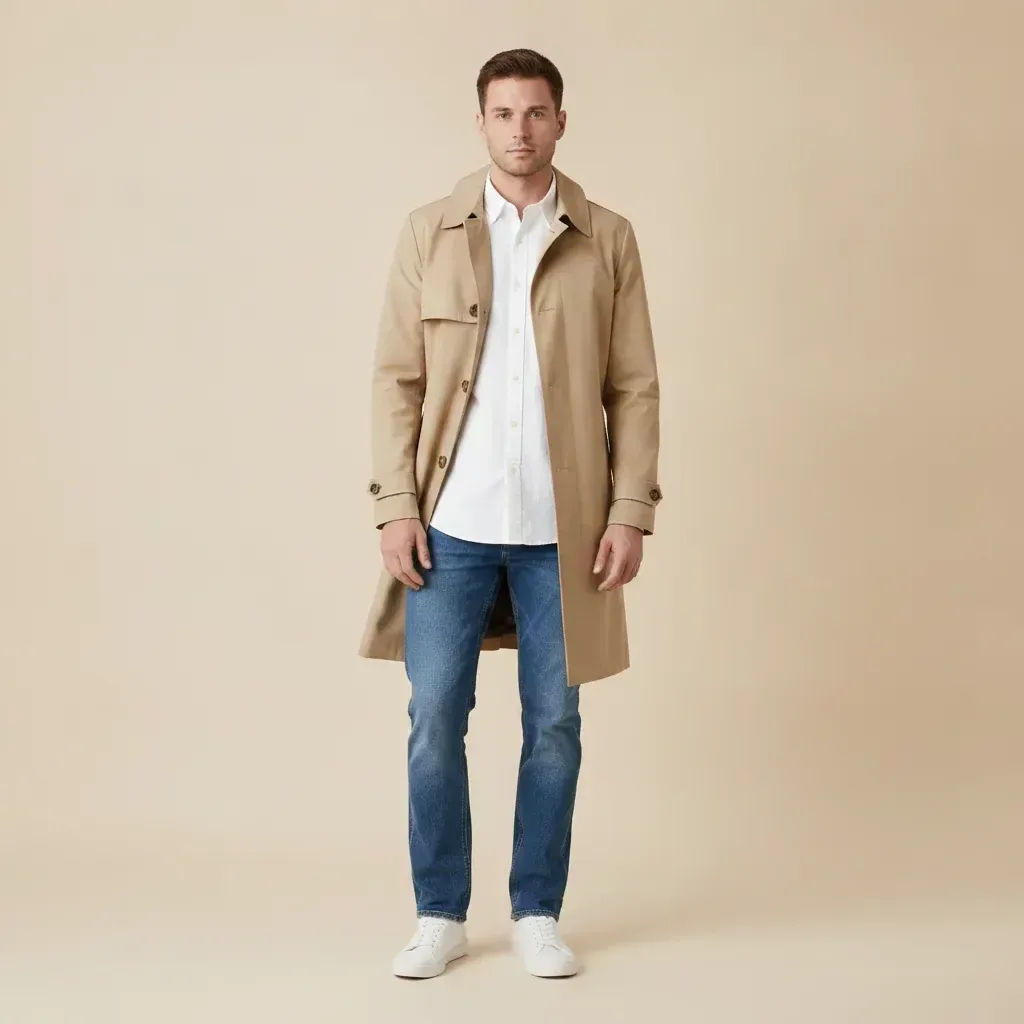
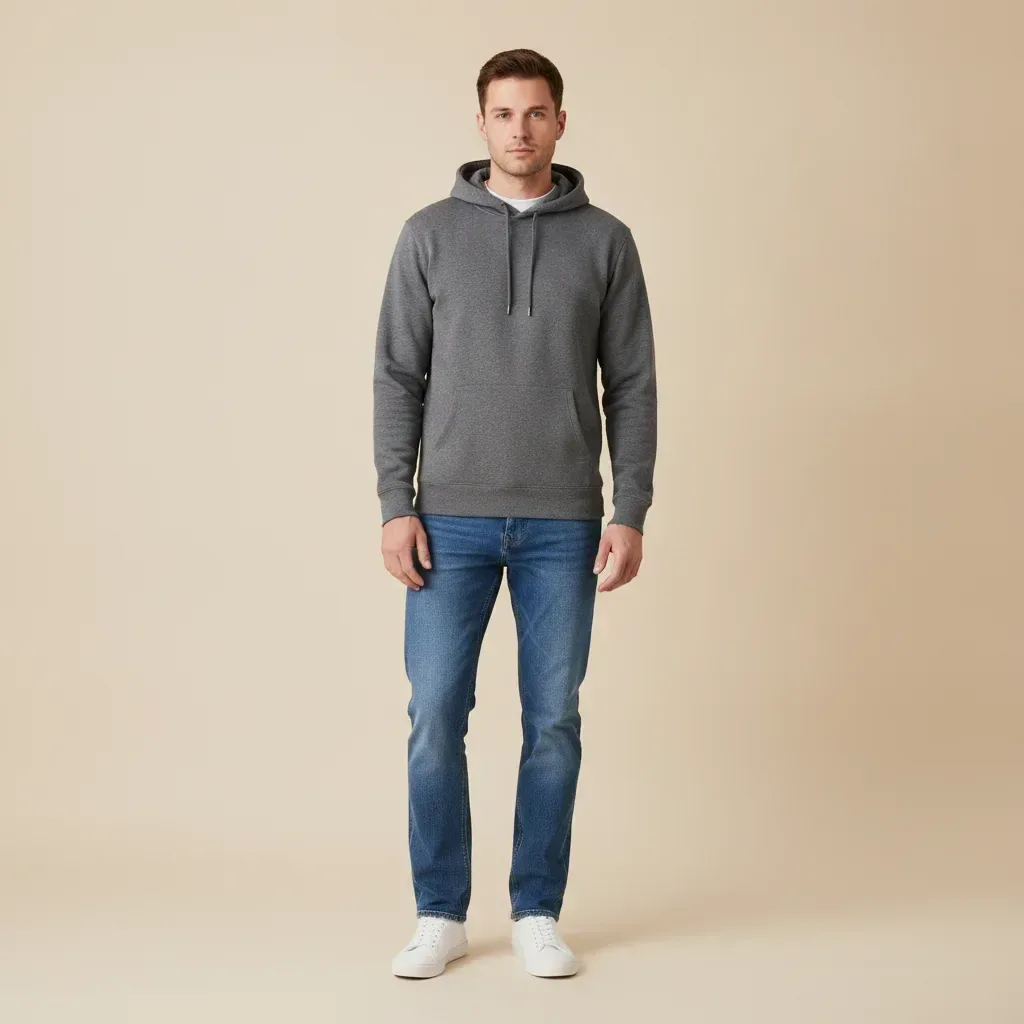
  • Man in casual clothes, a grey hoodie and jeans, restyled in a beige trench coat — AfterMan in casual clothes, a grey hoodie and jeans, restyled in a beige trench coat — Before

    Grey hoodie swapped for a trench coat

    “Replace the grey hoodie with a beige double-breasted trench coat over a white button-up shirt. Keep the rest of his clothes (jeans and sneakers), his pose and the plain backdrop unchanged.”

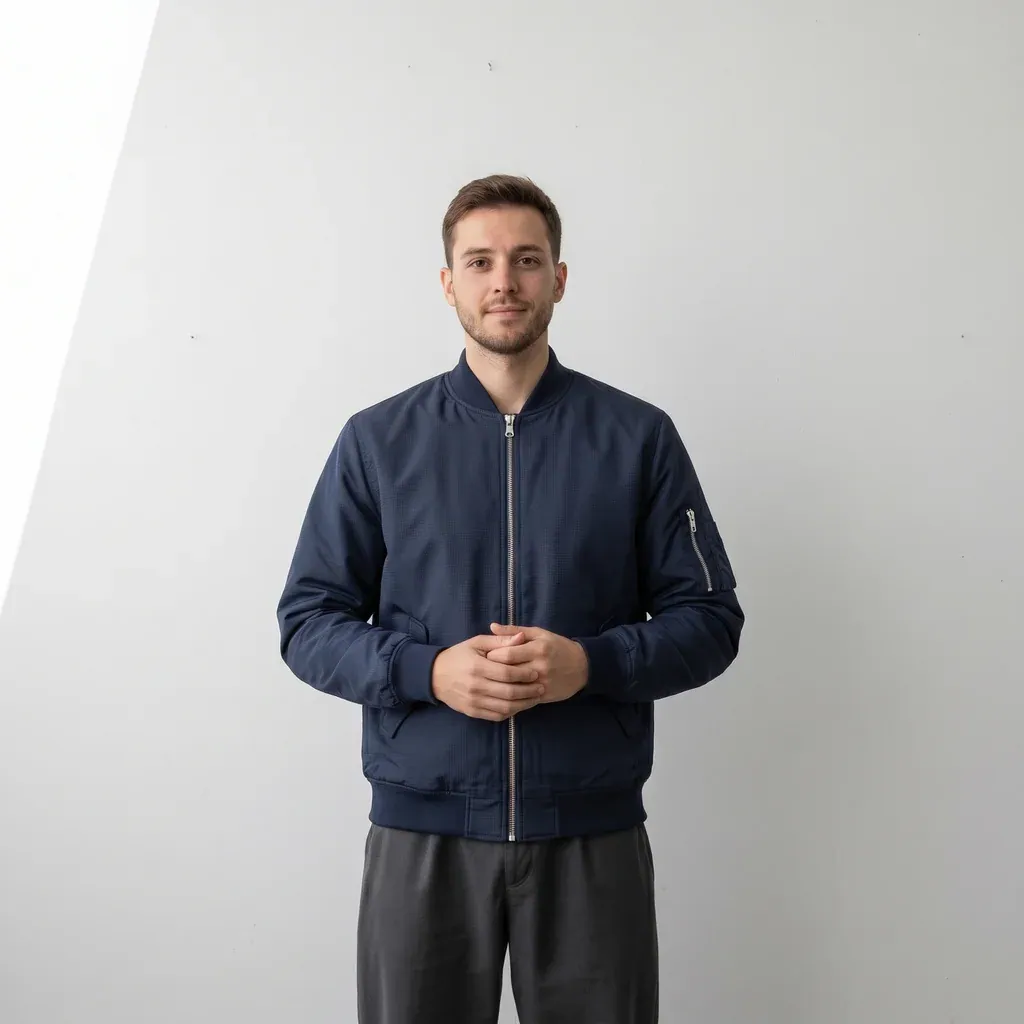
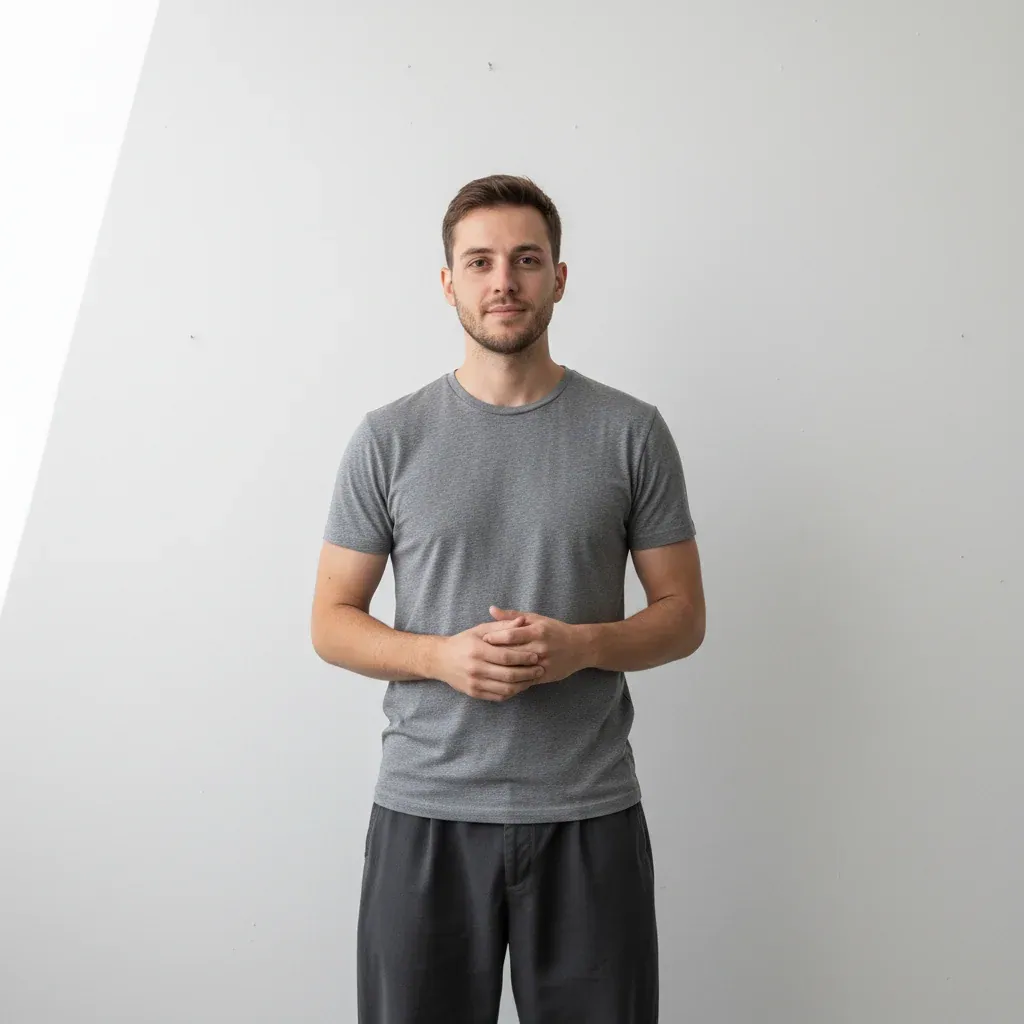
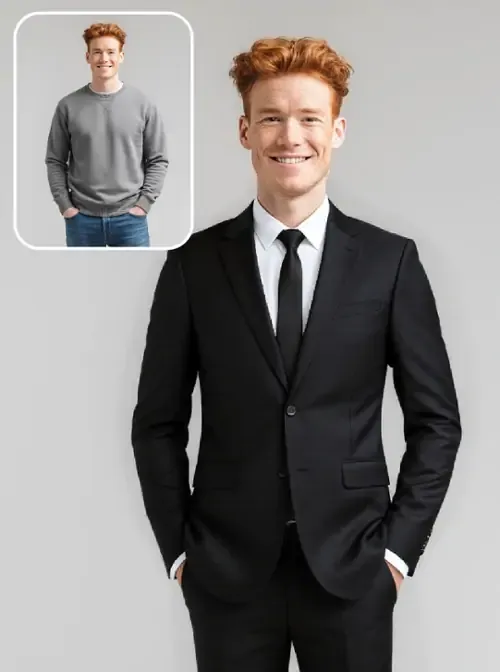
  • Man in a grey T-shirt shown again wearing a navy bomber jacket — AfterMan in a grey T-shirt shown again wearing a navy bomber jacket — Before

    T-shirt layered with a bomber jacket

    “Put a navy zip-up bomber jacket over the grey T-shirt. Keep the dark trousers, his clasped hands, his face and the white studio wall as they are.”

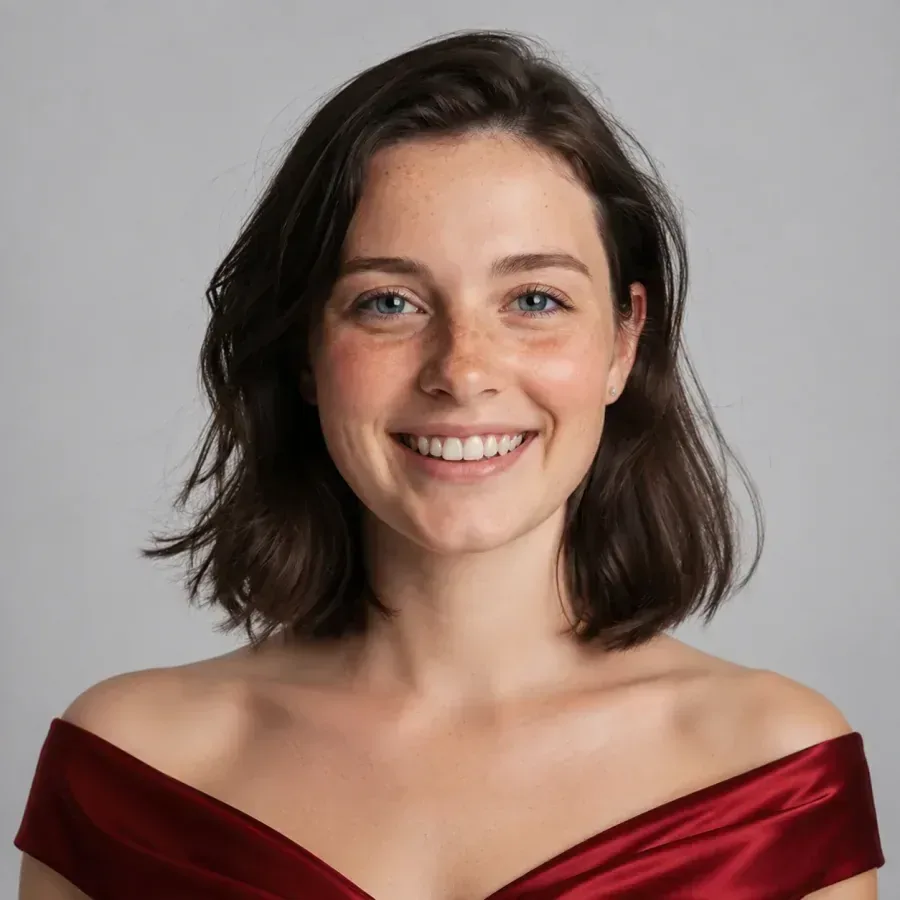
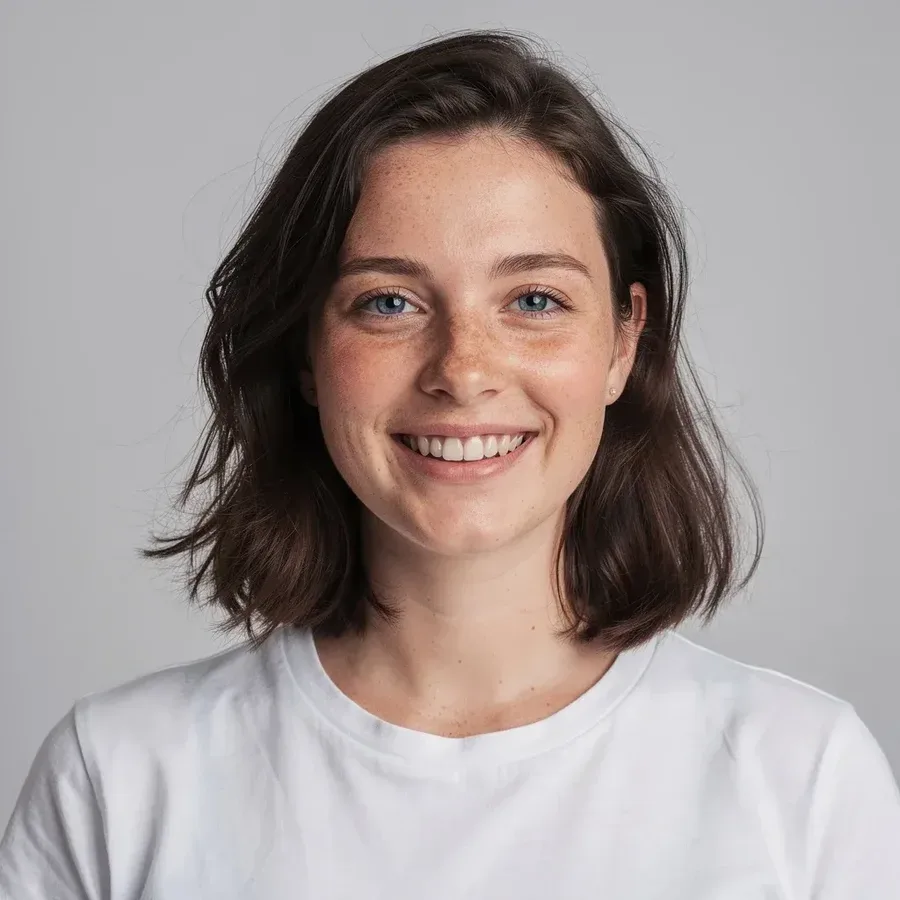
  • Woman in a white T-shirt restyled in a red satin evening dress — AfterWoman in a white T-shirt restyled in a red satin evening dress — Before

    White tee to a red evening dress

    “Change her clothes from a white T-shirt to a deep red satin off-the-shoulder evening dress. Keep her face, smile, hair and the gray background unchanged.”

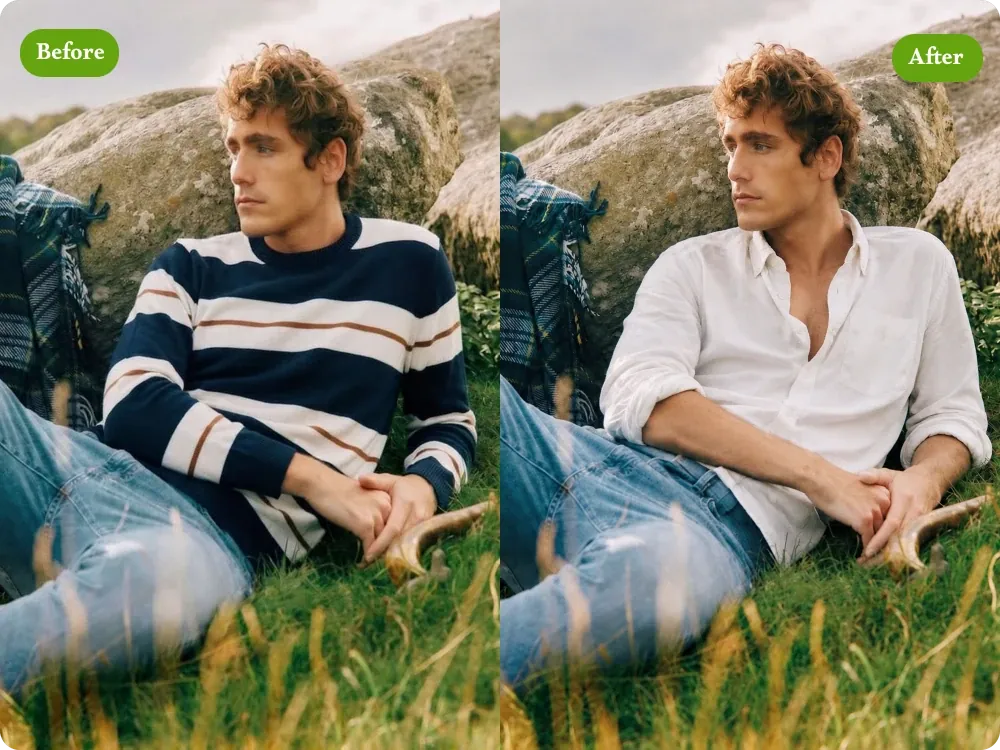
  • Man sitting on a grassy hill, shown in a striped sweater and again in a white linen shirt

    Striped sweater to a white linen shirt

    “Replace the navy striped sweater with a loose white linen shirt, top buttons open. Keep his face, curly hair, jeans, seated pose and the grassy hillside unchanged.”

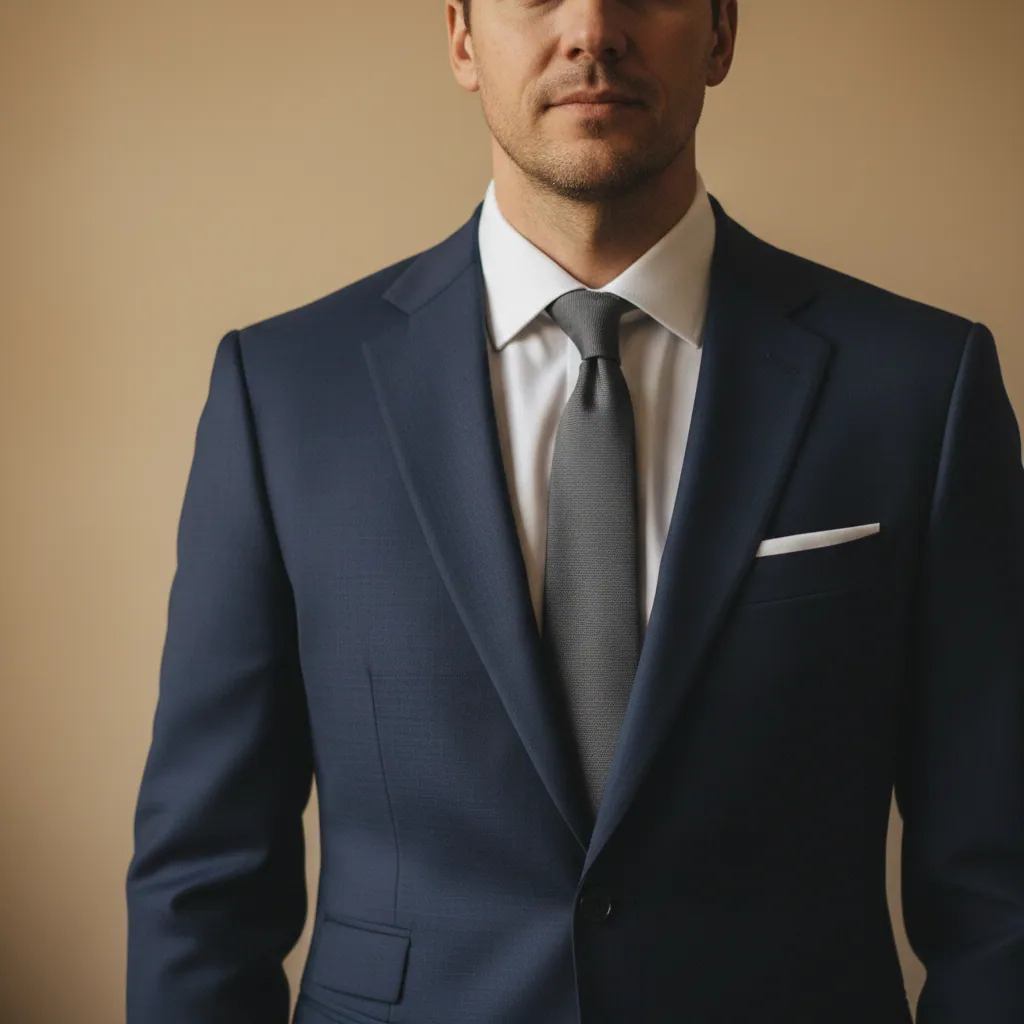
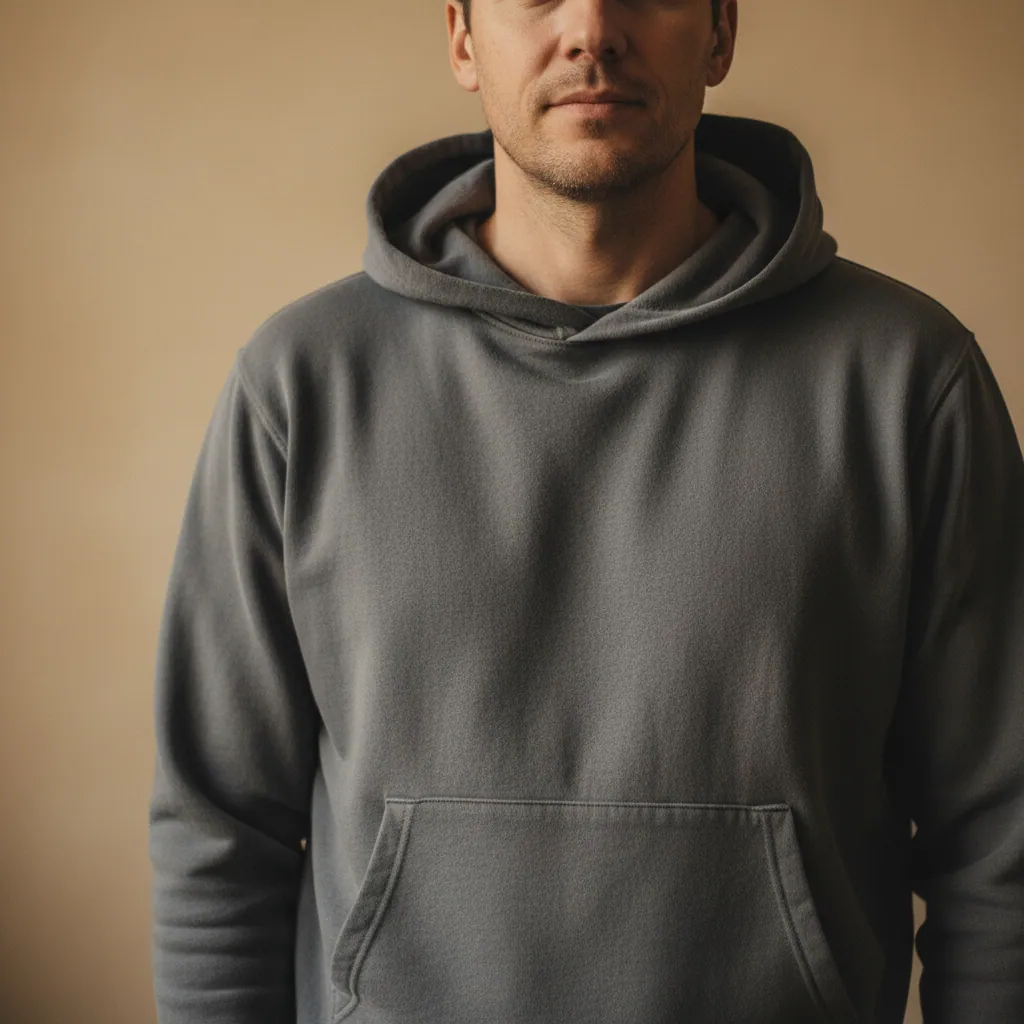
  • Close-up of a man in a grey hoodie, then the same man in a navy suit with a grey tie — AfterClose-up of a man in a grey hoodie, then the same man in a navy suit with a grey tie — Before

    Grey hoodie to a navy suit and tie

    “Change his casual clothes into a navy two-piece suit, a crisp white shirt, a silver-grey tie and a white pocket square. Keep his face, stubble, hair and the warm beige wall unchanged.”

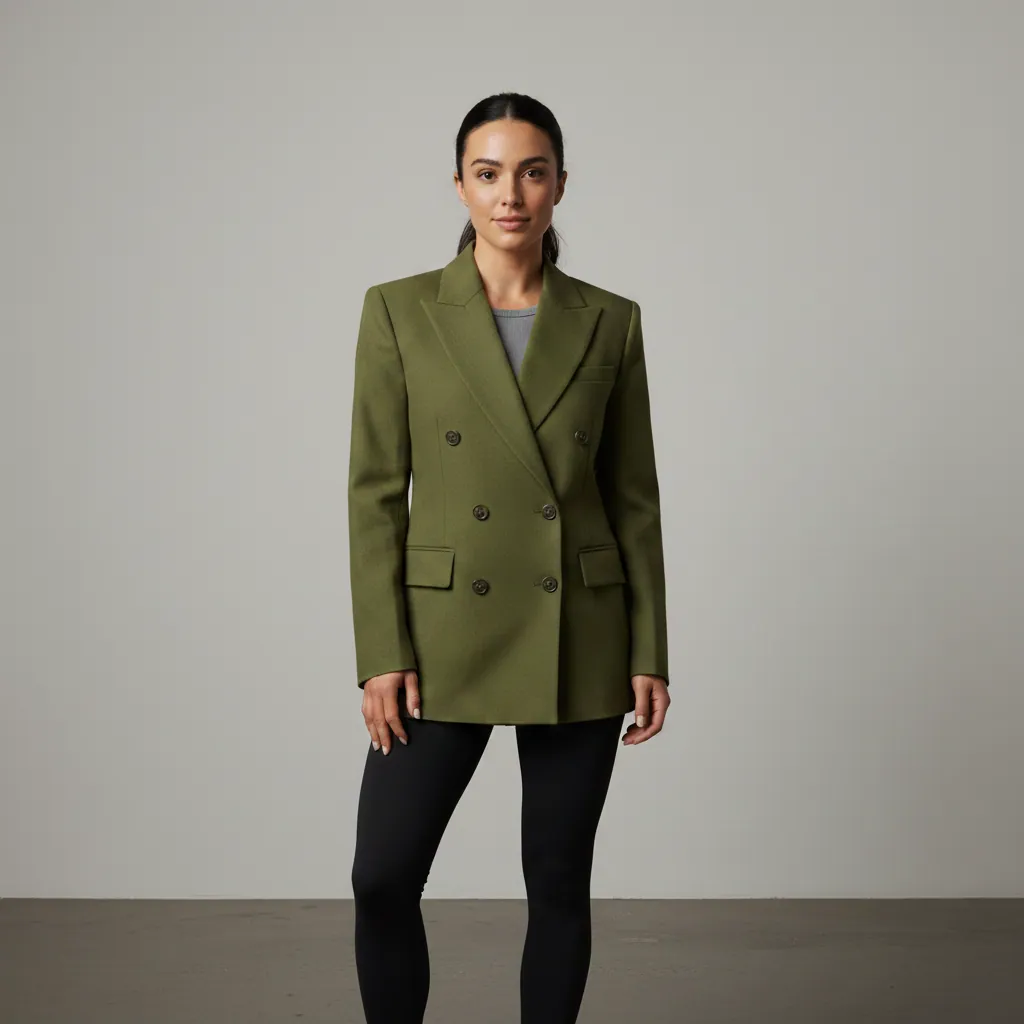
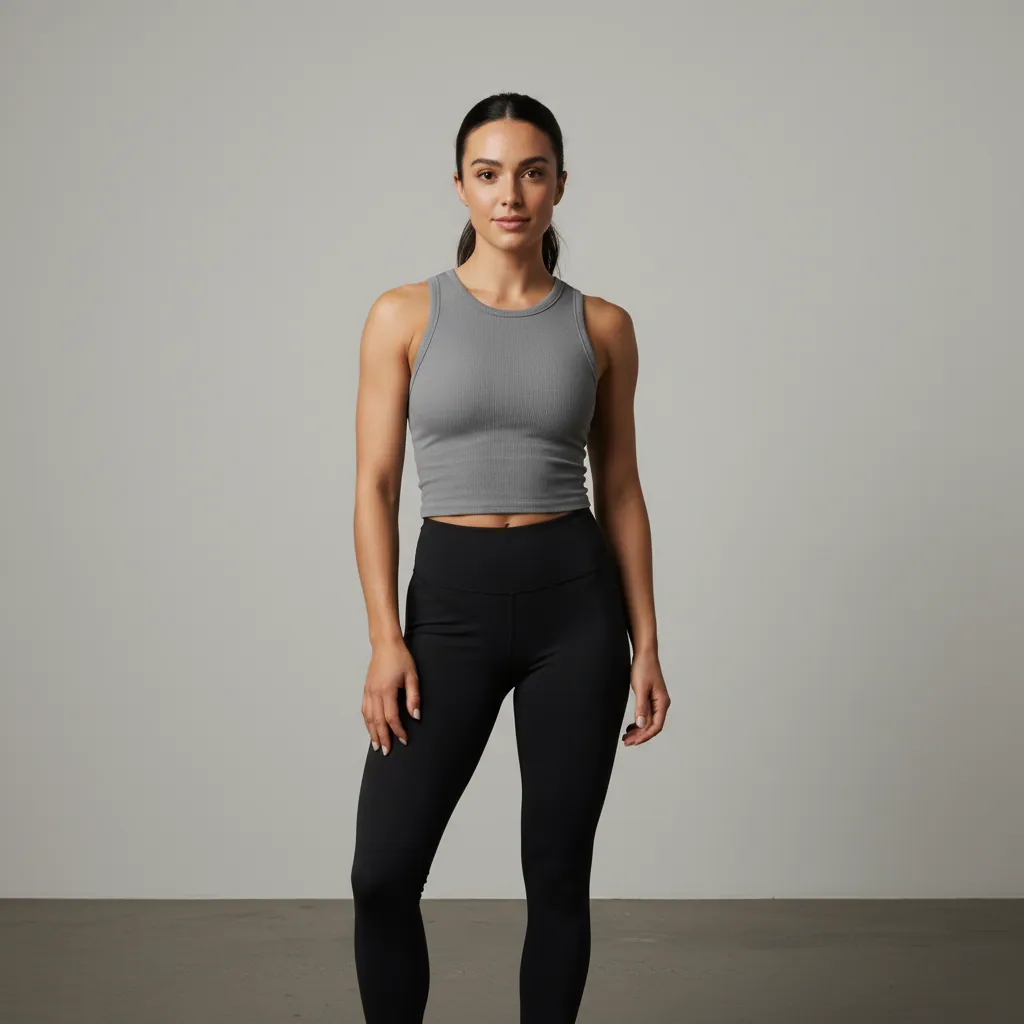
  • Woman in gym clothes, a grey tank top and black leggings, then wearing a buttoned olive double-breasted blazer — AfterWoman in gym clothes, a grey tank top and black leggings, then wearing a buttoned olive double-breasted blazer — Before

    Gym clothes under an olive double-breasted blazer

    “Put a tailored olive-green double-breasted blazer over my grey tank top and button it up. Keep the black leggings, my pose, my tied-back hair and the white studio wall.”

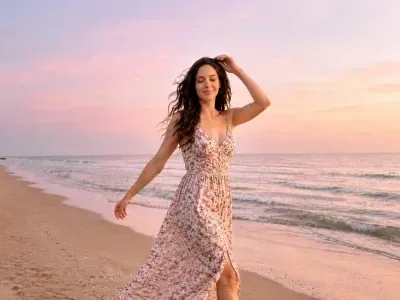
  • Woman walking on a beach at sunset in a floral sundress, then in an all-black blazer outfit — AfterWoman walking on a beach at sunset in a floral sundress, then in an all-black blazer outfit — Before

    Beach sundress swapped for an all-black blazer look

    “Change the floral sundress into a black oversized blazer over a black top with wide-leg black trousers. Keep her pose, windswept hair, the pink sunset sky and the beach unchanged.”

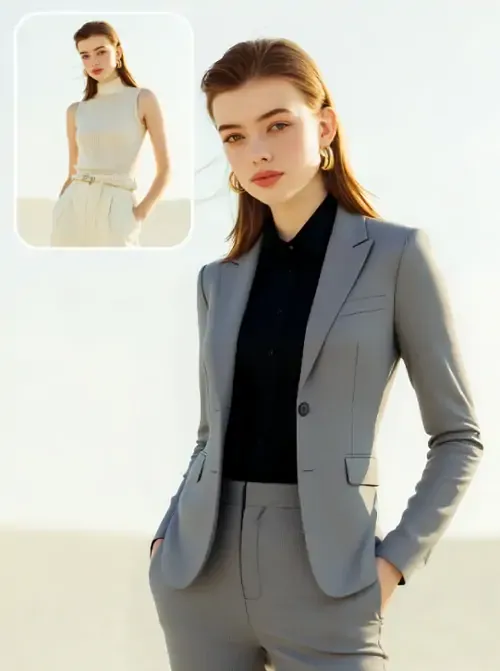
  • Small inset of a woman in a cream jumpsuit beside the same woman in a grey trouser suit and black shirt

    Sleeveless jumpsuit to a grey trouser suit

    “Replace the cream sleeveless jumpsuit with a light grey single-button trouser suit over a black shirt. Keep my face, auburn hair, the hand in my pocket and the bright backdrop.”

Example images are for illustration only. Each prompt is a starting point for a similar edit on your own photo.

How to change clothes with AI

  1. Step 1

    Upload a photo of you

    Choose a JPG, PNG or WebP under 20 MB where the clothes you want to replace are fully in frame, since the clothes changer only redraws what it can see. Standing or seated shots with clear arms and torso work best.

  2. Step 2

    Describe the new clothes

    Name the garment, color, fabric and fit, like "camel wool coat, knee length" or "black linen jumpsuit". Say which clothes stay, such as shoes or jeans, so the AI clothes changer leaves them alone.

  3. Step 3

    Review and adjust

    Check the collar, sleeves and hems the clothes changer drew against the original. If something is off, add a short follow-up such as "longer sleeves" or "darker denim" and generate again.

Clothes changer AI prompt library

Ten prompts for clothes that suit different occasions and problems, each naming the garment, fabric, fit and what must stay; change the colors to suit you.

  1. 01

    Creative-agency interview look

    Change my clothes to a charcoal merino crew-neck sweater over a white collared shirt, with slim stone-colored chinos. Keep my face, hair, pose, hands and the office background exactly as they are.

  2. 02

    Winter layers for a city trip

    Dress me in clothes for a cold city break: a long black puffer coat, a chunky cream knit scarf and a grey beanie over my hair. Keep my face, pose, jeans and the street behind me unchanged.

  3. 03

    Linen suit for a summer wedding

    Replace my clothes with a light sand-colored linen suit, a pale blue shirt open at the collar and brown suede loafers. Keep my face, beard, posture and the garden background the same.

  4. 04

    Silk jacket for Lunar New Year

    Change my top into a red silk Tang-style jacket with a mandarin collar and knotted frog buttons, worn over black trousers. Keep my face, hair, smile and the lantern-lit background unchanged.

  5. 05

    Hiking gear for a trail photo

    Swap my clothes for hiking gear: an orange waterproof shell jacket, grey softshell trousers and brown leather hiking boots. Keep my face, backpack straps, pose and the mountain trail behind me.

  6. 06

    Recolor one shirt, keep the cut

    Recolor my white button-up shirt to sage green, keeping the exact same cut, collar, creases and rolled sleeves. Do not change anything else in the photo: face, trousers, watch and background stay the same.

  7. 07

    Classic vampire costume

    Dress me in a classic vampire costume for a Halloween post: a black cape with a tall red-lined collar, a dark velvet waistcoat and a white ruffled shirt. Keep my face, hair and the room unchanged.

  8. 08

    Smart layers for a date night

    Change my clothes to a fitted black turtleneck under a camel wool overcoat, with dark grey tailored trousers. Keep my face, hairstyle, the way I am standing and the evening street lights behind me.

  9. 09

    Graduation gown and cap

    Put me in a black graduation gown with a square mortarboard cap and a gold tassel, worn over a white collared shirt. Keep my face, smile, hands and the campus background unchanged.

  10. 10

    Chef whites for a restaurant profile

    Change my clothes to a white double-breasted chef jacket with black buttons and a long black waist apron. Keep my face, tied-back hair, pose and the kitchen background as they are.

Ways to use an AI clothes changer

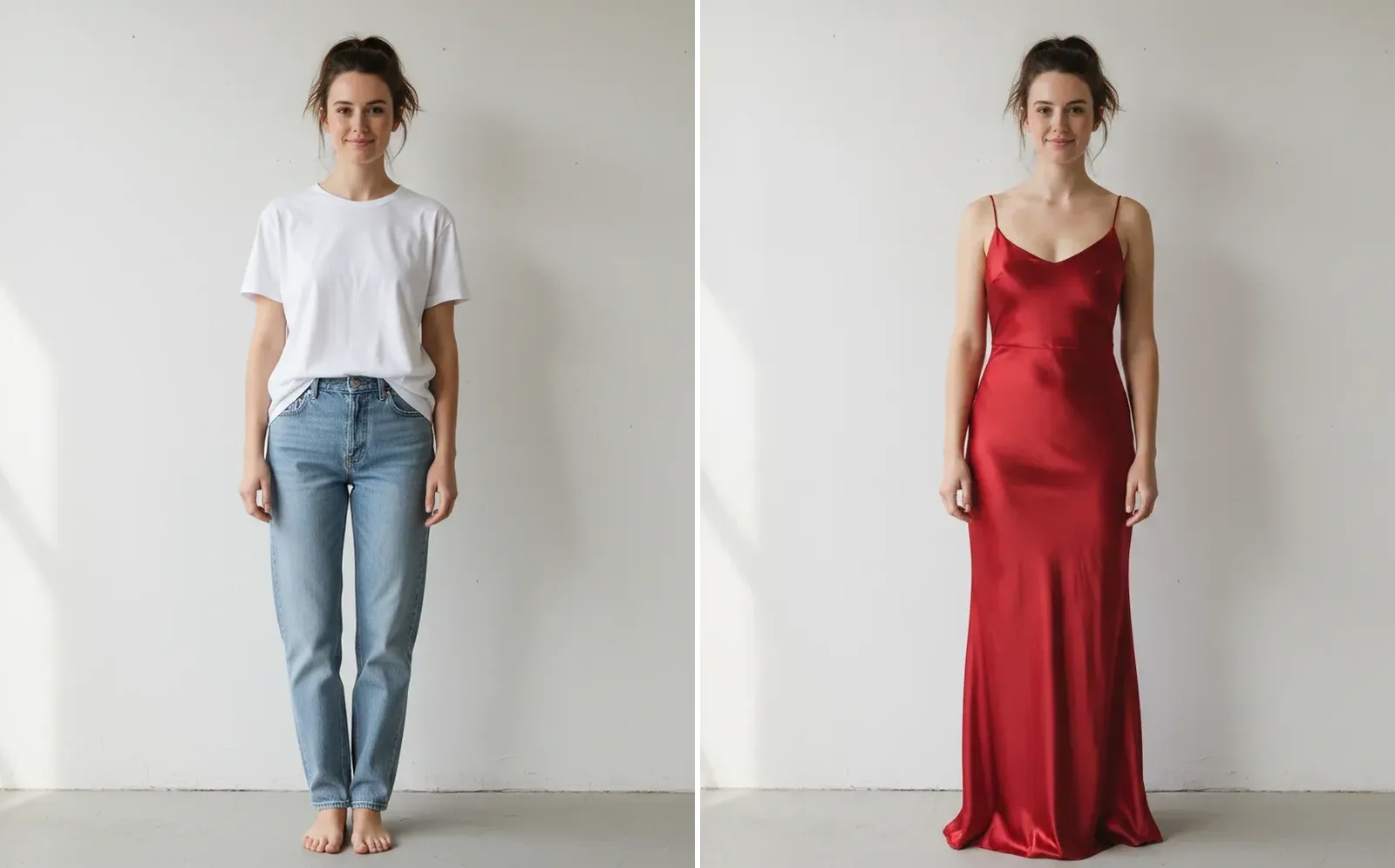
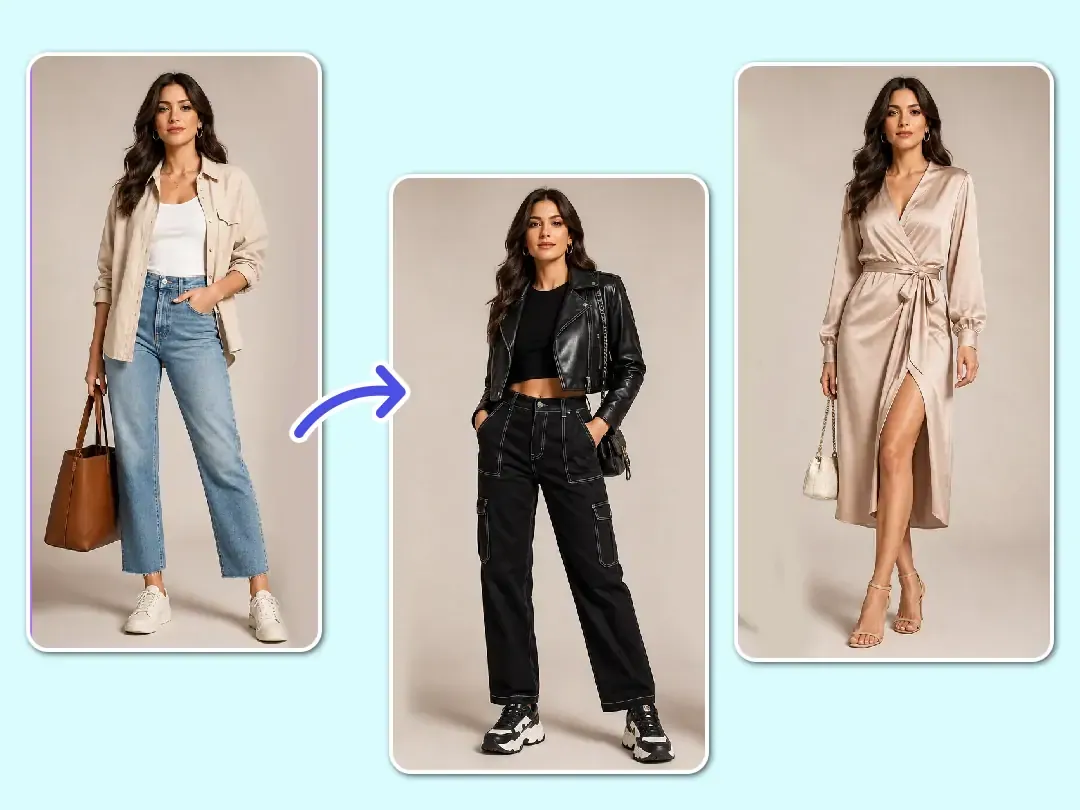
  • Woman in a white T-shirt and jeans next to the same woman in a floor-length red satin slip dress

    Plan an outfit for an event

    Not sure what to wear to a wedding, interview or dinner? Let the clothes changer AI put a few looks on your own photo before you shop for clothes or pack.

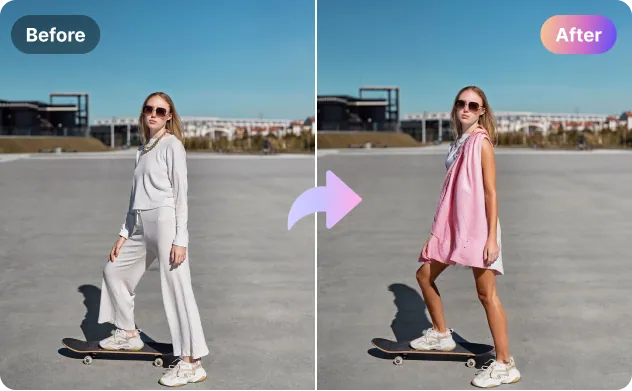
  • Woman on a skateboard in a white lounge set, then in a pink shirt dress, with Before and After labels

    Rescue a good photo

    Love the shot but not the loungewear? Use the clothes changer to swap those clothes for a dress, a shirt or a knit so the same picture fits a post, a profile or an invitation.

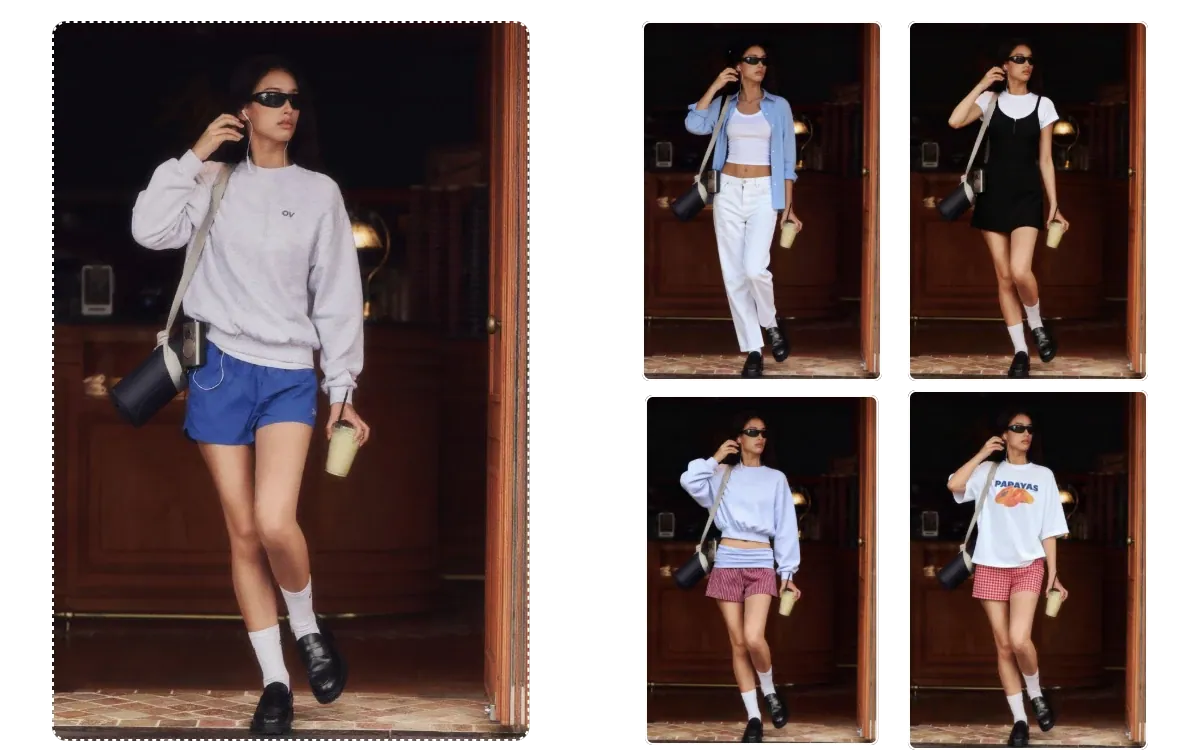
  • Woman in a sweatshirt and shorts beside four versions of the same photo in different casual clothes

    Sketch styling ideas

    Stylists and creators can run the clothes changer on a client-approved photo to mock up clothing colors and layering before a shoot or a shopping trip.

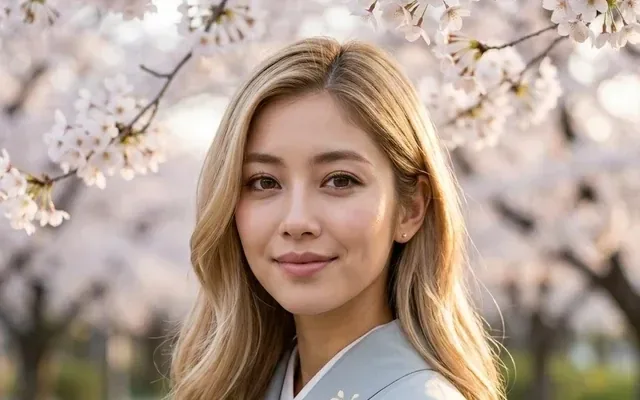
  • Woman with long blonde hair in a pale blue kimono under cherry blossoms

    Seasonal and themed posts

    Turn a summer snapshot into an autumn one with warmer clothes, a coat and a scarf, or let the clothes changer try a kimono under spring blossom for a themed post.

Tips for a natural clothes swap

  • Pick a photo where the clothes are not hidden behind bags, crossed arms or other people; anything covered has to be guessed.
  • Describe the fabric and fit of the clothes, not just the color: "chunky cable-knit sweater" gives a richer result than "a sweater".
  • To change clothes with AI precisely, swap one layer at a time, for example the jacket first and the shoes after.
  • Add "keep my face, hair and pose unchanged" to each clothes changer prompt, then check hands and jewelry in the result.
  • Only edit photos of yourself or of people who have given you permission. Undressing and revealing clothing edits are refused.
  • Planning a head-to-toe makeover? Pair the new clothes with a new cut from the AI Hairstyle Changer.

Best models for an AI clothes changer

Any clothes changer has to redraw fabric while leaving the person alone. These picks do that well.

  • Nano Banana 2

    Google

    Start here when you plan to try several sets of clothes on the same photo. It keeps your face, hair and build consistent from one look to the next, so you compare the clothes rather than a slightly different person.

    About Nano Banana 2
  • Nano Banana

    Google

    The original Nano Banana is a dependable choice in the clothes changer for natural, realistic swaps, such as a hoodie to a coat or a tee to a shirt, when you want the result to look like an ordinary photo.

    About Nano Banana
  • Flux

    Black Forest Labs

    Choose Flux for changes to a single piece of clothing. Recoloring a shirt or swapping only the shoes works best with a model that touches nothing beyond the garment you name.

    About Flux

Inside a clothes changer AI edit

How the AI clothes changer decides which clothes to redraw, and how to write, check and finish an outfit.

Which clothes get redrawn and what stays

The clothes changer reads your photo as a person wearing clothes, then repaints the pieces you name while trying to hold the face, hair, hands and background in place. Anything the new clothing covers is simple. Anything it uncovers has to be invented, because the photo never showed it.

That is why swaps that keep coverage similar or add layers, such as a tee to a shirt or a shirt to a coat, look most natural. Sleeves, collars and hems are where the new clothes meet the old photo, so they need the closest look. Bags, straps, watches and jewelry sit on top of clothing; name them in the prompt if they should survive the swap.

Describing clothes like a stylist would

A clear clothes changer prompt has five parts: the garment, the fabric, the fit, the length and the color. "Coat" leaves the AI guessing; "knee-length camel wool coat, relaxed fit, notch lapels" does not. Add the layering order from the inside out, and say which clothes stay, for example "keep my jeans and white sneakers".

Fabric words change how light falls on the clothes. Satin and leather shine, linen creases, wool and knits look soft and matte. If the photo was taken outdoors in hard sun, ask for the fabric to catch that sunlight too. Stick to one complete outfit per run; a list of alternatives in one prompt tends to merge into one confused look.

Fixing the usual clothing problems

Stripes and checks can bend in odd places in a clothes changer result, so ask for "straight, even stripes following the body" or pick a plain fabric. Extra buttons, merged collars and floating pockets are fixed by naming the detail you want: "single-breasted, two buttons, one chest pocket".

If the body outline or hands changed, start over from the untouched upload and move "keep my body shape, hands and pose exactly the same" to the front of the prompt. Printed logos and slogans on clothes often come out garbled; leave them out, or keep lettering short and simple. When the clothes look pasted on, ask for shadows and creases that match the light in the scene.

Finishing the look with other EditPic tools

Work in a fixed order so each step builds on a stable image. Settle the clothes first in the clothes changer, because they cover the largest area. Then try a new cut in the AI Hairstyle Changer, and only after that move the whole picture somewhere new with the Background Changer, so the light on the clothing and the scene is matched last.

If the final image is soft or small, run it through the Photo Enhancer before posting. Download each stage as you go; returning to a good version is easier than undoing a chain of edits. And keep to photos of yourself, or of people who have agreed to be edited.

Walkthrough: picking wedding-guest clothes with the clothes changer

Start with a full-length photo taken in daylight, arms relaxed, against a plain wall. For the first run, describe one complete set of clothes: “a sage green midi wrap dress in flowing crepe, short sleeves, nude block heels, keep my face, hair and pose unchanged”. Download it, then start the second look from the same original, not from the dress version, so every option begins from identical conditions.

Try three or four clothing ideas this way, changing only the clothes each time: a different color, a jumpsuit instead of a dress, a lighter fabric. Put the versions side by side and judge them at phone size, the way guests will see the photos. Once you have a favorite, note the exact color and cut and take that list shopping; the clothes changer shows the look, while the size chart decides the fit.

Clothes changer AI vs. a fitting room or a manual photo edit

A fitting room tells you how real clothes fit, stretch and move, which no picture can do. What it can’t do is show ten options on you in ten minutes, in your own photo and your own light. The clothes changer is strongest at exactly that stage: narrowing down colors, shapes and combinations before you visit a shop or click buy.

Compared with editing clothes by hand, the gap is bigger. A retoucher would have to paint new fabric, folds, shadows and seams onto the body, which takes hours and real skill. The clothes changer drafts the same change in one run, though small details such as button counts or the exact pattern may need a second try. For a pixel-perfect catalog shot, real photography still wins; for planning and social posts, the AI draft is usually enough.

Clothes changer AI FAQ

  1. Is the clothes changer AI free?

    Every new account can try it free once. After that, each clothes swap spends credits that vary by model, with the amount shown before you edit, and paid plans add credits when you want to try lots of looks.

  2. Can I upload a picture of a garment to try on?

    Not at the moment. The clothes changer takes one photo, which is yours, and the new clothes come from your written description. Be precise about color, fabric, cut, length and details like buttons or collar shape.

  3. Which photos can I use to change clothes with AI?

    Use photos you have the right to edit: pictures of yourself, or of someone who has clearly agreed. Never change other people’s clothes without consent. Requests to undress anyone or make clothing revealing are refused.

  4. Will my face and body stay the same?

    The AI clothes changer aims to redraw only the clothes. Generative edits can still nudge small details such as hands, hairline or body outline, so compare before and after and repeat "keep everything else unchanged" when it matters.

  5. Can it change just one piece of clothing?

    Yes. Ask the clothes changer for a single change, like "swap the sneakers for brown leather boots" or "make the shirt light blue", and state that the rest of the clothes stay as they are.

  6. Will the AI clothes changer show how a real garment fits me?

    Treat it as a styling preview, not a fitting. The clothing is drawn from your description rather than from a real product, so it cannot predict sizing, stretch or how a particular brand cuts. Use it to choose colors, shapes and combinations, then check the size chart before you buy.

  7. Can I change clothes with AI in a group photo?

    Yes, one person per run. Point to them clearly, for example "the man on the left in the grey hoodie", and say everyone else stays unchanged. Make sure each person you edit has agreed, and check the clothes of the people beside them for small changes afterwards.

  8. Can the new outfit have a print or lettering on it?

    Simple patterns such as stripes, florals or checks work well. A short word on a T-shirt is possible, and GPT Image 2 renders readable text best, but long slogans may come out garbled. Leave out brand logos and describe plain or patterned clothes instead.

  9. What kind of photo works best with the clothes changer?

    A sharp, well-lit shot where your clothes are fully visible from shoulders to hem, ideally standing or sitting upright with arms away from the body. Even, soft light helps the new fabric look real. Busy patterns, heavy shadows and cropped legs make the clothes changer guess more.

  10. Can I try traditional or costume clothes on my photo?

    Yes, describe them as you would to a tailor: “a red silk qipao with a mandarin collar and gold piping” or “a Regency tailcoat with a cream waistcoat”. Respectful, everyday and festive costumes work well; keep the face and pose protected in the same prompt.

  11. How do I keep my shoes and accessories when I change clothes?

    List them in the keep-list: “keep my white sneakers, silver watch and black tote bag unchanged”. Items that sit on top of clothing, like bag straps and necklaces, are the ones most likely to move, so check them in the result and repeat the line if needed.

Try new clothes on your photo

Upload a photo of yourself, describe the clothes and let the clothes changer show how they look before you buy them or pack them.