
New: Nano Banana 2 & GPT Image 2

Try it

Updated 2026-11-16

Free AI Professional Headshot Generator from One Selfie

Our free AI professional headshot generator turns one selfie into a studio-style headshot with a clean backdrop, even light and tidy attire, all edited from your own photo. Signup costs nothing; credits are spent only on edits you run.

AI headshot generator examples

Mirror selfies, a garden snapshot and a sofa photo reworked into head-and-shoulders headshots, plus studio, office and clinic results. Look at what changed and what stayed, then load a prompt into the AI headshots generator and try your own picture.

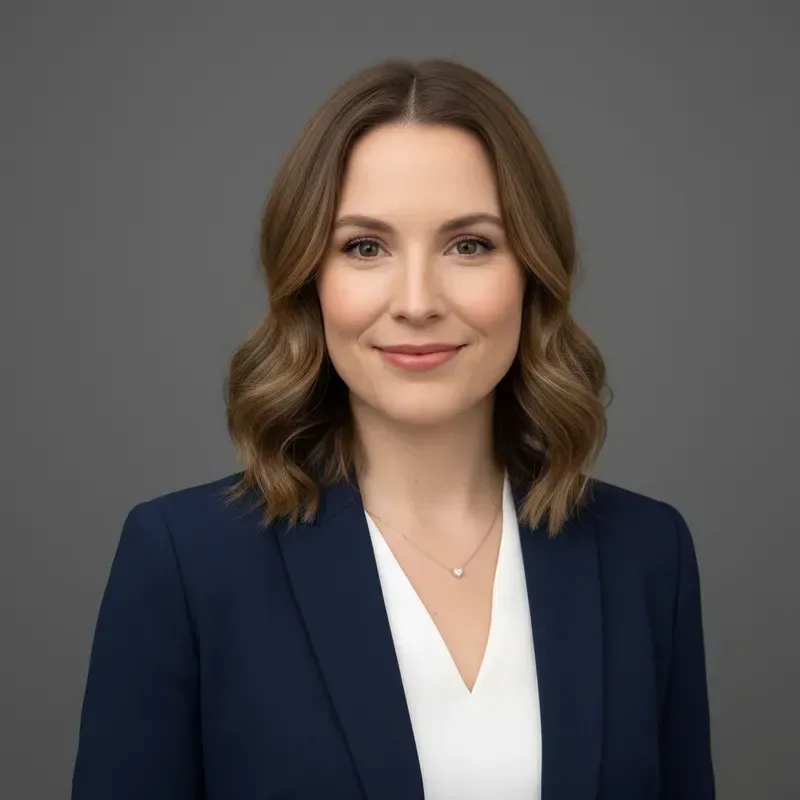
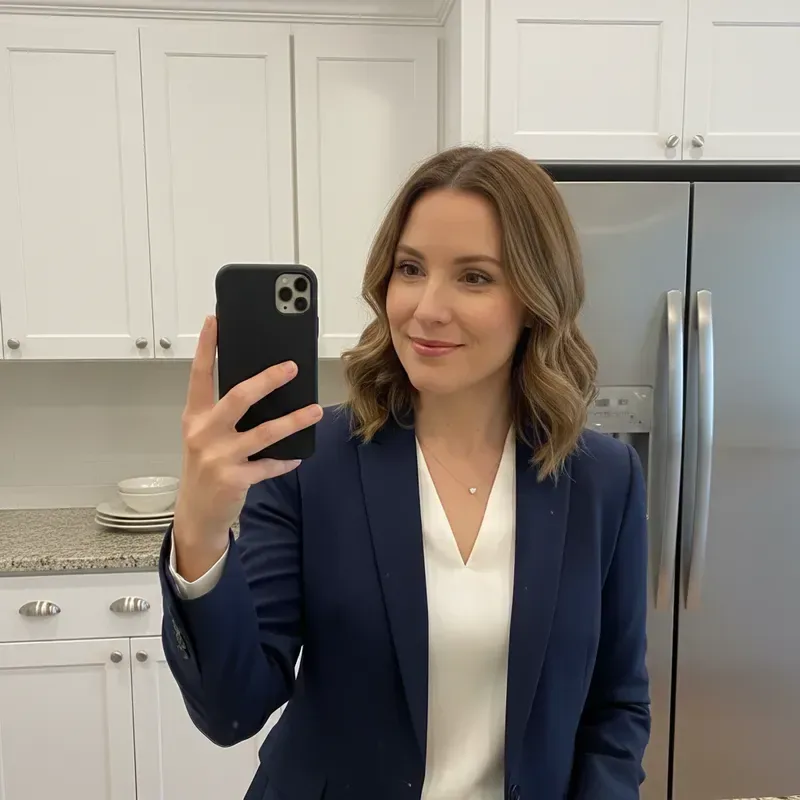
  • Woman in a navy blazer taking a kitchen mirror selfie, then the same woman in a gray-backdrop headshot — AfterWoman in a navy blazer taking a kitchen mirror selfie, then the same woman in a gray-backdrop headshot — Before

    Kitchen mirror selfie to studio headshot

    “Turn my kitchen mirror selfie into a studio headshot: remove the phone and the kitchen, use a plain mid-gray backdrop and soft front light. Keep my navy blazer, white top and face unchanged.”

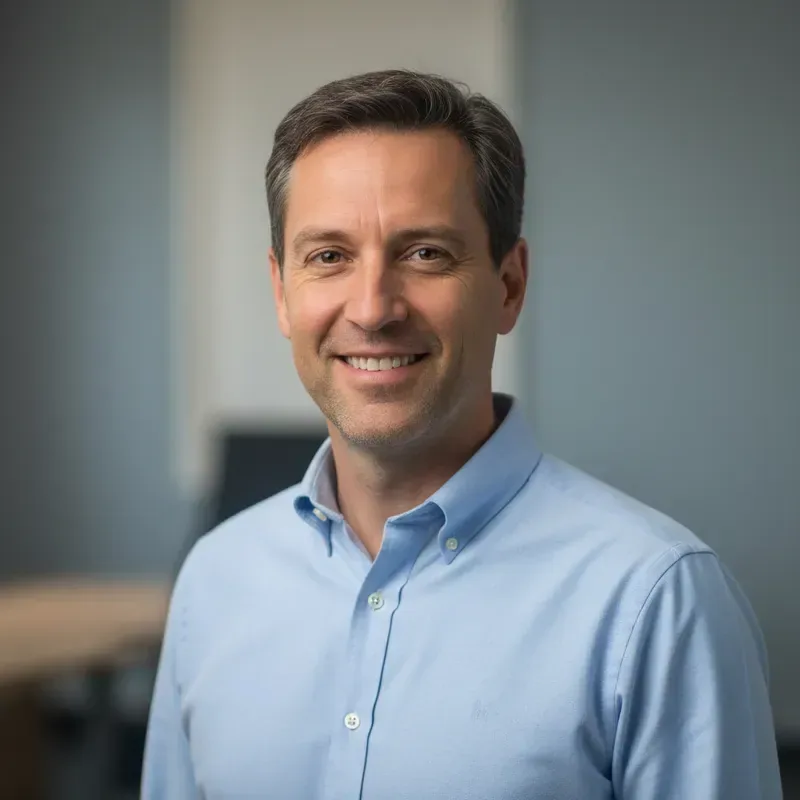
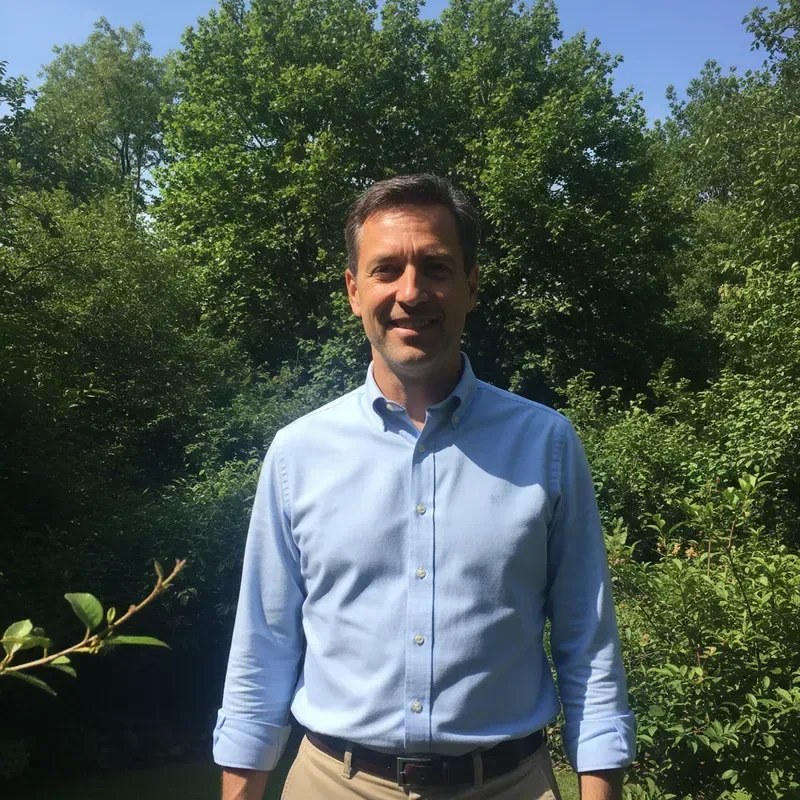
  • Man in a light blue shirt standing in a garden, then the same man in an office headshot — AfterMan in a light blue shirt standing in a garden, then the same man in an office headshot — Before

    Garden snapshot to office headshot

    “Crop this outdoor photo to a head-and-shoulders headshot and place me in a softly blurred modern office. Keep my light blue shirt, my smile and my face exactly the same.”

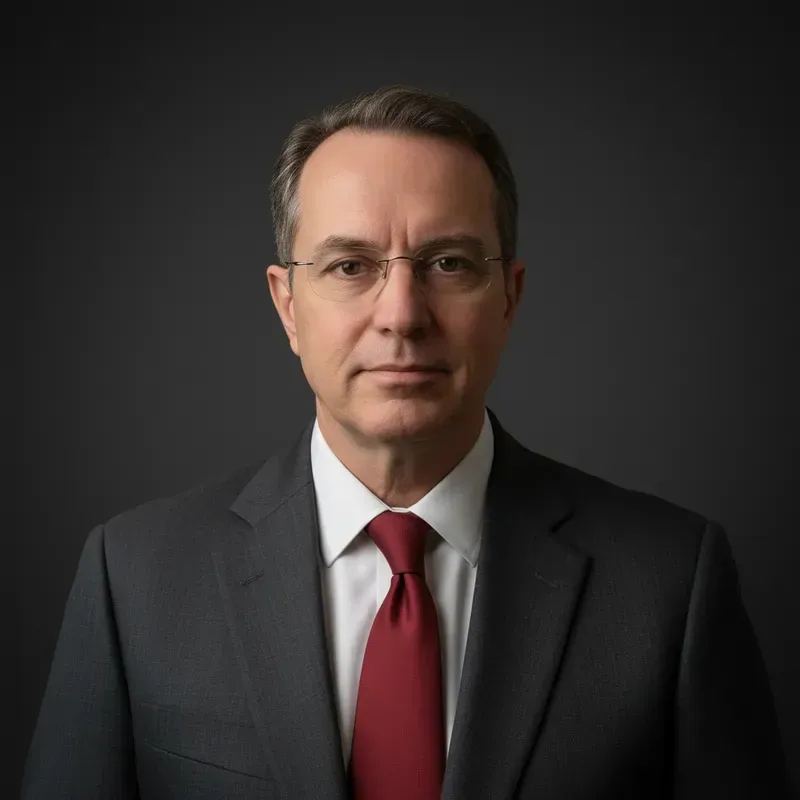
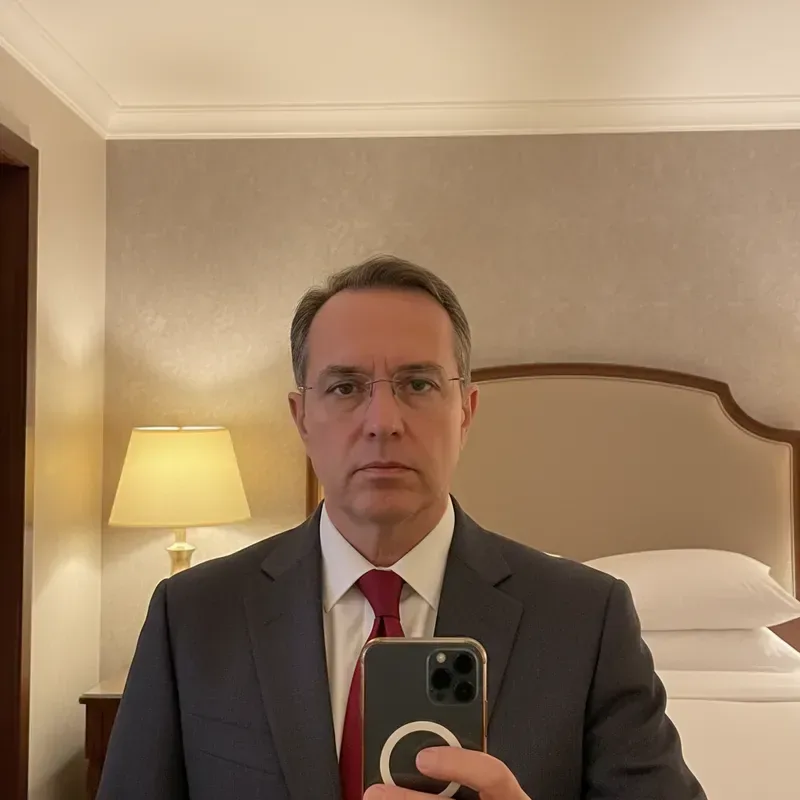
  • Man in a suit and red tie taking a hotel mirror selfie, then a dark studio headshot — AfterMan in a suit and red tie taking a hotel mirror selfie, then a dark studio headshot — Before

    Hotel-room selfie to a formal headshot

    “Turn this hotel-room mirror selfie into a formal headshot on a dark charcoal backdrop with gentle side light. Remove the phone; keep my glasses, gray suit and red tie.”

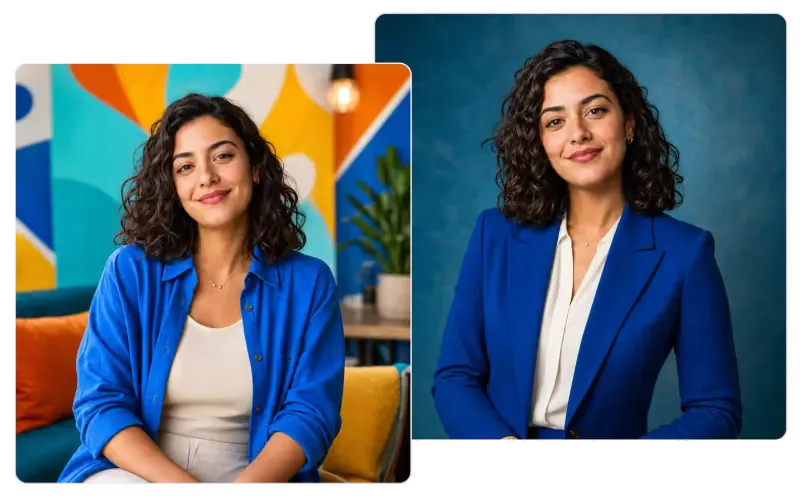
  • Casual sofa photo next to the same woman's headshot in a blue blazer on a teal studio backdrop

    Sofa photo to a blazer headshot

    “Make a professional headshot from this sofa photo: royal blue blazer over an ivory blouse, deep teal studio backdrop, soft light. Keep my curls, smile and face unchanged.”

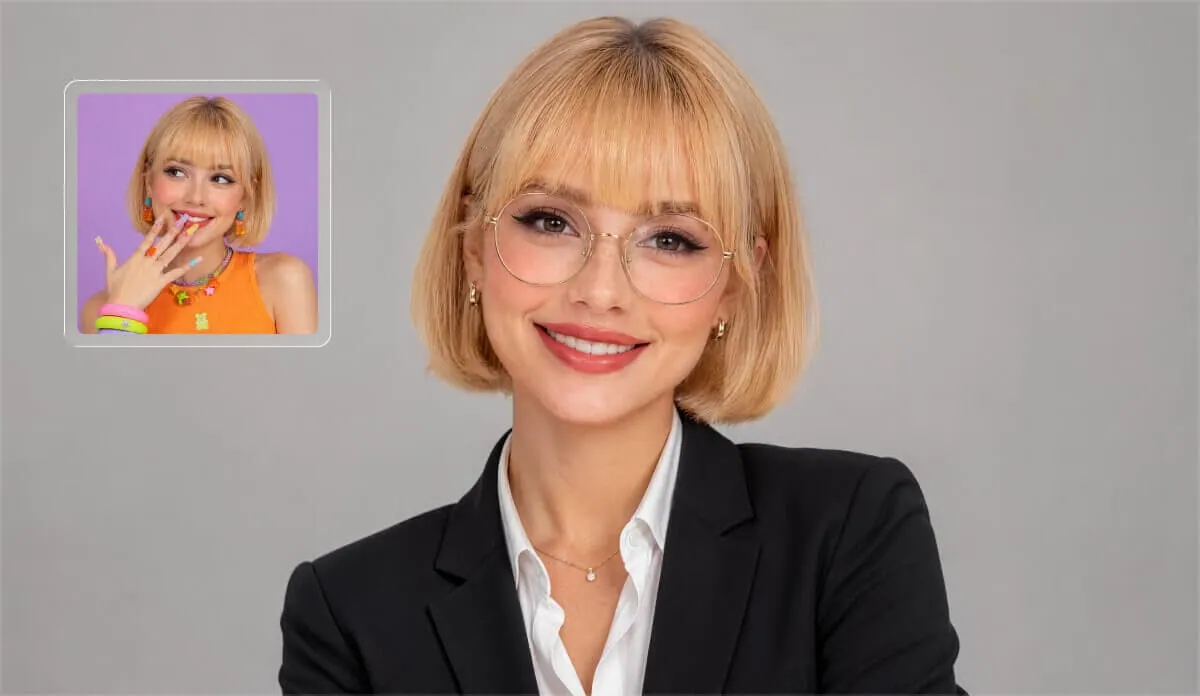
  • Small inset of a laughing woman on a purple backdrop beside the same woman's headshot in a black blazer and glasses on grey

    Colorful selfie to a polished office headshot

    “Turn this playful selfie into a polished headshot: black blazer over a white open-collar shirt, thin round glasses, a calm smile and a plain light-grey backdrop. Keep my face and my blonde bob with bangs.”

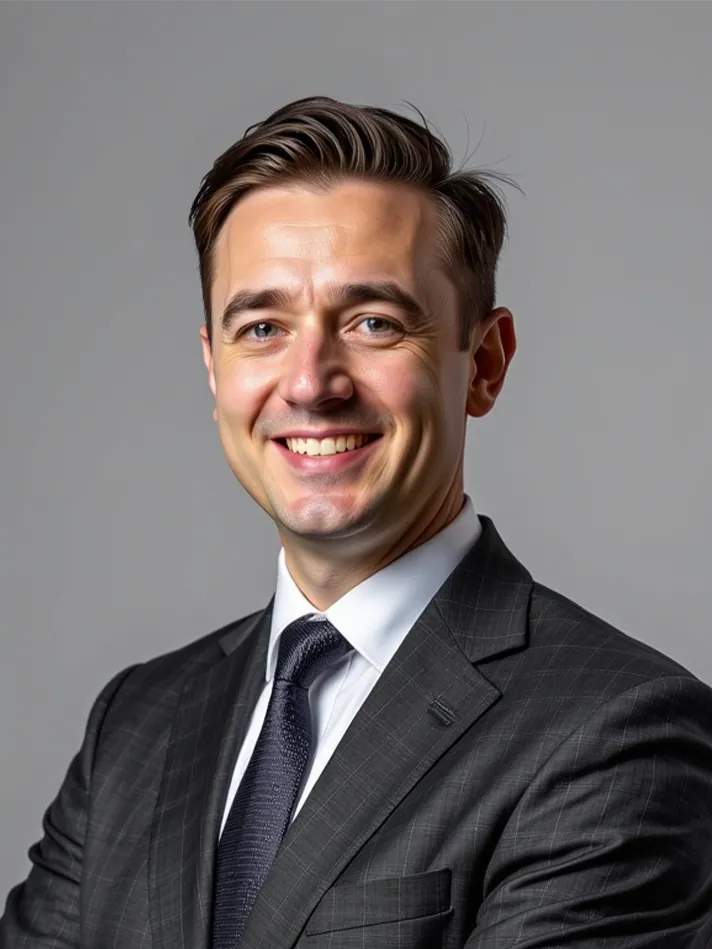
  • Studio headshot of a smiling man in a charcoal suit, white shirt and dark tie against a plain grey backdrop

    Classic studio headshot in a charcoal suit

    “Make a classic studio headshot: charcoal suit, white shirt and a dark navy tie, plain mid-grey backdrop, soft key light from the left. Keep my face, side-parted hair and natural smile.”

  • Clinic headshot of a smiling woman in a white lab coat and blue scrubs holding a clipboard in a bright corridor

    Clinic profile headshot in a white coat

    “Create a profile headshot for a clinic website: white lab coat over light blue scrubs, holding a clipboard, bright corridor with soft window light. Keep my face, long blonde hair and smile.”

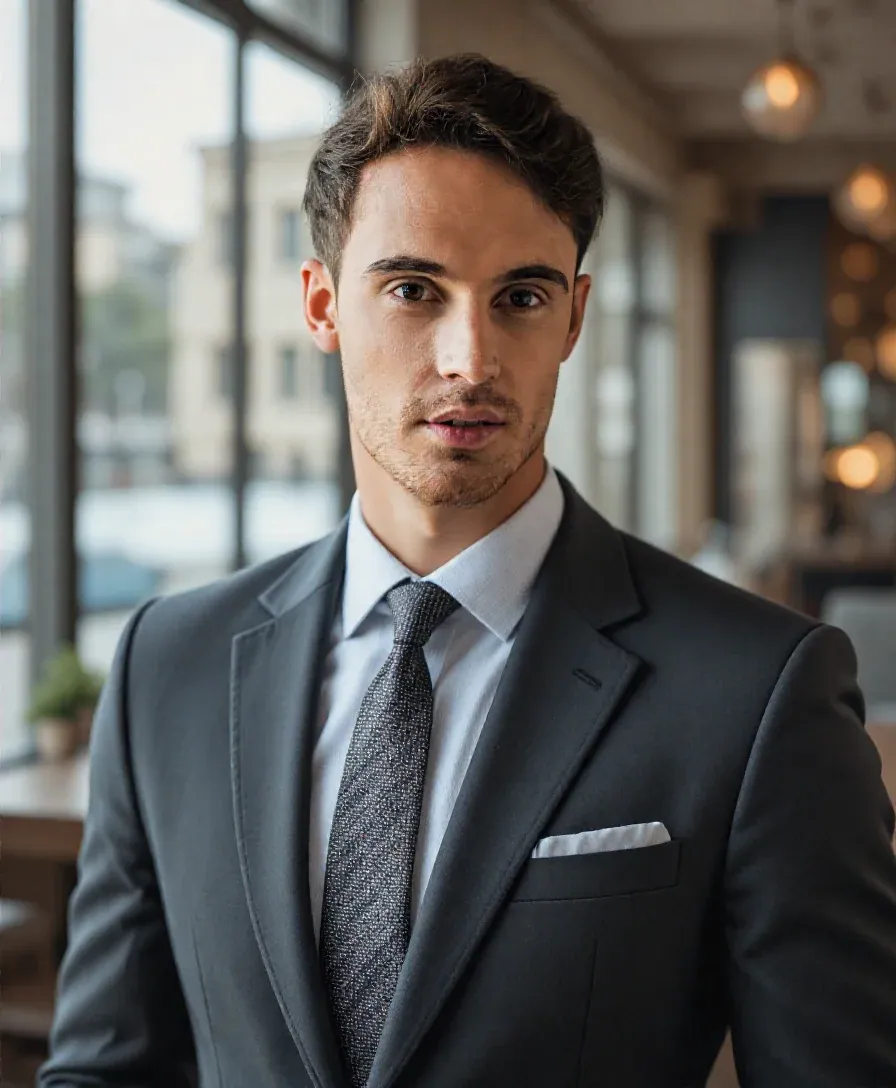
  • Office headshot of a young man in a dark grey suit and patterned tie in front of softly blurred windows

    Office headshot in a dark suit

    “Turn my photo into an office headshot: dark grey suit, white shirt and a patterned tie with a pocket square, tall windows softly blurred behind me. Keep my face, hair and serious expression.”

Example images are for illustration only. Each prompt is a starting point for a similar edit on your own photo.

How the AI headshots generator works

  1. Step 1

    Upload one clear selfie

    Pick a single well-lit JPG, PNG or WebP under 20 MB where your face is sharp and turned toward the camera. A mirror selfie or a crop from a casual photo is fine for a headshot.

  2. Step 2

    Choose the headshot look

    Tell the AI headshot generator what the headshot needs: backdrop color, studio or office, lighting, and attire such as "navy blazer" or "keep my shirt". Finish with "keep my face exactly the same".

  3. Step 3

    Check it before you use it

    Compare the headshot with your selfie, especially eyes, teeth, glasses and skin marks. If anything drifted, ask the AI headshot generator for a fix in one short prompt, then download.

AI headshot generator prompt library

Ten prompts for the AI headshot generator, covering different jobs, platforms and fixes. Each one names the crop, backdrop, light and attire, so you only adjust the details.

  1. 01

    Law firm headshot with bookshelves

    Turn my photo into a headshot for a law firm site: chest-up crop, navy suit and white shirt, a softly blurred wall of bookshelves behind me, warm even light. Keep my face and hair unchanged.

  2. 02

    Relaxed startup team headshot

    Make a relaxed tech-company headshot: plain heather-grey crew-neck tee, soft daylight from a window on my right, a bright blurred loft office behind me. Keep my face, beard and friendly expression exactly the same.

  3. 03

    University researcher headshot

    Create a university profile headshot: dark cardigan over a light blue shirt, a softly blurred laboratory with glass bottles and benches behind me, cool even light. Keep my face, glasses and short grey hair.

  4. 04

    Black-and-white author headshot

    Turn this into a classic black-and-white author headshot: head-and-shoulders crop, dark plain backdrop, soft light from the left leaving a gentle shadow on the right cheek. Keep my face, sweater and natural expression.

  5. 05

    Square avatar for work chat

    Make a square headshot avatar for work chat apps: tight crop from the top of my head to my collar, face centered, plain off-white backdrop, bright even light. Keep my face, hair and shirt exactly as they are.

  6. 06

    Fix harsh shadows on a headshot

    Keep my pose, crop, outfit and backdrop, but remove the harsh overhead shadows under my eyes and nose and relight my face with soft, even front light. Do not change my features or skin texture.

  7. 07

    Coach or consultant website

    Create a warm website headshot for a coaching business: cream knit blazer over a white top, soft beige backdrop, gentle window light, a relaxed open smile. Keep my face, curls and earrings unchanged.

  8. 08

    Glasses without glare

    Keep everything about this headshot, but remove the reflections and glare from my glasses lenses so my eyes are clearly visible. Keep the frames, my face, the lighting and the background exactly the same.

  9. 09

    Wide header for a speaker page

    Make a 16:9 header photo for a speaker page: me on the left third in a charcoal blazer, a softly blurred conference hall with warm stage lights to the right. Keep my face and hair unchanged.

  10. 10

    Team-page headshot on slate blue

    Make a team-page headshot: chest-up crop, face slightly turned toward the camera, solid slate-blue backdrop, soft key light from the left with a light fill. Keep my face, hair and own clothes, just neatly pressed.

Where a free AI professional headshot generator helps

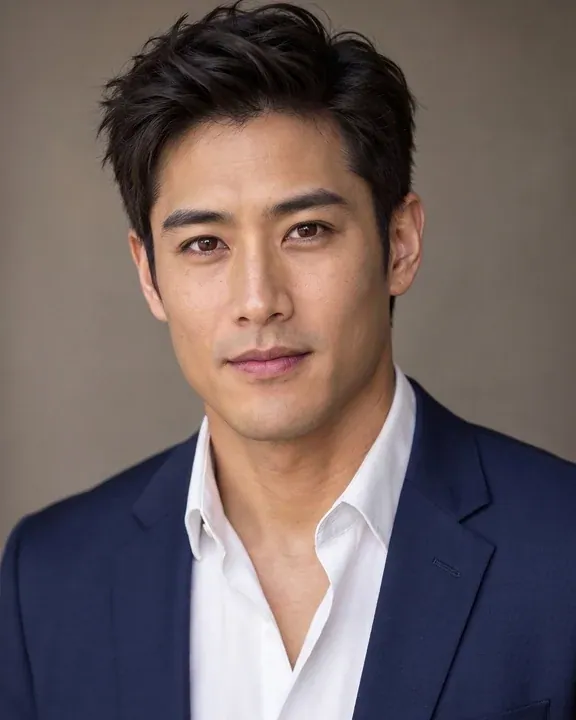
  • Headshot of a young man in a navy suit and tan tie on a pale blue backdrop

    LinkedIn and job profiles

    Swap a cropped vacation picture for a clean head-and-shoulders headshot from the AI headshot generator, and make sure it still looks like you before recruiters see it.

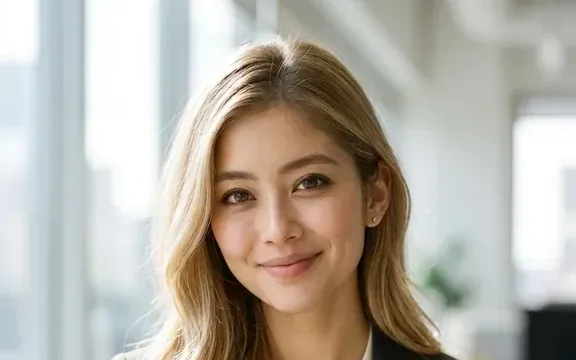
  • Close headshot of a smiling woman with long blonde hair in a bright office with large windows

    CVs and applications

    Where a résumé photo is expected, a headshot with a neutral backdrop and even light looks tidier than a phone snapshot. Follow each application's own photo rules.

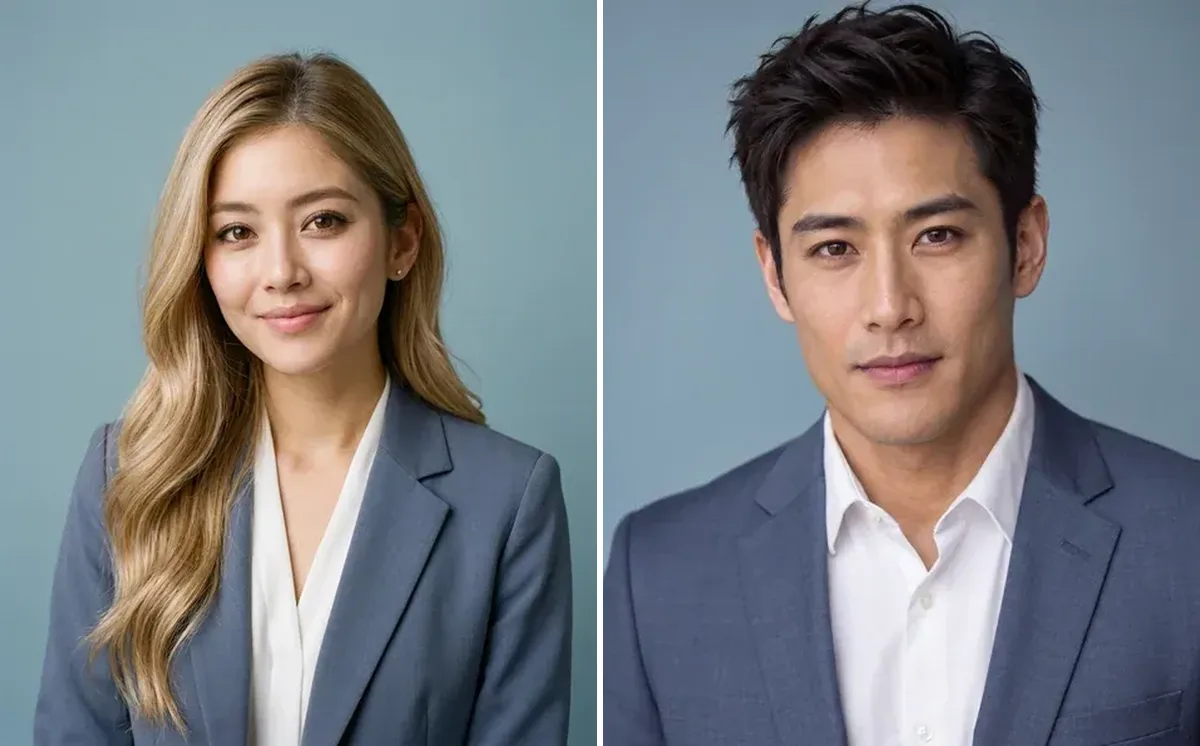
  • Two headshots side by side, a woman and a man in blue-grey blazers on the same slate-blue backdrop

    Team and about pages

    Run the AI headshot generator on each remote colleague's own photo, with their consent, to give everyone the same backdrop and crop instead of booking one shoot for the whole team.

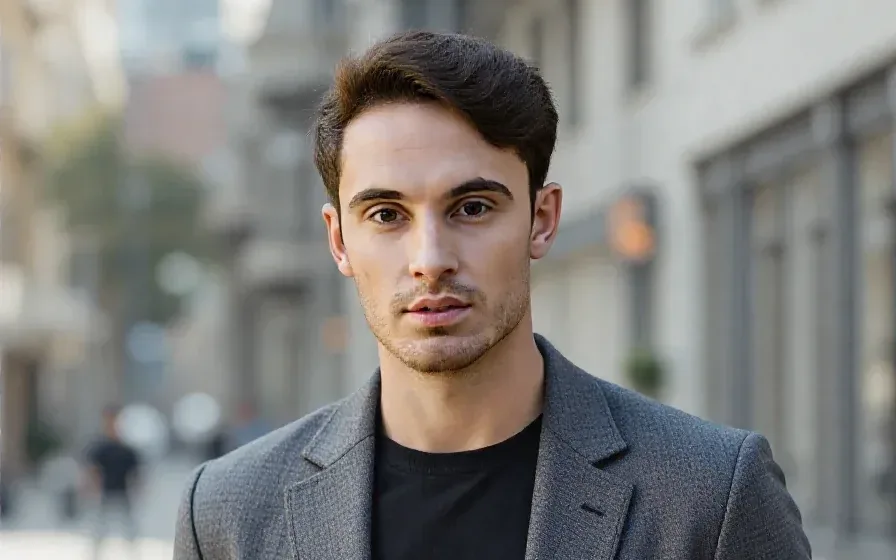
  • Outdoor headshot of a man in a grey blazer over a black T-shirt on a softly blurred city street

    Speaker bios and press kits

    Conference pages, podcast listings and author bios need a quick, clean headshot. Make one from a recent selfie with the AI headshot generator when there is no time for a photographer.

Tips for better results from the AI headshot generator

  • Start with a recent photo in daylight or soft indoor light; harsh shadows and heavy filters carry through to the headshot.
  • Face the camera with your chin level. A strong side angle gives the AI headshot generator less of your face to keep accurate.
  • Name the backdrop and crop, such as "light gray studio, head and shoulders"; it reads more professional than a busy room.
  • Look closely at teeth, eyes, glasses and moles before you post a headshot: generated portraits can smooth or shift small features.
  • Use photos you have the right to edit, meaning your own or one the person agreed to.
  • Only want a new backdrop behind an existing headshot? The Background Changer does just that.

Which model makes the best AI headshot

A headshot depends on likeness and light. Start with the first pick in the AI headshot generator and switch when you need more.

  • Nano Banana 2

    Google

    The right first try, and the model the editor opens with. It is fast, holds your face steady while the backdrop, light and attire change, and keeps you looking the same across several headshots, which makes choosing between them easier.

    About Nano Banana 2
  • Nano Banana Pro

    Google

    Use Pro when light and skin need to look like a real studio headshot session: accurate shadows, natural skin texture, fine hair and fabric detail. On EditPic its results come out at 1K or 2K.

    About Nano Banana Pro
  • GPT Image 2

    OpenAI

    In the AI headshot generator, GPT Image 2 is good at following a long brief in one go, such as crop, backdrop color, outfit, light direction and expression together, when the other two drop part of your instructions.

    About GPT Image 2

A practical guide to AI headshots

What separates a usable professional headshot from an edited selfie, and how to check what the AI headshot generator gives you before it represents you.

What makes a headshot look professional

Most professional headshots share the same few choices. The crop runs from just above the head to mid-chest, with the eyes about a third of the way down the frame. The backdrop is plain or softly blurred, in a color that does not compete with your skin or clothes. Light comes from one main direction, soft enough that shadows fade gently, with a little fill on the darker side.

Attire is simple: solid colors and clean necklines read better than busy prints or logos. Expression matters as much as anything; a relaxed mouth and eyes looking straight into the lens come across as approachable. Put each of these choices into your AI headshot generator prompt instead of asking for "a professional look".
Choosing the selfie for your headshot

The AI headshot generator can tidy a background and change your blazer, but it cannot recover detail the photo never captured. Pick a recent picture in which your eyes are sharp, your face is turned no more than slightly away from the camera, and the light is soft, from a window or on an overcast day.

Hold the phone at eye level; low angles distort the jaw and nose, and wide-angle close-ups enlarge whatever is nearest the lens. Skip photos with beauty filters, sunglasses or hair covering one eye. A mirror selfie is fine, since you can ask for the phone to be removed, but a photo taken by someone a few steps back usually gives a more natural headshot.

Checking that the headshot still looks like you

A headshot is a promise that people will recognize you on a video call or at a meeting, so likeness beats polish. Zoom in and compare with your original: eye shape and color, teeth, the line of your nose, moles, freckles, scars and the shape of your glasses. Generated headshots tend to smooth skin and even out features, so ask for "natural skin texture, keep my freckles" if that happens.

Do not use the AI headshot generator to look younger or to change your features. As the FAQ says, these headshots are meant for profiles, bios and team pages, not for passports or ID documents; the tool does not try to meet their rules.

Building matching headshots for a team

For an about page, consistency matters more than any single headshot. Agree on one prompt wording for everyone, with the same backdrop color, crop, light direction and aspect ratio, and run it in the AI headshot generator with the same model. Ask each colleague for a recent, front-facing photo and for their consent before you edit it.

Some people already have a good portrait and only need a matching backdrop; the Background Changer handles that without touching the face. A small or soft source photo can go through the Photo Enhancer first. Line the finished headshots up side by side before publishing and redo any that stand out in color, brightness or framing.

From couch selfie to LinkedIn headshot overnight

A typical run looks like this. You have a sofa selfie in a hoodie, lit by a window, and need a LinkedIn headshot by tomorrow. Upload it to the AI headshot generator and keep the first prompt focused: "head-and-shoulders crop, navy blazer over a white T-shirt, plain light-grey backdrop, soft front light, keep my face and hair exactly the same".

Check the first headshot at full size. If the blazer looks right but your smile changed, run again from the original selfie with "keep my natural smile". If the light looks flat, add "gentle key light from the left". Two or three runs of the AI headshot generator usually settle it. Download a square version for LinkedIn and a 3:4 one for your CV, both at 2K, so you never have to enlarge a small file later.

AI headshot generator or photographer: when each makes sense

A session with a photographer gives you real studio light, coaching on posture and expression, and a gallery of genuine frames to choose from. For a company website, a book jacket or anything printed large, it is still worth booking, and nobody has to wonder whether the picture was edited.

The AI headshot generator suits a different moment: a profile that needs updating this week, a remote team that cannot meet in one place, or a test of which backdrop and outfit suit you before you book that session. Because it edits one selfie rather than photographing you fresh, a headshot from it is only as good as the photo you give it. Many people replace an old cropped snapshot now and book a photographer when a big occasion comes up.

AI headshot generator FAQ

  1. Is this free AI professional headshot generator really free?

    The free part is the signup, and you can try it free once. Every headshot edit after that uses credits; the amount depends on the model and is shown before each edit, and paid plans add more.

  2. How many photos does the AI headshot generator need?

    One. The free AI professional headshot generator edits your own selfie; it is not a model trained on dozens of your pictures. That keeps it quick, but each run gives one headshot; run it again with a new prompt for another variation.

  3. Will the AI headshot look exactly like me?

    The AI headshot generator is told to keep your face, but generative edits can change small details such as eye shape, teeth, skin texture or hairline. Compare it with your original and only put a headshot that truly looks like you on LinkedIn or a CV.

  4. Can the AI headshot generator change my outfit or background too?

    Yes. Describe the attire ("charcoal suit", "white blouse") and the setting ("plain white studio", "blurred office"). One backdrop and one outfit per prompt gives the most consistent headshot.

  5. Can I use the AI headshot generator for passport or ID photos?

    We don't promise that a result meets official passport or ID rules, and many offices refuse edited photos. For documents, follow the issuing office's requirements; use these headshots for profiles, bios and team pages.

  6. Can I keep my glasses, beard or headscarf in the headshot?

    Yes. Tell the AI headshot generator to keep them, for example "keep my glasses, beard and navy headscarf exactly as they are". Look closely at glasses afterwards, because frames can shift slightly and lenses may pick up new reflections; you can ask for the glare to be removed in a second run.

  7. What size are the images from this AI headshots generator?

    The editor outputs 1K or 2K headshots in 1:1, 3:4, 4:3, 9:16 or 16:9. Square suits most profile pictures, 3:4 suits CVs and speaker bios, and 16:9 works for wide page headers. You get a regular image file, not one with a transparent background.

  8. Can I make several different headshots from one selfie?

    Yes. Each run of the AI headshot generator gives one result, so change one thing at a time: a grey studio backdrop, then a blurred office, then a different blazer. Start every version from the original selfie rather than from the previous result; that keeps your face closer to how it really looks.

  9. What should I wear in an AI headshot?

    Keep what you have on or ask the AI headshot generator for something new. Solid, mid-tone colors such as navy, charcoal, soft blue or cream work best; avoid busy patterns, logos and bright white right under the face. Name the neckline as well, for example "open collar" or "crew neck", so the headshot does not invent a tie you never wear.

  10. Can the AI headshot generator make me look more relaxed?

    It can soften small things, such as a tense jaw, if you ask for "a calm, natural smile", but it cannot invent an expression that is not in the photo without changing how you look. For the most natural headshot, start from a selfie where you already smile slightly and look into the lens.

  11. Is it okay to use an AI headshot on LinkedIn or a company site?

    Most platforms accept edited profile photos as long as they show you accurately, but check what your employer or industry expects. Use a headshot that looks like you on a good day, not like someone else, and keep the original selfie in case anyone asks how the picture was made.

Turn your selfie into a headshot

Upload one clear photo to the AI headshot generator, pick a backdrop and attire, and check the headshot before it goes on your profile.