Photoroom Alternative: When EditPic Fits and When Photoroom Is Better
Weighing a Photoroom alternative? Compare Photoroom's Pro, Max and Ultra plans with EditPic's prompt-based editor: features, exports, limits, checked 2026-11.
Updated 2026-11-16
A Photoroom alternative makes sense for a smaller group of people than you might expect. Stay with Photoroom if you sell online at volume: batch editing, transparent exports, a Shopify integration, mobile apps and AI fashion models are what it is built for. Consider EditPic if you edit a few photos at a time, want to describe free-form changes in plain words, and would rather buy credits than a plan sized in thousands of exports.
The Photoroom details below come from photoroom.com/pricing and photoroom.com/tools/background-remover, checked on November 16, 2026.
What Photoroom offers
- Plans: Pro, Max, Ultra and Enterprise. With yearly billing the page showed Pro at $7.50, Max at $20.99 and Ultra at $82.50 per month; Enterprise is custom-priced. Monthly billing is also offered; for that price and your region's prices, see their site.
- Monthly allowances: Pro 8,000 AI credits and 1,000 exports, Max 25,000 credits and 3,000 exports, Ultra 75,000 credits and 10,000 exports. Photoroom notes that credit amounts may vary by country or region, and export limits apply to images up to 2K.
- Core tools on every paid plan, with no credit cost: Background Remover, Retouch, AI Product Fixer, AI Shadows presets, AI Fill, AI Expand/Resize and Image Enhancer, within fair-use limits.
- Higher tiers: video for ads and product pages and the Shopify integration start at Max; 4K images and HD video are Ultra only; adjustable AI Shadows are Enterprise only. Every Photoroom plan allows up to 50 seats.
- Trying it: Pro and Max show a free trial button, and the background remover page says you can get started for free, then upgrade for more AI tools and high-resolution exports.
- Exports: PNG, JPEG or WEBP, with a transparent or new background.
- Platforms: iPhone, iPad, Android, web and a Shopify app. App plans include no API allowance; the API has its own plans.
EditPic as a Photoroom alternative: what's different, and where it falls short
EditPic is a prompt-based AI photo editor in the browser. You upload a JPG, PNG or WebP up to 20 MB, write what you want, pick one of six third-party models (Nano Banana 2, Nano Banana Pro, Nano Banana, GPT Image 2, Seedream or Flux) and download the result. It covers product shots, but also portraits, old-photo restoration, object removal and style changes, all in the same editor. Signing up is free; edits use credits, and the credits for each edit are shown before you run it.
The honest limits next to Photoroom:
- No transparent PNG export yet.
- No batch editing, Shopify integration, API or team workspace.
- No native mobile app; it works in a mobile browser.
- No video yet; it is coming soon.
- Generative output: small details can shift, so check the label text, color and shape of every product against the original before you list it.
Photoroom vs EditPic at a glance
Checked 2026-11 on photoroom.com. Prices and limits change, so see their site for current terms.
Photoroom | EditPic | |
|---|---|---|
Built for | E-commerce product visuals at volume | Individual photo edits described in words |
Price | From $7.50 a month billed yearly (Pro); Enterprise custom | Credit plans on the pricing page |
Free use | Start removing backgrounds for free; free trial on Pro and Max | Free signup; edits use credits |
How you edit | Dedicated tools plus AI backgrounds and edit with AI | One prompt box and a choice of six models |
Batch editing | Yes | No |
Exports | PNG, JPEG, WEBP; transparent or new background | Regular image; no transparency yet |
Platforms | iPhone, iPad, Android, web, Shopify app | Web browser |
Video | Video ads and product videos on Max and Ultra | Coming soon |
API and teams | Separate API plans; up to 50 seats per plan | None |
What to look for in a Photoroom alternative
Photoroom sets a high bar for product work, so test any Photoroom alternative against the jobs you actually do:
- Output format. Photoroom exports PNG, JPEG or WEBP with a transparent or new background. If your shop templates need transparent cutouts, an alternative without them, EditPic included, won't fit.
- Volume. Photoroom's plans are sized in thousands of exports a month, with batch editing. Ten photos a month may not justify that capacity; a thousand will be slow in any one-at-a-time editor.
- Resolution. Photoroom's export limits apply to images up to 2K, with 4K on Ultra. EditPic outputs 1K or 2K, so check your marketplace's minimum size first.
- Where you work. Photoroom has iPhone, iPad, Android and web apps. A browser-only Photoroom alternative suits desk work better than shooting and editing on a phone.
- How you describe the edit. Presets are fast for repeat jobs; a sentence handles the one-off scene no preset covers.
When Photoroom is the better choice
Before you move to a Photoroom alternative, check whether you rely on any of these:
- You list hundreds of products a month and need batch processing with export allowances in the thousands.
- You need transparent cutouts for marketplaces or your own templates.
- You run a Shopify store and want images synced to it.
- You shoot and edit on your phone in one app, which is what Photoroom's mobile apps are for.
- You sell fashion and want AI fashion models or video ads from product photos.
- A team shares one workspace, or developers need an API.
If three or more of these apply, a Photoroom alternative will probably cost you more time than it saves.
When EditPic is a reasonable Photoroom alternative
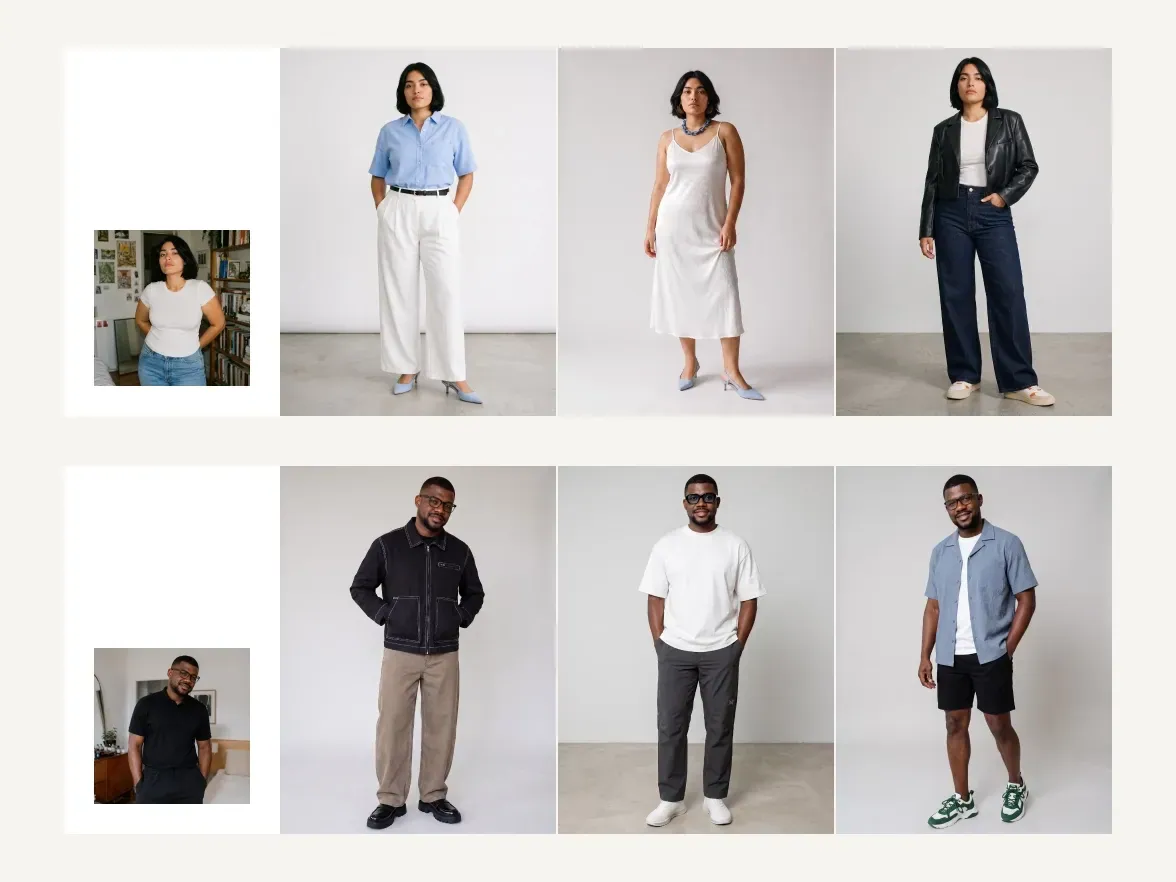
Most apps like Photoroom are organized around product workflows. EditPic is organized around a sentence, which helps when:
- You edit occasionally: a few listings, a menu photo, a social post.
- The change doesn't fit a preset, such as "put the mug on a marble counter by a window with soft morning light".
- You also edit photos that aren't products, from portraits to old prints.
- You want to choose a model per job, for example Nano Banana Pro for large detailed shots and Seedream for drafts and variations.


Good starting points for using EditPic as a Photoroom alternative are white background for product photos and the background changer.
Example: a small shop's week, in Photoroom and in EditPic
Picture a candle maker adding six new scents to an online shop. Each scent needs a white listing photo and one lifestyle shot.
In Photoroom, the six product photos can go through batch editing together: backgrounds removed and replaced with white, AI shadow presets added, all exported in one pass. That is Photoroom at its best, and the reason to keep it if the job comes round every week.
In EditPic, the same job is twelve single edits. You paste one sentence for the white versions ("place the candle on a pure white background with a soft shadow beneath it and keep the label exactly as it is") and change one detail per scent. For the lifestyle shots you describe a scene per candle, such as a bathroom shelf or a bedside table at dusk. Then you check every label against the original.
Twelve photos once a season is a fair job for a Photoroom alternative like EditPic. Twelve photos every day is a job for Photoroom.
Product-photo prompts you can copy
Photoroom gives you presets. In EditPic the preset is the sentence, so it pays to keep a few that work. These five cover the jobs sellers ask for most:
Clean white listing
Place the product on a pure white background, centered, with a soft contact shadow beneath it. Keep the label text, colors and proportions exactly as they are.
Lifestyle scene
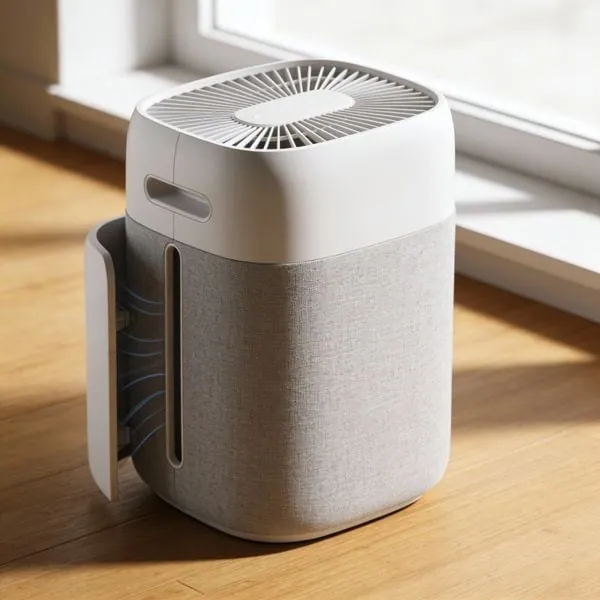
Put the air purifier on a light oak floor next to a large window with soft morning light and a few green plants out of focus behind it. Keep the product unchanged.
Flat lay for social posts
Show the skincare bottle from directly above, lying on pale pink linen with dried flowers and a small stone tray around it. Natural daylight and gentle shadows.
Seasonal backdrop
Replace the background with a cozy winter table: a knitted blanket and warm string lights softly out of focus. Keep the mug and its printed pattern unchanged.
Clean-up before listing
Remove the dust specks and the price sticker from the box and tone down the harsh glare on the glass. Do not change the printed design.
Common mistakes when you switch to a Photoroom alternative
A generative editor redraws the photo, which brings problems a cutout tool never had:
- The label text changes. Small print can come back misspelled. Write "keep the label text exactly as it is", try GPT Image 2 for text-heavy packaging, and compare the words letter by letter.
- Colors drift. A navy bag can turn faintly purple. Name the color in the prompt ("keep the navy blue exactly") and check it next to the original on the same screen.
- Proportions shift. Handles, straps and spouts may grow or shrink. Add "keep the shape and proportions unchanged" and compare outlines.
- Shadows disagree with the light. A shadow falling toward the window looks fake. Describe the light source and the shadow direction together.
- A set stops matching. Use the same model and nearly the same sentence for every product; Nano Banana 2 and Flux are the steadiest for a series.
- The file is too small for zoom. EditPic outputs 1K or 2K. If a marketplace asks for more, check its minimum before you build a workflow around EditPic.
How to switch from Photoroom
-
Download the designs and exports you want to keep.
-
Cancel or downgrade in Photoroom's app under account settings, then Manage Subscriptions. Its FAQ says refunds are possible up to one week after purchase.
-
Pick one recurring task, such as white-background listings, and try it in EditPic:
Place the product on a pure white background with a soft shadow beneath it. Keep the label, colors and shape exactly as they are.
-
Check label text, colors and edges at full size against the original.
-
If you still need batches or transparent PNGs, keep Photoroom for those jobs; nothing stops you from using both.
Also comparing other tools? See the remove.bg alternative and Picsart alternative pages.
Frequently asked questions
What is a good Photoroom alternative for occasional product photos?
If you edit a few listings at a time and want to describe the scene in words, a prompt-based editor such as EditPic can work: upload the product, ask for pure white or a new setting, and check the label and edges before you publish.
Are there apps like Photoroom that work in a browser?
Photoroom itself has a web app as well as iPhone, iPad and Android apps. EditPic runs only in the browser, on desktop or phone, with no app to install. Other apps like Photoroom exist too; compare their export options before you commit.
Does EditPic export transparent PNGs like Photoroom?
Not yet. Photoroom lets you download PNG, JPEG or WEBP with a transparent or new background. EditPic returns a regular image on the background you ask for, such as pure white, so it suits finished listing photos rather than cutouts. If transparency is a must, EditPic is not the Photoroom alternative for you.
How much does Photoroom cost?
On 2026-11-16 its pricing page showed Pro at $7.50, Max at $20.99 and Ultra at $82.50 per month, billed yearly, with Enterprise on custom pricing. Monthly billing and regional prices differ, so check their site.
Is EditPic better than Photoroom?
Not overall. Photoroom does more for e-commerce teams: batch editing, transparent exports, Shopify and mobile apps. EditPic is simpler for one-off, free-form edits across many kinds of photos. Many people could use both.
Can I make Photoroom-style lifestyle product photos with a prompt?
Yes, one product at a time. Upload a clear photo and describe the surface, the light and a few props, for example "on a light oak floor by a window in soft morning light". Ask for the product to stay unchanged, then check the label and edges before you publish.
Why did the text on my product label change after an AI edit?
Generative models redraw the whole picture, so small print can come back altered. Ask for the label to stay exactly as it is, keep each prompt to one request, and try GPT Image 2 in EditPic for text-heavy packaging. Compare every word with the original before listing.
Can I cancel Photoroom and get a refund?
Photoroom's FAQ, which we read on 2026-11-16, says you cancel or downgrade in the app under account settings, then Manage Subscriptions, and that refunds are possible up to one week after purchase. Check its help pages for your platform before you cancel.
Is there a free Photoroom alternative?
Not a fully free one. EditPic is free to sign up for, but every edit uses credits, and the amount depends on the model. Photoroom itself says you can start removing backgrounds for free, so try both on the same product photo before you pay for either.
Can a Photoroom alternative keep a product series consistent?
With care. EditPic has no batch mode or saved templates, so consistency comes from reusing the same model and almost the same sentence for every product. Nano Banana 2 and Flux are the steadiest for a series. Compare the first and the last photo side by side before you publish the set.
Product Photo Background
Photoroom is a trademark of its respective owner. EditPic is not affiliated with or endorsed by Photoroom. Details checked in 2026-11.