US Passport Photo Requirements: Size, Background and Rules
US passport photo requirements in one checklist: 2 x 2 in print, 1 to 1 3/8 in head, white background, no glasses, no AI edits. Official rules, checked 2026-11.
Updated 2026-11-16
The US passport photo requirements fit on one index card: a color photo taken in the last 6 months, printed at 2 x 2 inches (51 x 51 mm), with your head 1 to 1 3/8 inches (25 to 35 mm) tall, a plain white or off-white background, no glasses, a neutral expression, and no digital changes at all, including AI. Here is each passport photo rule, plus where an AI editor such as EditPic does and does not belong.
Source: U.S. Department of State, Passport Photos (page dated March 24, 2026) and Uploading a Digital Photo (page dated May 4, 2026), both on travel.state.gov, checked November 16, 2026. The passport photo rules do change, so open the official page before you print or upload. This guide cannot promise that any passport photo will be accepted.
US passport photo requirements at a glance
Rule | What the State Department asks for in a passport photo |
|---|---|
Print size | 2 x 2 inches (51 x 51 mm) |
Head size | 1 to 1 3/8 inches (25 to 35 mm) from the bottom of the chin to the top of the head; head and shoulders centered |
Recency | Taken in the last 6 months |
Color and quality | Color, sharp, accurate skin tones; not blurry, grainy or pixelated; no red eye |
Background | White or off-white, free of shadows, plain, with no texture, objects or lines |
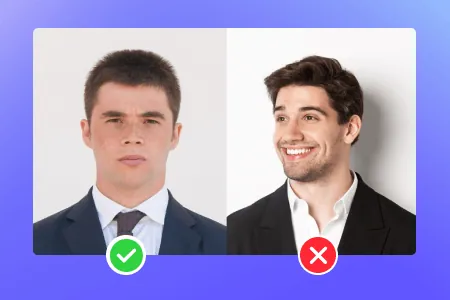
Pose | Face the camera directly, head not tilted, both eyes open and visible, mouth closed |
Glasses | None, not even resting on your head; a signed doctor's note if medically required |
Head coverings | Only for religious or medical reasons, with a signed statement; full face visible |
Clothing | No uniforms, uniform-like clothing or camouflage; no headphones or wireless devices |
Printing | Matte or glossy photo-quality paper; no photocopies, scans, holes, creases or smudges |
Editing | The original, unchanged passport photo: no software, phone apps, filters or artificial intelligence |
Passport photo size and head position
The passport photo size for a printed US photo is exactly 2 x 2 inches, or 51 x 51 mm. Inside that square, your head must measure 1 to 1 3/8 inches (25 to 35 mm) from the bottom of the chin to the top of the head. Center your head and shoulders and keep your head level; hair may run past the edge if your whole head shows at the right size. The camera should be several feet (about 1.2 m) away, so an arm's-length selfie usually makes the head too big for a passport photo. Ask a friend or use a timer.
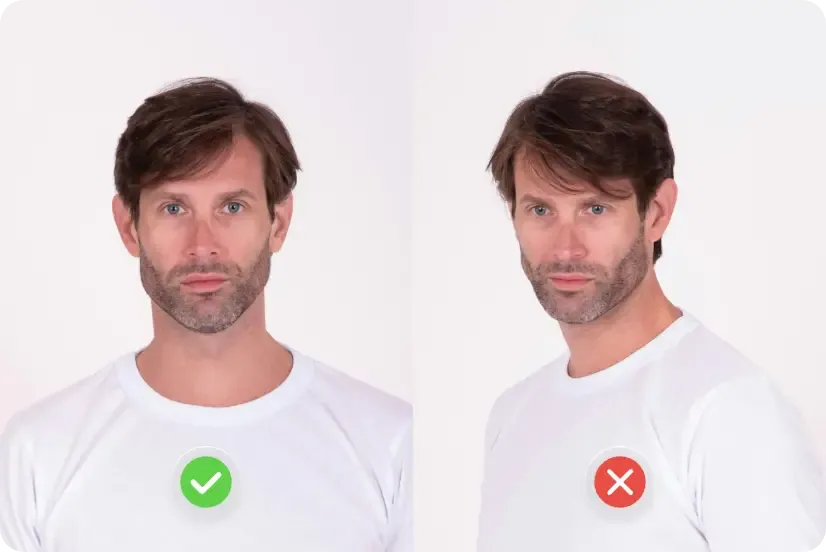
If you came looking for passport size photo dimensions in pixels: the official pages we checked give the printed size in inches and millimeters, not a fixed pixel count. For online passport renewal they ask for a JPG, JPEG, PNG, HEIC or HEIF file between 54 KB and 10 MB, framed down to the edge of your shoulders, and the application lets you crop the passport photo while uploading. Other countries use other passport size photo dimensions, so never reuse a US passport print for another country without checking its own rules.
Paper passport application vs online renewal: how the US passport photo requirements differ
Most rules are shared, but the two routes ask for the passport photo in different forms. This summary draws on the same two official pages cited above.
Paper application | Online renewal | |
|---|---|---|
What you hand in | A 2 x 2 inch passport photo printed on matte or glossy photo paper | A digital file: JPG, JPEG, PNG, HEIC or HEIF, 54 KB to 10 MB |
Framing | Head 1 to 1 3/8 inches (25 to 35 mm); head and shoulders centered | Down to the edge of your shoulders; crop only inside the application |
Expression | Neutral, or a closed-mouth smile | Neutral; avoid showing teeth |
Never accepted | Photocopies, scans, holes, creases or smudges | A file changed with software, apps, filters or AI |
The rest applies to both routes: a passport photo taken in the last 6 months, a plain white or off-white background, no glasses and no digital changes. If you have not decided which route to take, keep the original camera file exactly as it came out of the camera, because an online renewal asks for that file, and a paper form needs a print of an unedited passport photo too.
Passport photo background, lighting and what to wear
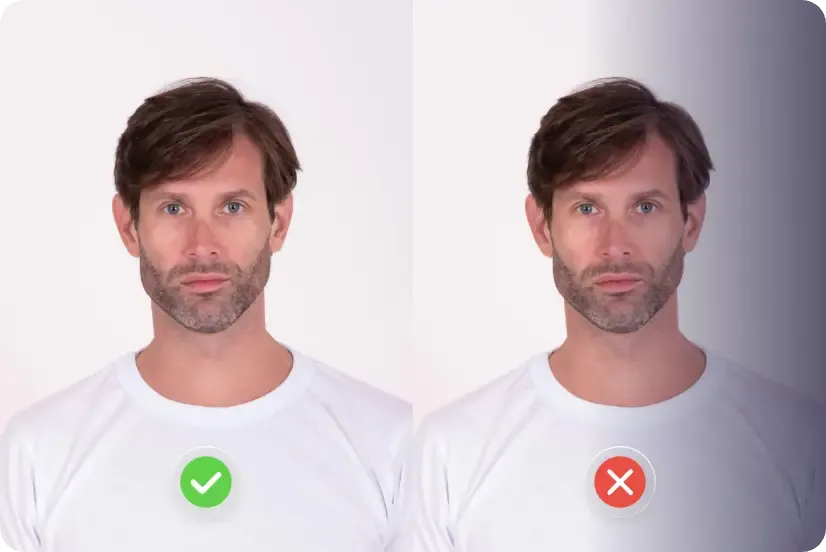
- Background. White or off-white, plain and shadow-free. The official tip for a colored wall is to cover it with a white blanket or sheet, then stand several feet in front of it so you don't cast a shadow on it.
- Lighting. Even light across your face. Overhead lights or one lamp far to the side leave shadows; too bright or too dim ruins the exposure. Use the camera's highest quality setting.
- Glasses. Remove all glasses; if you medically can't, send a signed doctor's note.
- Hats and head coverings. Take them off unless you wear one for religious reasons (signed statement that it is religious attire worn daily in public) or medical reasons (signed doctor's statement). Your full face must show; the covering should be one color, without patterns or small holes.
- Clothing and accessories. No uniform, nothing that looks like one, no camouflage, no headphones. Jewelry and facial piercings are fine if they don't hide your face.
- Expression. Eyes open, mouth closed, nothing exaggerated. The paper-form page allows a closed-mouth smile; the online-renewal page adds "avoid showing teeth", so neutral is safest.
- Babies. Lay your child on a plain white or off-white sheet, or cover a car seat with one. No other person may appear in the passport photo, and a baby's eyes don't have to be fully open.
Passport photos for babies and young children
The US passport photo requirements apply to babies too, with one easing: a baby's eyes don't have to be fully open. The hard part is the setup, because no other person may appear in the passport photo, not even a supporting hand.
- Lying down. Spread a plain white or off-white sheet on a bed or the floor, lay your baby on it and shoot from directly above. Stand so your own shadow doesn't fall across the sheet.
- Car seat. For a baby who won't lie still, cover a car seat with the white sheet and photograph your child sitting in it.
- Hands out of the frame. Don't hold the head up for the shot. Tuck a rolled towel under the sheet to support it instead.
- Timing. Try after a feed or a nap, when most babies are calmer, and have a helper stand behind the camera to draw their gaze toward the lens.
- Plenty of frames. Take 20 or more and keep the sharpest one, with the face level and fully visible.
- Toddlers. Once your child can sit, use the home setup further down: a white wall, light from the front and a helper several feet away.
- No edits. If a hand, a toy or a shadow slipped into the best frame, shoot again. Retouching it out is a digital change, just as it would be on an adult's passport photo.
Digital changes to a passport photo: the rule most people miss
Of all the US passport photo requirements, this is the one that catches people out. The State Department asks for "the original, unchanged photo" and says: "Do not change your photo using computer software, phone apps or filters, or artificial intelligence." Its examples of rejected passport photos include a background cut out with a retouching tool, a filtered photo, and an AI-made version that looks perfectly fine, with the note: "We check all photos to ensure you are not using artificial intelligence tools." For a non-white background, the advice is to fix the setup and take a new passport photo; for red eye, retake without the flash.
So, plainly: do not run the photo you submit for a US passport through EditPic or any other AI editor, not even to whiten the background. EditPic also does not crop to official passport photo dimensions or check compliance, and editing facial features in any way is exactly what gets passport photos rejected.
Where EditPic fits, and why it is not for passport photos
EditPic suits passport-style pictures where an edited image is allowed: a work badge, a club card, a résumé or a profile photo. Check that issuer's rules first, because some ID programs follow the same no-editing policy as passport photos.
For those cases, the background changer can put you on a clean studio white:
-
Upload a sharp, evenly lit JPG, PNG or WebP (up to 20 MB) with your head and shoulders centered.
-
Paste a prompt that protects your face:
Replace the background with plain, even off-white with no shadows or texture. Keep my face, hair, skin tone, eyes, expression and clothing exactly as they are. Do not retouch, smooth or reshape anything.
-
Compare it with the original. If your eyes, skin or hairline changed in any way, discard it.
-
Crop and size it as the badge or form asks. EditPic returns a regular image, not a pre-sized print.
For a polished portrait rather than a passport-style picture, start with the AI headshot generator instead.
Why photos fail the US passport photo requirements
The State Department says unacceptable photos are the number one reason it puts passport applications on hold. The usual causes of a rejected passport photo:
- shadows on the face or on the wall behind you
- a head that is too big (camera too close) or too small (zoomed out)
- glasses on, or pushed up on the head
- blurry or grainy prints, printer dots, or a scan instead of a photo print
- filters, retouching or any AI edit, or a photo older than 6 months
- a second person in the frame, common when a parent holds a baby. Retake it, because editing them out is a digital change; our guide on how to remove a person from a photo is for holiday pictures, not ID photos.
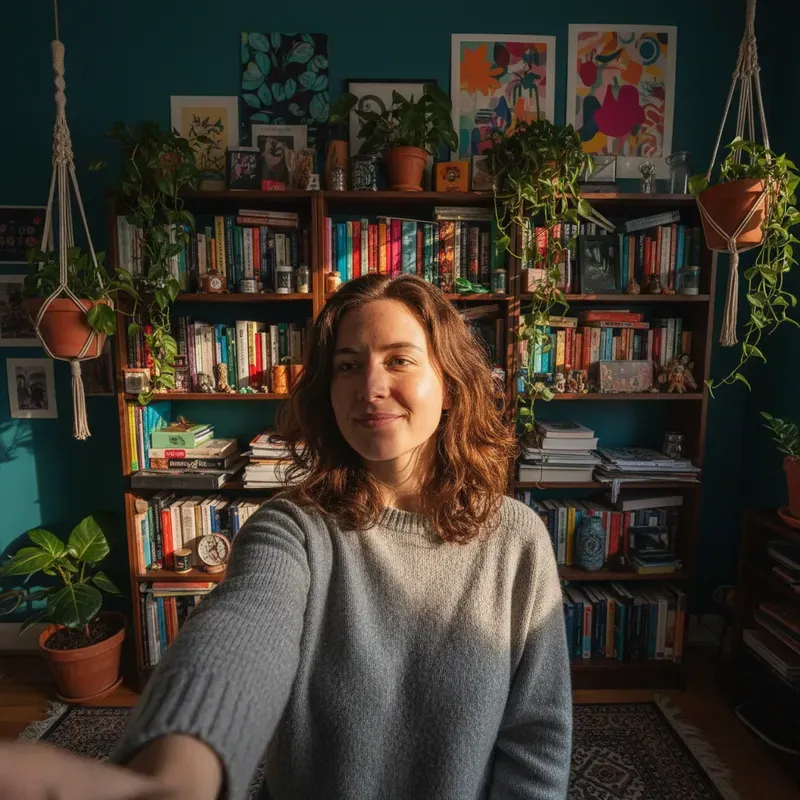
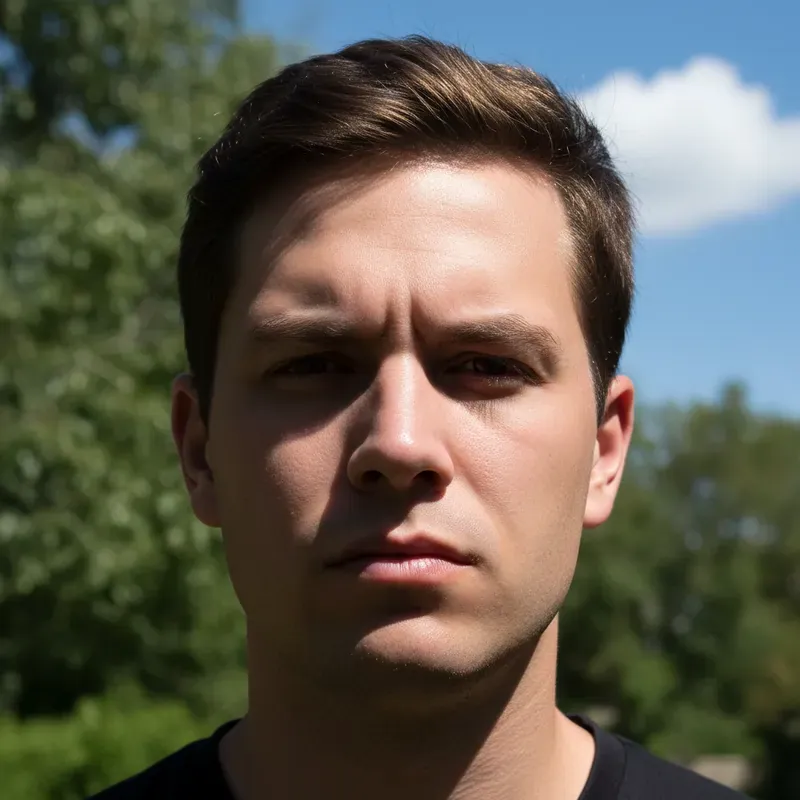
How to take a passport photo at home: step-by-step checklist
A friend or family member is one of the three options the State Department lists, so taking your passport photo at home is allowed if you are careful. Work through these steps in order and you will avoid most retakes.
- Set up the backdrop. Use a plain white or off-white wall. If yours is colored or textured, hang a white sheet and pull it smooth, because folds show up as lines and shadows.
- Stand away from it. Leave several feet between you and the backdrop so your shadow falls on the floor, not on the wall behind your head.
- Face the light. Daylight from a window in front of you lights a face evenly. Switch off a lone overhead bulb or side lamp that puts dark patches under the eyes or across one cheek.
- Get ready. Glasses, headphones and hats come off (religious or medical head coverings excepted, with the signed statement). Skip uniforms and camouflage, and tuck hair back so both eyes show.
- Hand over the camera. Your helper stands several feet (about 1.2 m) away with the lens at your eye level. Use the rear camera at its highest quality, and turn off beauty, portrait and filter modes, since they change the passport photo before you even see it.
- Pose and shoot a series. Face the lens squarely with your head level, eyes open, mouth closed and a neutral expression. Take 10 to 20 frames so you can pick the sharpest one without a blink.
- Check the frame. Head and shoulders should sit in the middle with space around them. If your head looks tiny, move closer and shoot again rather than enlarging the passport photo later.
- Print the passport photo properly. Ask a photo service for a 2 x 2 inch print on matte or glossy photo paper, then measure: 1 to 1 3/8 inches from chin to top of head. Plain paper and scans are not accepted.
- Renewing your passport online? Upload the original camera file (JPG, JPEG, PNG, HEIC or HEIF, 54 KB to 10 MB) and crop it only inside the application.
Fix a passport photo with a retake, not an edit
Each passport photo problem below has a fix at the shoot, and none of them needs software. That is the point: an edited photo breaks the US passport photo requirements even when it looks better.
Passport photo problem | Usual cause | Fix on the next take |
|---|---|---|
Shadow on the wall behind your head | Standing too close to the backdrop | Step a few feet forward; aim a second lamp at the wall if needed |
One side of the face darker | A lamp or window off to one side | Turn so the window is in front of you, or bounce light back with a white board |
Yellow or orange skin tones | Warm indoor bulbs mixed with daylight | Switch the bulbs off and shoot by daylight only |
Shine on the forehead or nose | Direct flash or harsh sun | Flash off; move into open shade or soft window light |
Head too big in the frame | Arm's-length selfie | Let someone else shoot from about 1.2 m away |
Hair over the eyes | A long fringe or loose strands | Pin or tuck it back so both eyes are clearly visible |
Busy or colored background | Shooting outdoors or in front of furniture | Move to a white wall or hang a white sheet |
Teeth showing, head turned | A habitual "camera smile" | Relax and close your mouth, square your shoulders, look straight into the lens |
Where to get your passport photo taken
The official page lists three options: an acceptance facility that takes passport photos when you apply, any company that offers photo services, or a friend or family member. If you shoot at home, follow the checklist above, print on matte or glossy photo paper, and check the US passport photo requirements once more with a ruler before you mail your passport application.
Frequently asked questions
What are the US passport photo requirements for size?
The printed passport photo must be 2 x 2 inches (51 x 51 mm), with your head 1 to 1 3/8 inches (25 to 35 mm) from chin to top of head and centered, per the State Department page we checked on 2026-11-16.
Can I use an app or AI to make my passport photo background white?
No. The State Department asks for the original, unchanged passport photo and says not to change it with software, phone apps, filters or artificial intelligence, and that includes the background. If your wall is not white, take a new passport photo in front of a white sheet or wall.
Can I wear glasses in a US passport photo?
No. Take off eyeglasses, sunglasses and tinted glasses, and do not rest them on your head. If you cannot remove them for medical reasons, include a signed note from your doctor with your passport application.
How recent does my passport photo need to be?
Your passport photo must have been taken in the last 6 months. A new beard, hair color or normal aging does not require a new passport; significant facial surgery, many large facial piercings or tattoos added or removed, or a big weight change does.
Will EditPic make a passport photo that is guaranteed to be accepted?
No. EditPic is a general AI photo editor. It does not crop to 2 x 2 inches or check compliance, and the State Department does not accept AI-edited passport photos. Use it only for pictures where edits are allowed, such as a work badge or profile photo.
Can I smile in a US passport photo?
Keep it small. The State Department page for paper passport applications allows a closed-mouth smile, while its online-renewal page asks you to avoid showing teeth. A relaxed, neutral face with your mouth closed and both eyes open meets both versions, so it is the safest choice.
Can I take my own passport photo at home with a phone?
Yes, if the passport photo meets every rule. A friend or family member is one of the three options the official page lists. Have someone else shoot from several feet away against a white or off-white wall, print it at 2 x 2 inches on photo paper, and do not edit it.
What background color is required for a US passport photo?
White or off-white, plain, and free of shadows, texture, objects or lines. If your wall is colored or patterned, hang a white sheet and stand several feet in front of it. Swapping the background with an app or AI is not allowed, so fix it when you shoot.
Do the US passport photo requirements include a pixel size?
Not on the official pages we checked on 2026-11-16. They give the printed passport photo size in inches and millimeters: 2 x 2 inches, or 51 x 51 mm. For online renewal they ask for a JPG, JPEG, PNG, HEIC or HEIF file between 54 KB and 10 MB, and you crop the passport photo inside the application.
What do the US passport photo requirements say about jewelry and head coverings?
Jewelry and facial piercings are fine in a passport photo if they do not hide your face. Hats and head coverings come off, unless you wear one daily in public for religious reasons or need it for medical reasons. In that case include the signed statement, and keep your full face visible.
Background Changer