
New: Nano Banana 2 & GPT Image 2

Try it

Updated 2026-11-16

AI Hairstyle Changer: Try a New Hairstyle on Your Photo

This AI hairstyle changer puts a new hairstyle on your own photo. Upload a clear selfie, describe the cut you want, and see a bob, bangs, curls or a new shade on your face before you sit in the salon chair.

AI hairstyle changer examples

A bob, a fringe, curls, braids, locs and a man bun, each hairstyle tried on a real portrait. Study each look, then load its prompt into the hairstyle changer and test it on your own selfie.

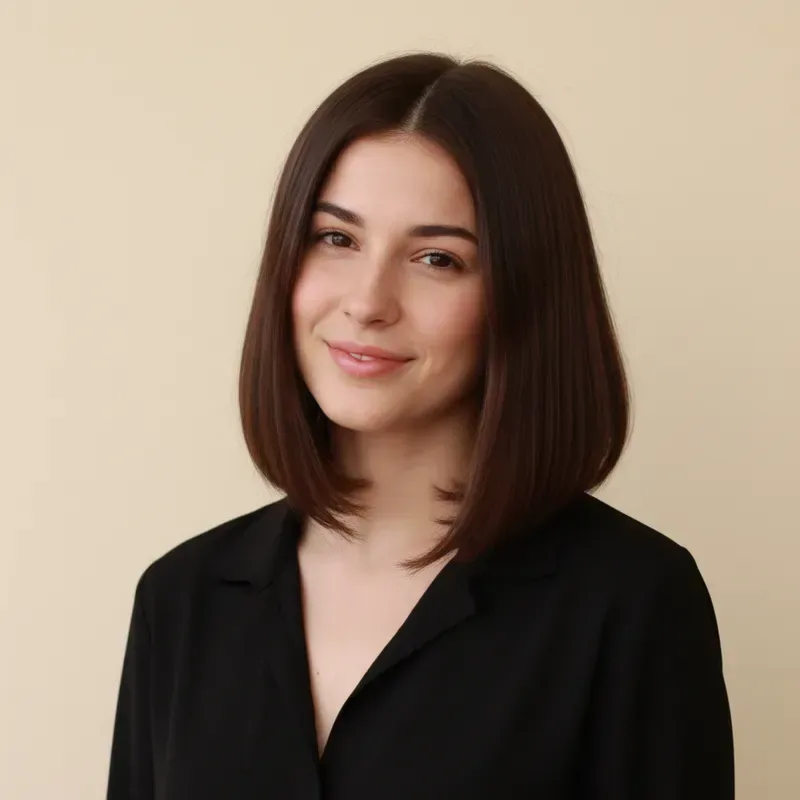
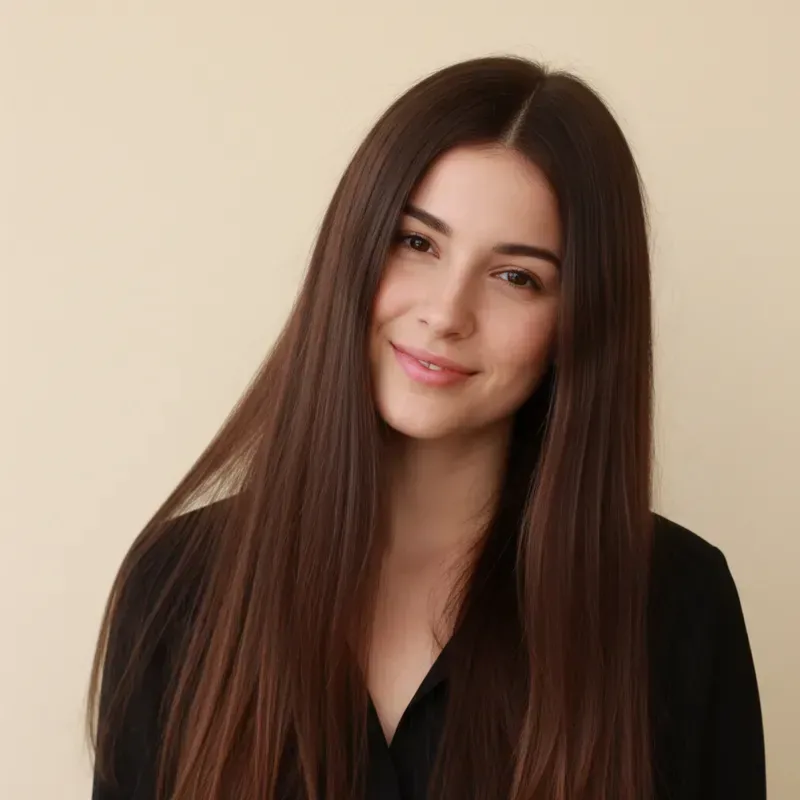
  • Woman with long straight brown hair, then with a shoulder-length bob hairstyle — AfterWoman with long straight brown hair, then with a shoulder-length bob hairstyle — Before

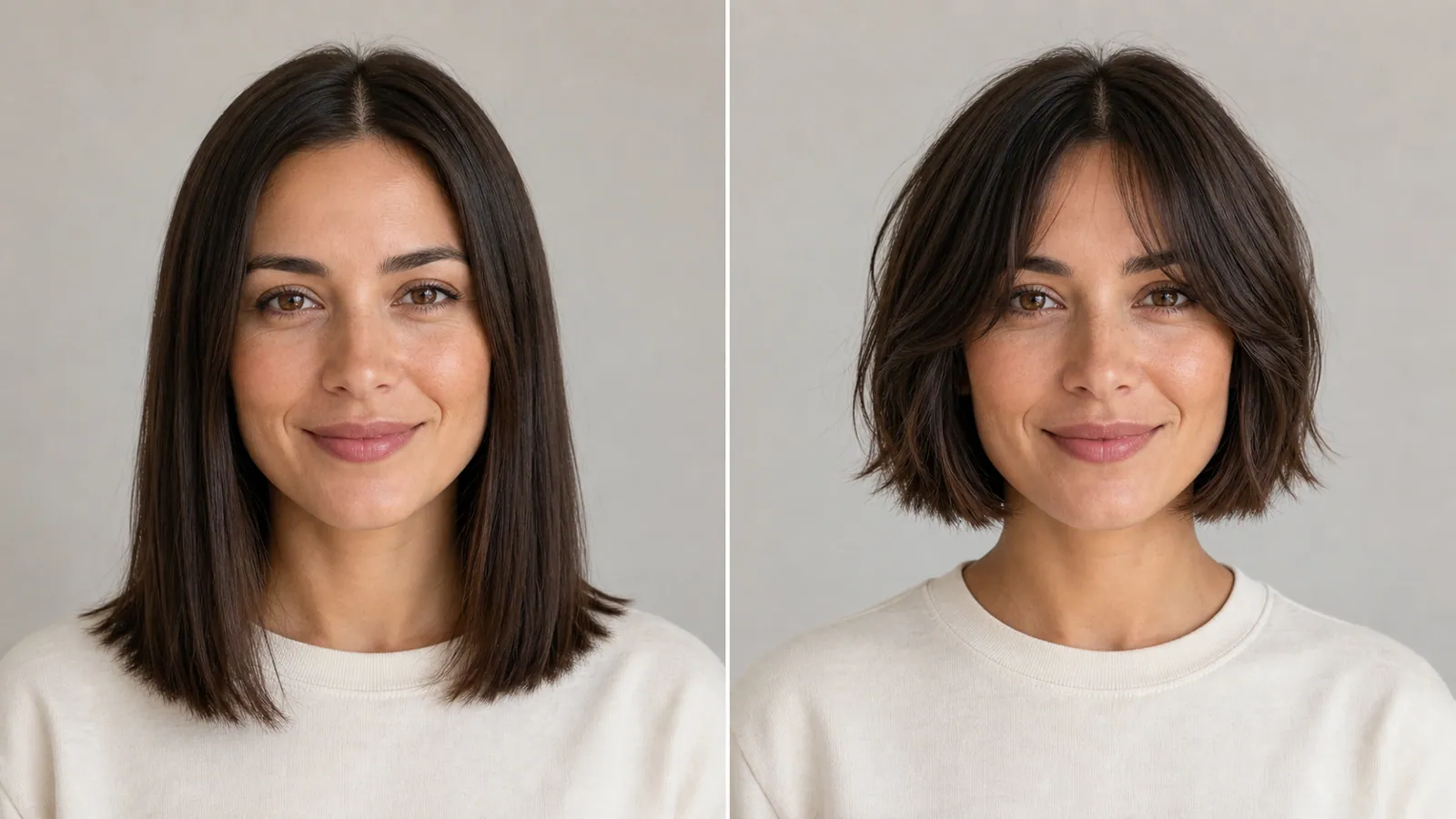
    Long straight hair to a sleek bob hairstyle

    “Change my hairstyle from long straight hair to a sleek shoulder-length bob with blunt ends. Keep my face, makeup, black top and the beige background unchanged.”

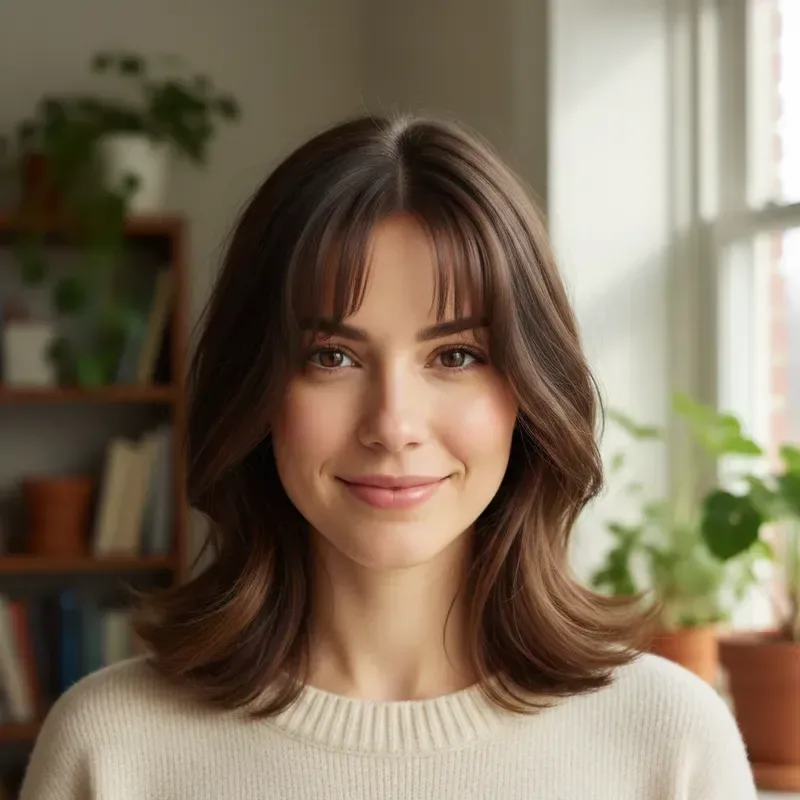
  • Woman with a shoulder-length layered hairstyle shown without and with wispy bangs — AfterWoman with a shoulder-length layered hairstyle shown without and with wispy bangs — Before

    Wispy bangs added to a layered hairstyle

    “Add soft, wispy bangs that fall just above the eyebrows. Keep the shoulder-length layers, hair color, face and the room behind me the same.”

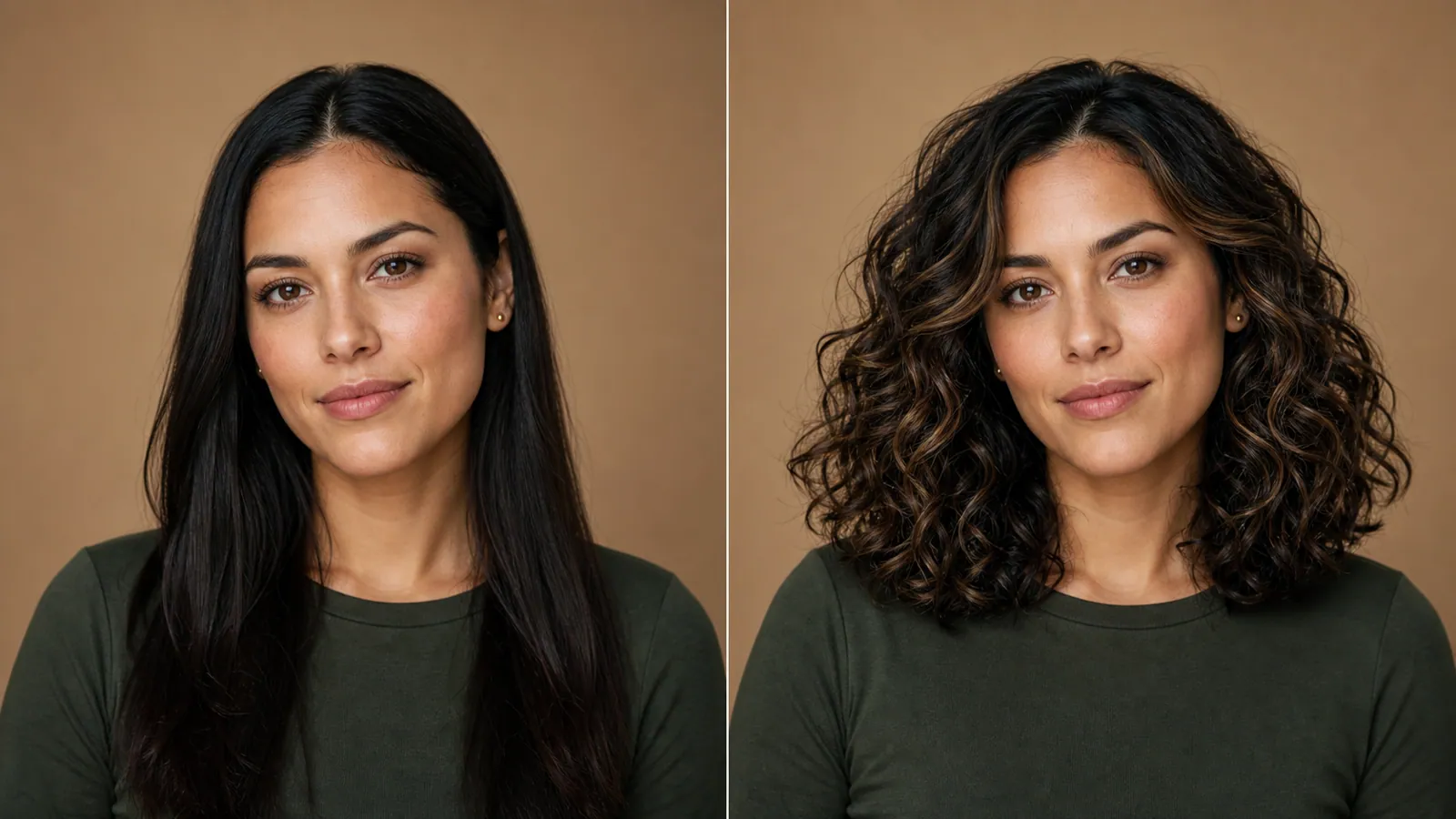
  • Side-by-side portraits of a woman with long straight black hair and with a voluminous curly hairstyle

    Straight hair turned into soft curls

    “Restyle my straight black hair into voluminous shoulder-length spiral curls with a natural shine. Keep my face, green top and the warm brown backdrop unchanged.”

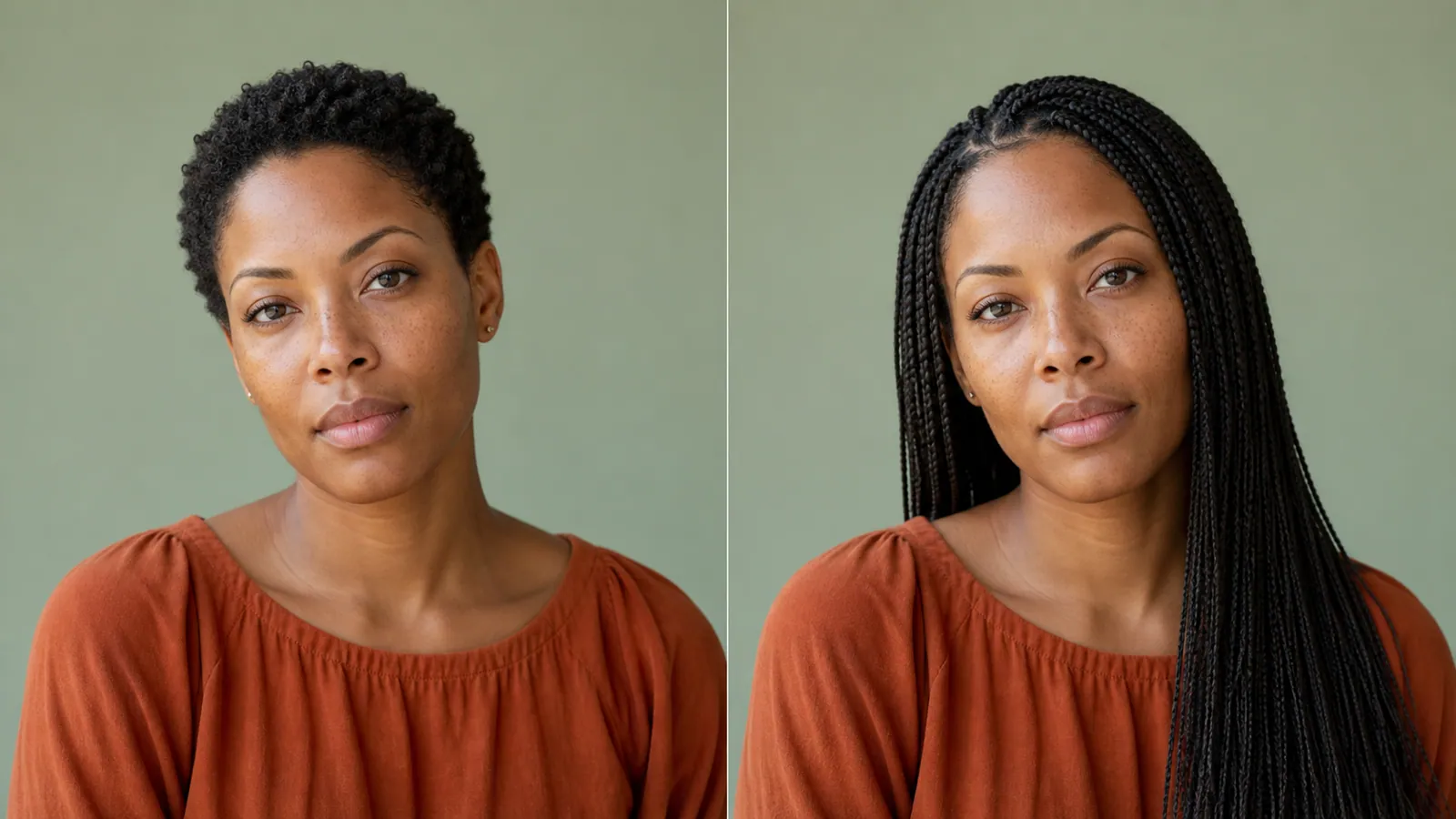
  • Side-by-side portraits of a woman with short natural hair and with a long box-braid hairstyle

    Short natural hair to long box braids

    “Give me long box braids that fall past my shoulders, parted in the middle. Keep my face, skin tone, rust top and the sage green background as they are.”

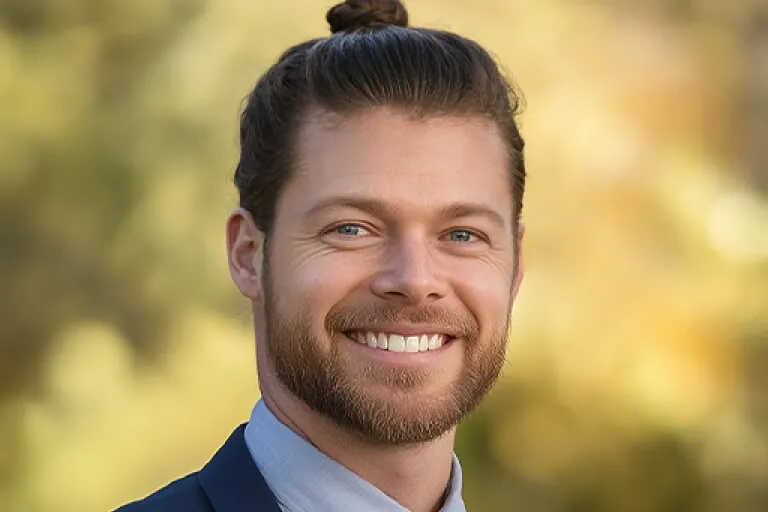
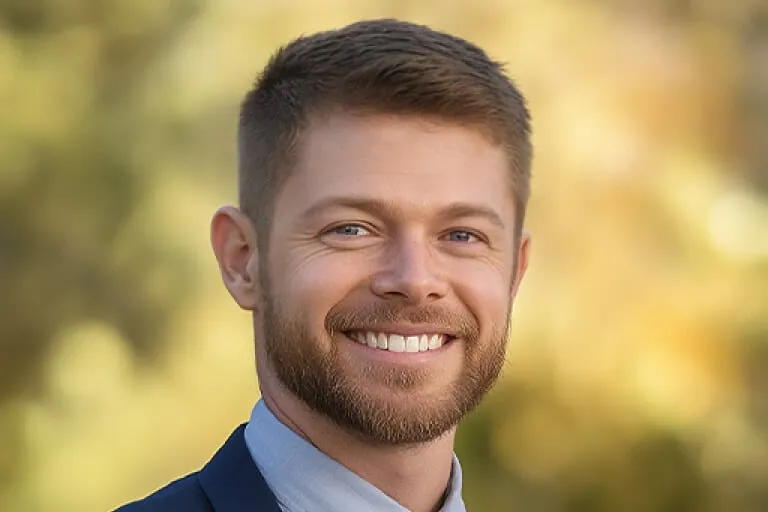
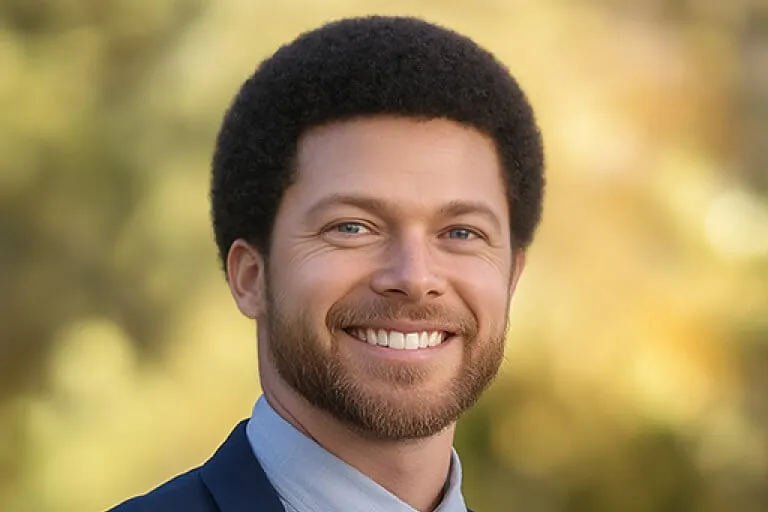
  • Bearded man in a navy blazer with a short crew cut, then with a long man bun hairstyle — AfterBearded man in a navy blazer with a short crew cut, then with a long man bun hairstyle — Before

    Short crew cut grown into a man bun hairstyle

    “Change my hairstyle from a short crew cut to long hair pulled back into a neat man bun, with smooth sides. Keep my beard, smile, navy blazer and the blurred autumn background exactly as they are.”

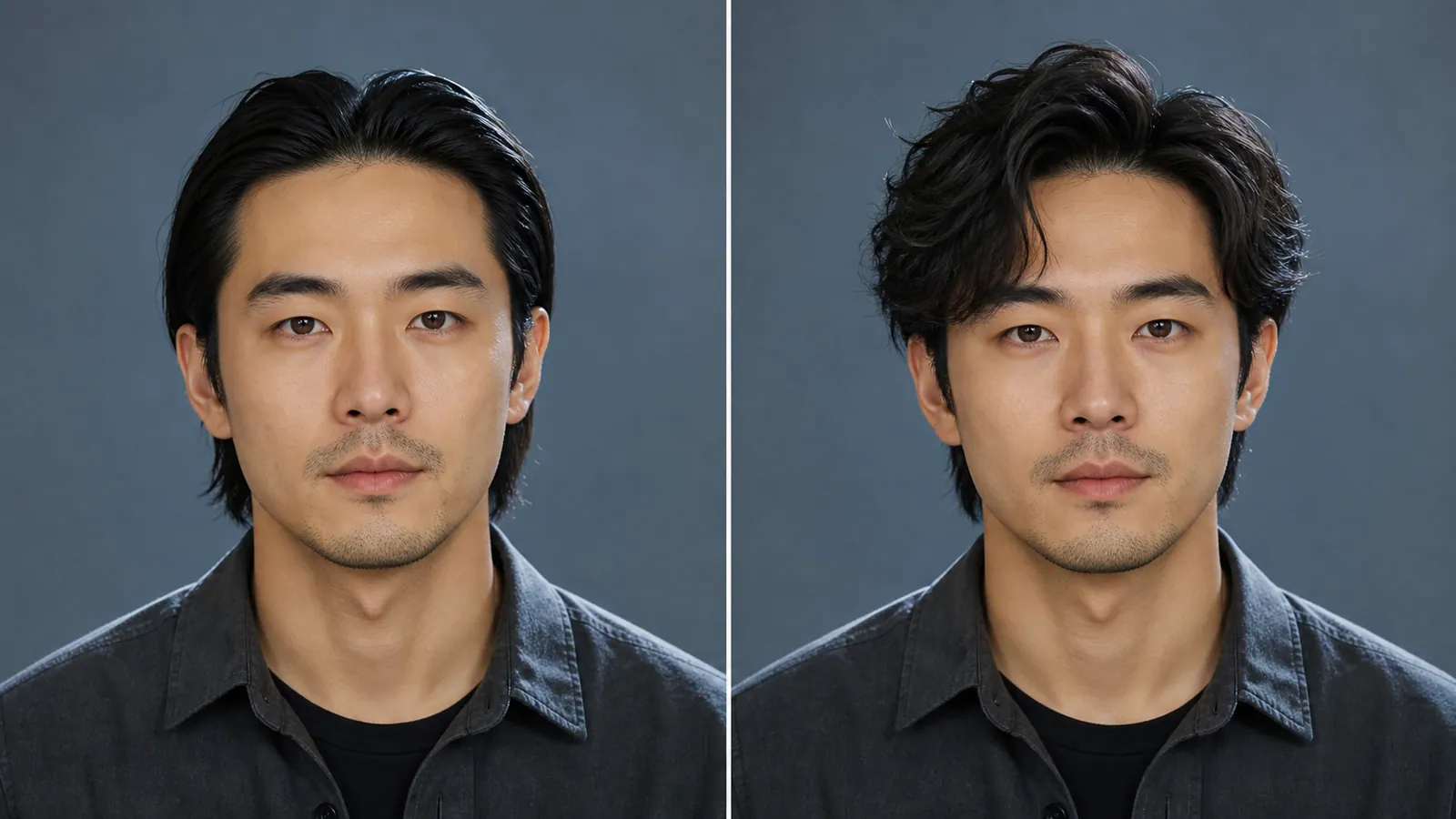
  • Side-by-side portraits of a man with slicked-back black hair and with a tousled, textured cut

    Slicked-back hair loosened into a textured cut

    “Change my slicked-back black hair into a messy, textured medium-length hairstyle with loose strands falling onto my forehead. Keep my face, stubble, dark shirt and the slate-blue backdrop unchanged.”

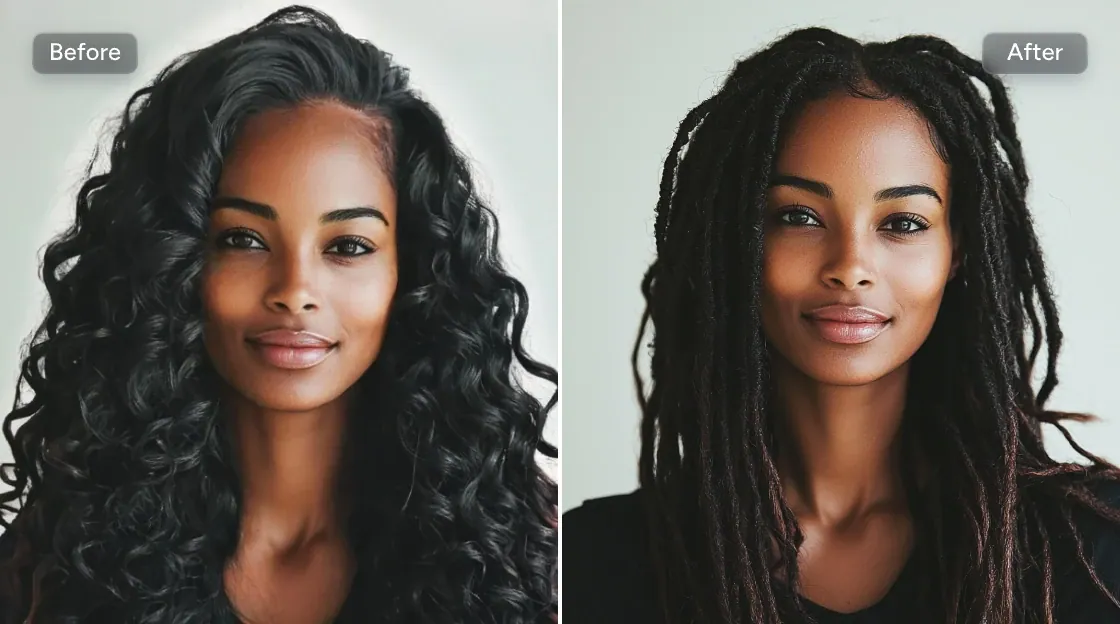
  • Side-by-side portraits of a woman with long black curls and with a long locs hairstyle, labeled Before and After

    Long spiral curls twisted into locs

    “Turn my long, loose black curls into long locs that fall past my shoulders, with a center part and a few dark auburn tips. Keep my face, black top and the pale grey backdrop unchanged.”

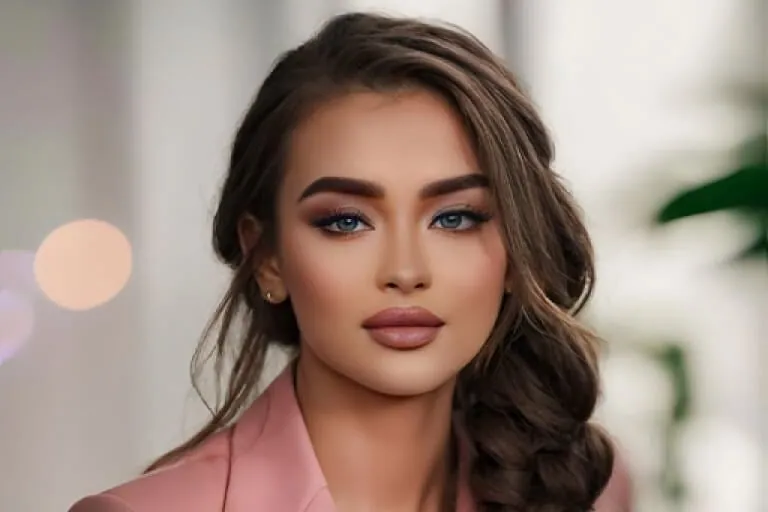
  • Woman in a pink blazer with long straight hair, then with a loose side-braid hairstyle over one shoulder — AfterWoman in a pink blazer with long straight hair, then with a loose side-braid hairstyle over one shoulder — Before

    Long straight hair woven into a side braid

    “Style my long straight hair into one loose, voluminous braid resting on my left shoulder, a shade darker brown, with a few face-framing strands left out. Keep my makeup, pink blazer and the soft-focus background.”

Example images are for illustration only. Each prompt is a starting point for a similar edit on your own photo.

How to change hairstyle in a photo

  1. Step 1

    Pick a clear selfie

    Upload a front-facing JPG, PNG or WebP (20 MB max) where your hairline and both sides of your head are visible. Hair tied back or tucked under a hat gives the hairstyle changer less to follow.

  2. Step 2

    Describe the new hairstyle

    Name the length, shape and fringe, such as "chin-length bob", "long layers with curtain bangs" or "buzz cut", and add a color if you want one. Ask the hairstyle changer to keep your face unchanged.

  3. Step 3

    Compare and refine

    Run the hairstyle changer and look at the old and new hairstyle side by side. Not quite there? Add one short tweak like "a bit shorter" or "warmer brown" and run it again.

AI hairstyle changer prompt library

Ten hairstyle and color ideas written out in full for the hairstyle changer, each for a different kind of change; swap in your own length, shade or texture before you run it.

  1. 01

    Long hair to a textured pixie

    Cut my long hair into a short textured pixie hairstyle with longer pieces on top and tapered sides above the ears. Keep my face, earrings, top and background exactly the same.

  2. 02

    Low fade with a side part

    Give me a low skin fade on the sides with about two inches of length on top, combed into a neat side-part hairstyle. Keep my beard, face, shirt and background unchanged.

  3. 03

    Grey roots grown out to silver

    Show my hair fully grown out to its natural silver-grey, with the same hairstyle and length, soft dimension and no harsh line at the roots. Keep my face, skin tone and clothing as they are.

  4. 04

    Honey balayage on brown hair

    Add a soft honey-blonde balayage to my brown hair, starting below the ears and brightest at the ends, with my natural darker roots kept. Same hairstyle, length and waves; face and background unchanged.

  5. 05

    Low chignon hairstyle for a wedding guest

    Style my hair into a smooth low chignon at the nape for a wedding, with two loose tendrils framing my face and a small pearl pin. Keep my makeup, dress and background unchanged.

  6. 06

    Natural curls in a tapered shape

    Shape my natural curls into a rounded tapered hairstyle, fuller on top and shorter at the nape, with defined, glossy coils and no frizz. Keep my face, glasses and the room behind me the same.

  7. 07

    Choppy shag at collarbone length

    Change my hairstyle to a medium-length shag with choppy layers around the crown and feathered ends at the collarbone, slightly messy and airy. Keep my face, expression, jacket and background unchanged.

  8. 08

    Short, even buzz cut

    Clip my hair into a short, even buzz cut about a quarter inch long, following my natural hairline and head shape. Keep my eyebrows, face, hoodie and the street behind me unchanged.

  9. 09

    Preview of long extensions

    Show me with long, straight hair extensions falling well past my chest, in my exact natural shade and blended seamlessly near the ears. Keep my face, shoulders, top and background the same.

  10. 10

    Pastel lavender color test

    Dye my blonde hair a soft pastel lavender from roots to ends, with a slightly deeper tone underneath, keeping the same hairstyle and natural shine. Leave my face, makeup and outfit unchanged.

What people use an AI hairstyle changer for

  • Woman with long straight dark hair shown again with a chin-length bob hairstyle and curtain bangs

    Try a hairstyle before the salon

    Big chop or subtle trim? Run the AI hairstyle changer on your own face first, then show the picture to your stylist so you both have the same hairstyle in mind.

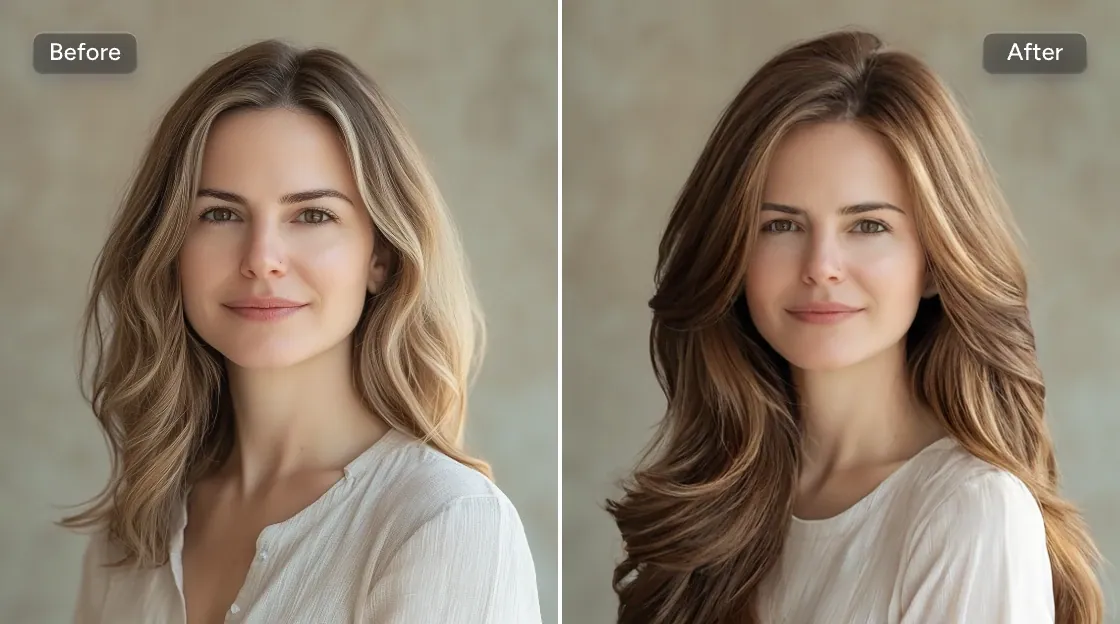
  • Woman with long wavy blonde hair shown again with warm chestnut-brown waves

    Test hair color ideas

    The hairstyle changer shows how copper, honey blonde, chestnut brown or a pastel tint sits with your skin tone and your current cut before you commit to bleach or a box dye.

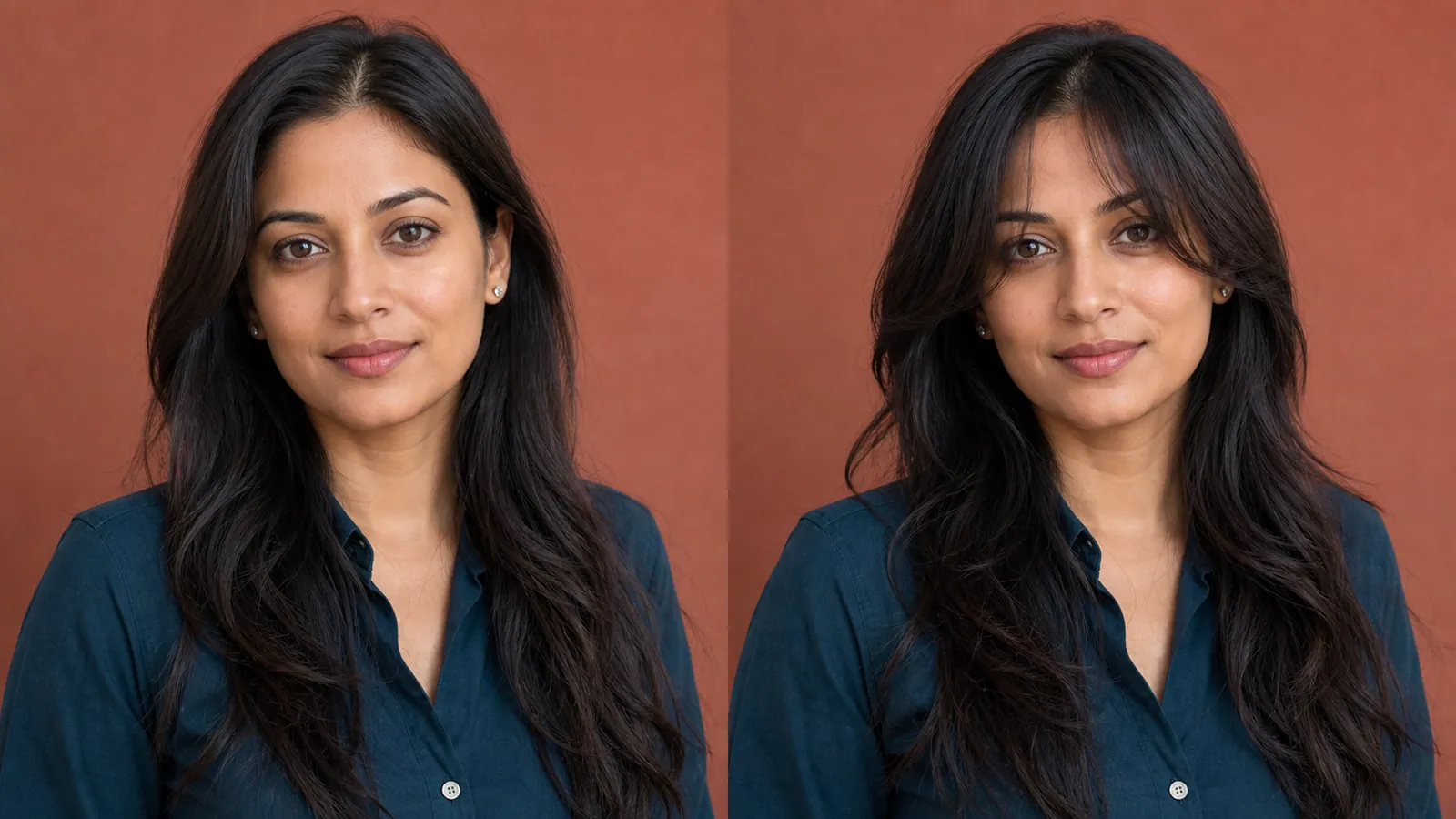
  • Woman with long dark hair against a terracotta wall, shown without and with soft curtain bangs

    Decide on bangs

    Bangs take months to grow out. Let the hairstyle changer put curtain, wispy and blunt fringes on the same photo before anyone picks up the scissors.

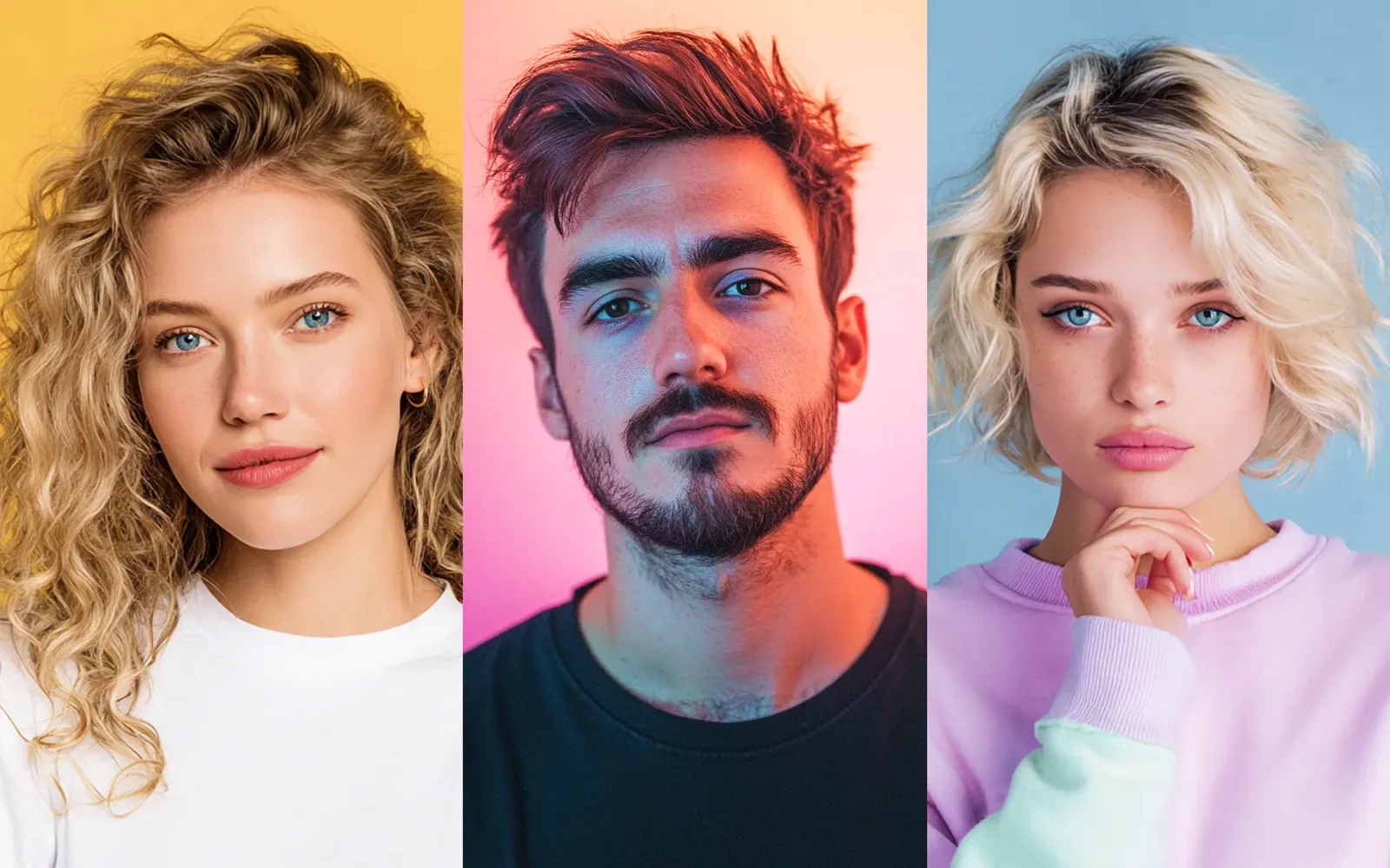
  • Three portraits side by side with three hairstyles: long blonde curls, a short textured red crop and a platinum wavy bob

    Plan length and texture

    Wondering whether long braids, a pixie cut or soft curls would suit you? Run each idea through the hairstyle changer on the same photo and keep the versions you like for later.

Tips for a realistic result from the hairstyle changer

  • Use a photo with your hair down and your forehead and ears visible, so the new hairstyle has a clear outline to follow.
  • Describe one hairstyle per prompt. "Bob with bangs in copper" works; three different styles in one request tend to blur together.
  • Give the length a landmark, such as chin, shoulder, collarbone or mid-back, so the result is not longer or shorter than you meant.
  • Keep "keep my face and expression unchanged" in the prompt. The AI hairstyle changer can still shift small features, so compare closely.
  • Name your curl pattern, for example "tight 4C coils" or "loose 2B waves", or a curly hairstyle may come out straighter than your real texture.
  • Want a different outfit with the same hairstyle? Open the AI Clothes Changer once the hair looks right.

Which model suits an AI hairstyle changer

A hairstyle is fine detail sitting on top of a face that must not move. These three models handle that best in the hairstyle changer.

  • Nano Banana 2

    Google

    The default in the hairstyle changer, and the safest start for any hairstyle. It keeps your face consistent while it redraws the cut, so you can try a bob, curls and a new shade as a series and still compare like with like.

    About Nano Banana 2
  • Nano Banana Pro

    Google

    Pick it when strand detail matters: fine flyaways, tight coils, glossy waves or a balayage blend. It is better at matching the light on a new hairstyle to the light on your face, which keeps the result from looking like a wig.

    About Nano Banana Pro
  • Flux

    Black Forest Labs

    Use Flux when the edit must stay strictly inside the hair, for example a color change on the same hairstyle, and your face, ears and background have to be left exactly as they were.

    About Flux

Getting a hairstyle preview you can trust

What happens inside the hairstyle changer, and how to steer it toward a result your stylist can work from.

How the AI rebuilds a hairstyle around your face

A hairstyle edit is two jobs at once. The hairstyle changer has to draw new hair, strand by strand, and it has to invent whatever the old hairstyle used to cover. Going from long to short means painting in the neck, ears, collar and background that were hidden. Going from short to long means inventing hair that drapes over your shoulders and top.

That is why the trickiest spots of any new hairstyle are the edges: the hairline, the area around the ears and the line where hair meets clothing. Plain backgrounds help, because there is less to rebuild. If the edges look smudged, run it again with "clean hairline, natural edges around the ears" added to the prompt.
Preparing a selfie for a hairstyle preview

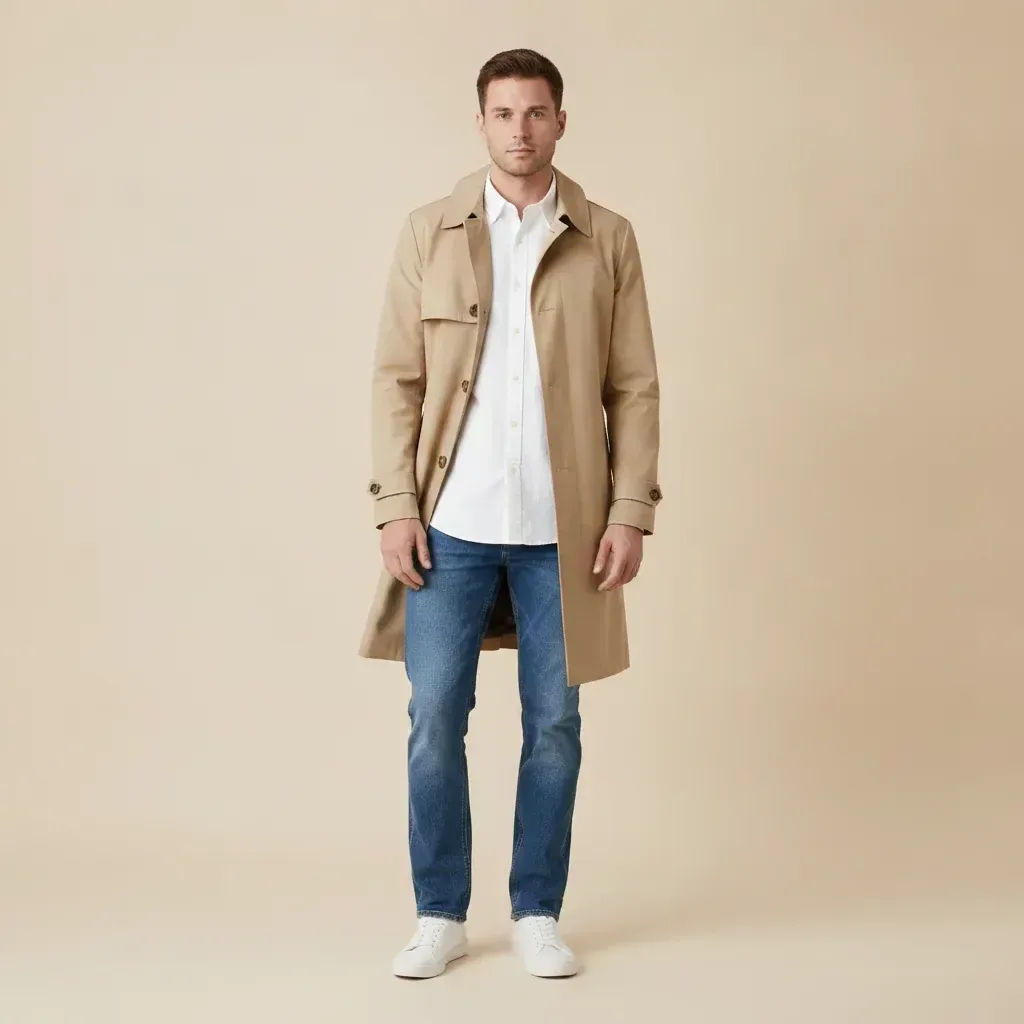
Pick a photo taken at eye level, with your face turned toward the camera and light falling evenly from the front. Window light works well; a single overhead bulb casts shadows that end up baked into the new hairstyle.

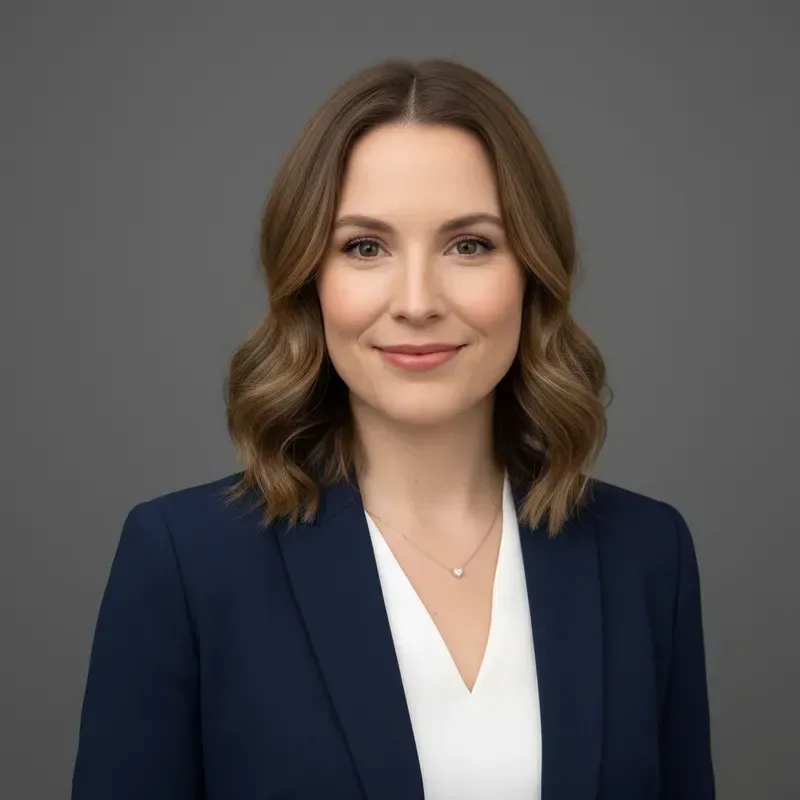
Wear your hair down and dry, pushed back from your face if possible, so the hairstyle changer sees your hairline and the shape of your head. Remove hats, headbands and large clips. Your head and shoulders should fill most of the frame. A sharp phone photo is plenty, as long as it is not a heavily filtered or beauty-mode shot. Keep a copy of the original: you will want it next to every hairstyle you make.

When the new hairstyle looks like a wig

A wig-like result from a hairstyle changer usually has one of three causes. The hairline is too sharp or too even, the hair is a flat block of color, or the light on the hair does not match your face. Fix them in words: ask for "a soft, natural hairline with a few baby hairs", "darker roots and lighter tips" or "light from the same side as my face".

Big color jumps such as black to platinum need extra help, so mention realistic roots and a little shine. If the face changed, often around the eyebrows or jaw, go back to the original photo rather than editing the edited one, and repeat "keep my face exactly the same" when you describe the hairstyle again.

Taking the hairstyle preview to the salon

A hairstyle changer preview shows the shape and shade on your face; it cannot know how your own hair behaves. Density, cowlicks, curl pattern and how far dark hair can be lightened all decide what a stylist can actually do, so treat the image as a conversation starter rather than an order.

Save a front view of the hairstyle you like, a three-quarter view if you have a suitable photo, and one runner-up. If you are planning a full change for an event, try the outfit in the AI Clothes Changer afterwards, or turn the final look into a profile photo with the AI Headshot Generator.

Previewing a hairstyle the way you will really wear it

Salon photos show a hairstyle on its best day, straight after a blow-dry. Your preview is more useful when it also shows an ordinary morning. Run the same cut through the hairstyle changer twice: once as "freshly styled with a round brush", once as "air-dried, no products, a little frizz". If you only like the first version, that hairstyle will need daily work.

The same trick helps with fringes and layers. Ask for "bangs two weeks after a trim" to see how they sit as they grow toward your eyes, or for "tied back in a low ponytail" to check that a layered cut still works on a gym day. A hairstyle you can wear three ways is usually a safer pick than one that only looks right in a single pose.

Hairstyle changer, filter app or a hand-drawn mock-up

Filter apps paste a ready-made hair shape over your head, so the edge rarely follows your hairline and the same few templates show up on everyone. A hairstyle changer that works from a written prompt redraws the hair for your head shape, light and pose, and you can ask for the exact length, parting and shade you have in mind.

A stylist sketching on a printout, or retouching your photo by hand in a layer-based editor, can give a careful result, but it takes far longer and needs real skill with strands. The AI hairstyle changer sits in between: a rough but personal preview in a short wait, close enough to compare five hairstyles in one sitting, while the final word on what your hair can do stays with your stylist.

AI hairstyle changer FAQ

  1. Is the AI hairstyle changer free to use?

    You can sign up and try it free once. After that, each hairstyle you test uses credits; the editor shows the cost for the selected model before every run, and paid plans top up your balance if you want to compare many looks.

  2. Can I change hairstyle and hair color in one edit?

    Yes. The hairstyle changer handles both in one prompt, for example "chin-length bob in warm caramel brown". For big jumps like black to platinum, ask for natural roots and realistic shine so the new hairstyle reads as real hair.

  3. Will I still look like myself with a new hairstyle?

    The hairstyle changer is told to touch only your hair and leave your face alone. Like any generative edit, it can move small details such as eyebrows or jawline shadows, so compare the result with your original before sharing it.

  4. Does the hairstyle changer work for men and for short hair?

    Yes. Ask for a fade, crew cut, textured crop, slicked-back hairstyle or longer flow. Short-to-long changes work too: the AI draws the new length from scratch, so say how far down it should fall.

  5. Can I use the hairstyle changer on someone else's photo?

    Use photos you have the right to edit: your own, or ones where the person has agreed. The results are for planning a look, not for passing off an altered picture of a real person as genuine.

  6. Can the AI hairstyle changer tell me which hairstyle suits my face shape?

    No. It does not measure your face or recommend styles; it shows the hairstyle you describe on your photo. That still helps: run two or three ideas on the same selfie, put them side by side and judge proportions, fringe length and color with your own eyes.

  7. Can I copy a hairstyle from a picture I saw online?

    You can describe it, but not upload it: the editor takes one photo, and that photo is yours. Break the reference down into length, layers, fringe, parting, texture and color, for example "collarbone length, long curtain bangs, middle part, loose waves, ash brown".

  8. Can I change hairstyle on a photo with glasses or a beard?

    Yes. Tell the hairstyle changer that they stay: "keep my glasses and beard exactly as they are". Frames that cross the hairline at the temples are a common spot for small errors, so zoom in there. To preview a new beard length as well, ask for it in a separate run after the haircut.

  9. How do I compare several hairstyles on one selfie?

    Run each idea as its own edit in the hairstyle changer and always start from the same original selfie rather than the last result, so the light and your face stay identical. Download each version, name the file after the hairstyle, and line them up in a grid to judge them side by side.

  10. Can I see a new hairstyle from the side or the back?

    Only from a photo that already shows that side. The AI hairstyle changer edits the picture you upload and does not turn your head, so upload a profile shot and paste the same hairstyle description word for word. Expect small differences between angles.

  11. Can I plan a hairstyle for a wedding or another event?

    Yes. Describe the occasion along with the style, such as "soft low updo for a summer wedding, loose curls at the temples". Use a photo taken in light similar to the venue, and bring the preview to your trial appointment so the stylist sees the hairstyle you mean.

Preview your next hairstyle

Upload a selfie, describe the hairstyle you are considering and see it on your own face in the AI hairstyle changer before your next appointment.